> ## Documentation Index
> Fetch the complete documentation index at: https://docs.hiveinspect.com/llms.txt
> Use this file to discover all available pages before exploring further.

# Mobile App

> Use the Hive mobile app to conduct inspections on the go

⏱️ **Estimated time:** \~5 minutes

## Video Tutorial

<Card title="Overview of Mobile App Features and Inspection Process" icon="circle-play">
  <iframe width="100%" height="450" src="https://www.loom.com/embed/2c87dc40174544aeb6676d135aacdd29" frameborder="0" allowfullscreen />
</Card>

<Steps>
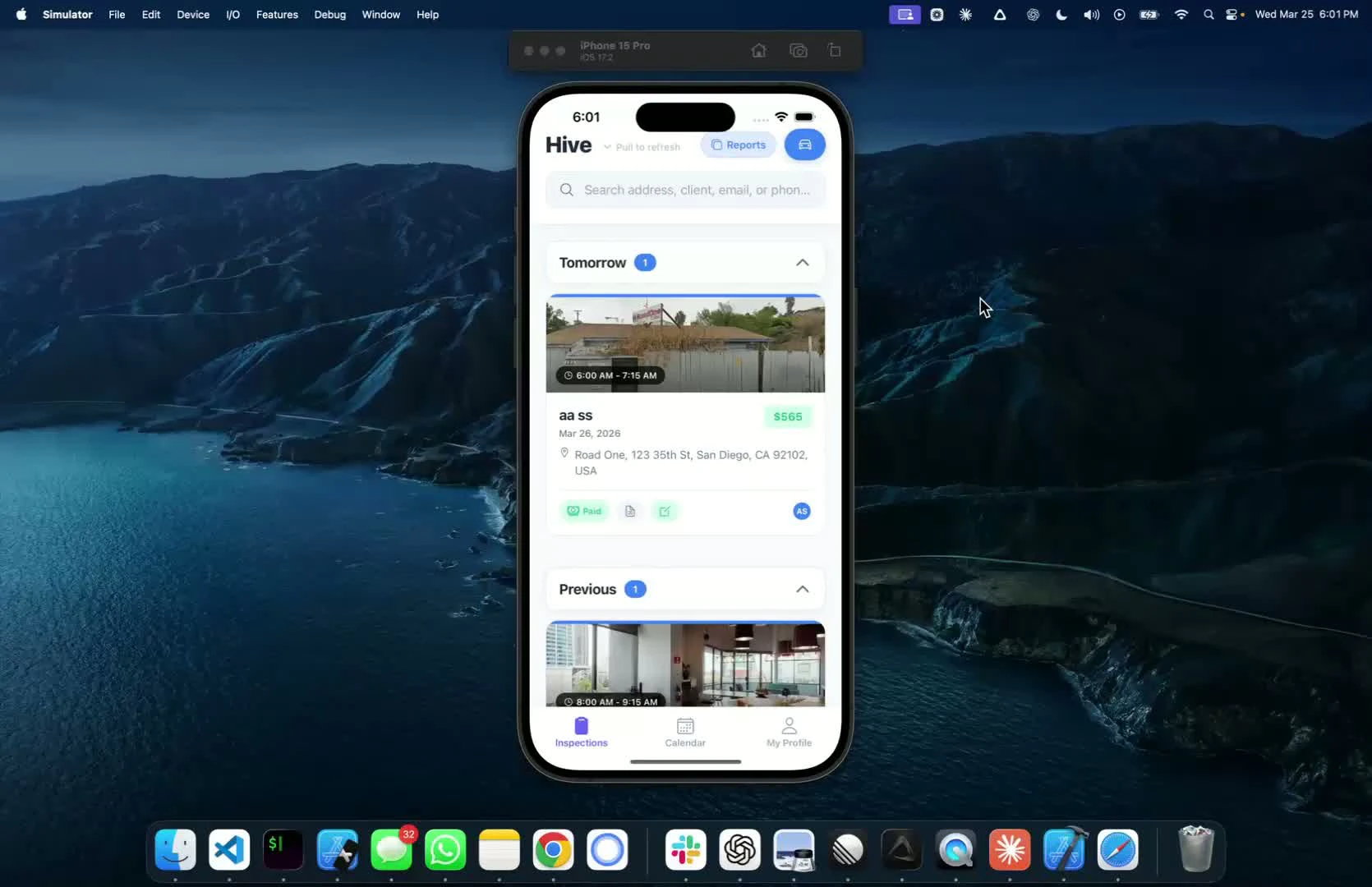
  <Step title="Introduction to the Mobile App — 0:01">
    * Overview of the mobile app features
    * This video does not cover actual inspections, but focuses on app functionalities
    <img src="https://mintcdn.com/hiveinspect-43c85ed1/xYKGp_3A44kyTeKP/images/Mobile-App-1.jpg?fit=max&auto=format&n=xYKGp_3A44kyTeKP&q=85&s=b39fbe7ea97fdad92f8ff16314c91a67" alt="Introduction to the mobile app" width="1670" height="1080" data-path="images/Mobile-App-1.jpg" />
  </Step>

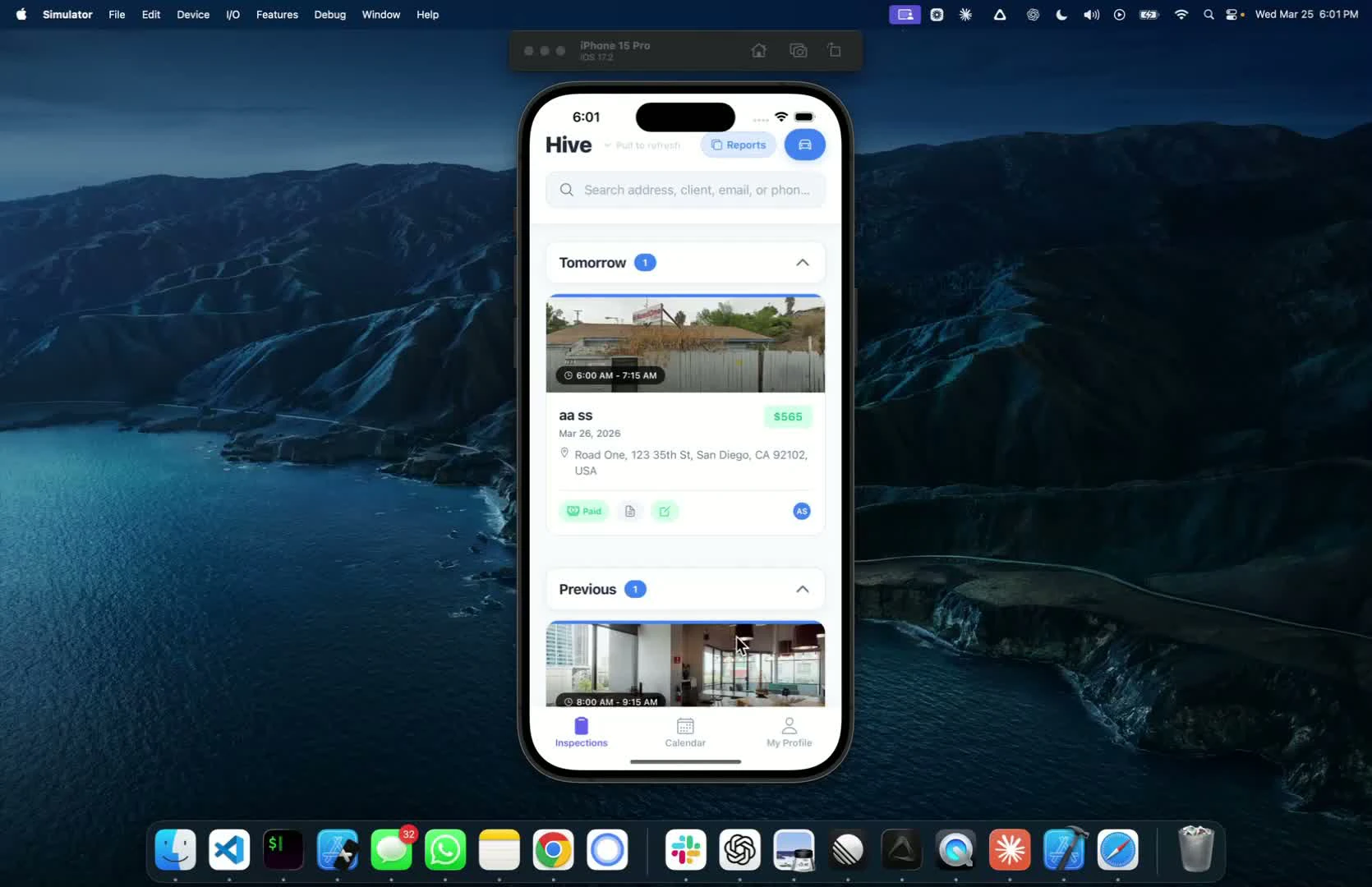
  <Step title="Viewing Confirmed Inspections — 0:16">
    * After logging in, see all confirmed inspections
    * Status buttons indicate payment and signing status:
      * Paid but not signed
      * Unpaid inspections
    <img src="https://mintcdn.com/hiveinspect-43c85ed1/Ish45kXj50EQHADF/images/Mobile-App-2.jpg?fit=max&auto=format&n=Ish45kXj50EQHADF&q=85&s=7270c48ace9c0af81587a2231c4c66c2" alt="Viewing confirmed inspections" width="1670" height="1080" data-path="images/Mobile-App-2.jpg" />
  </Step>

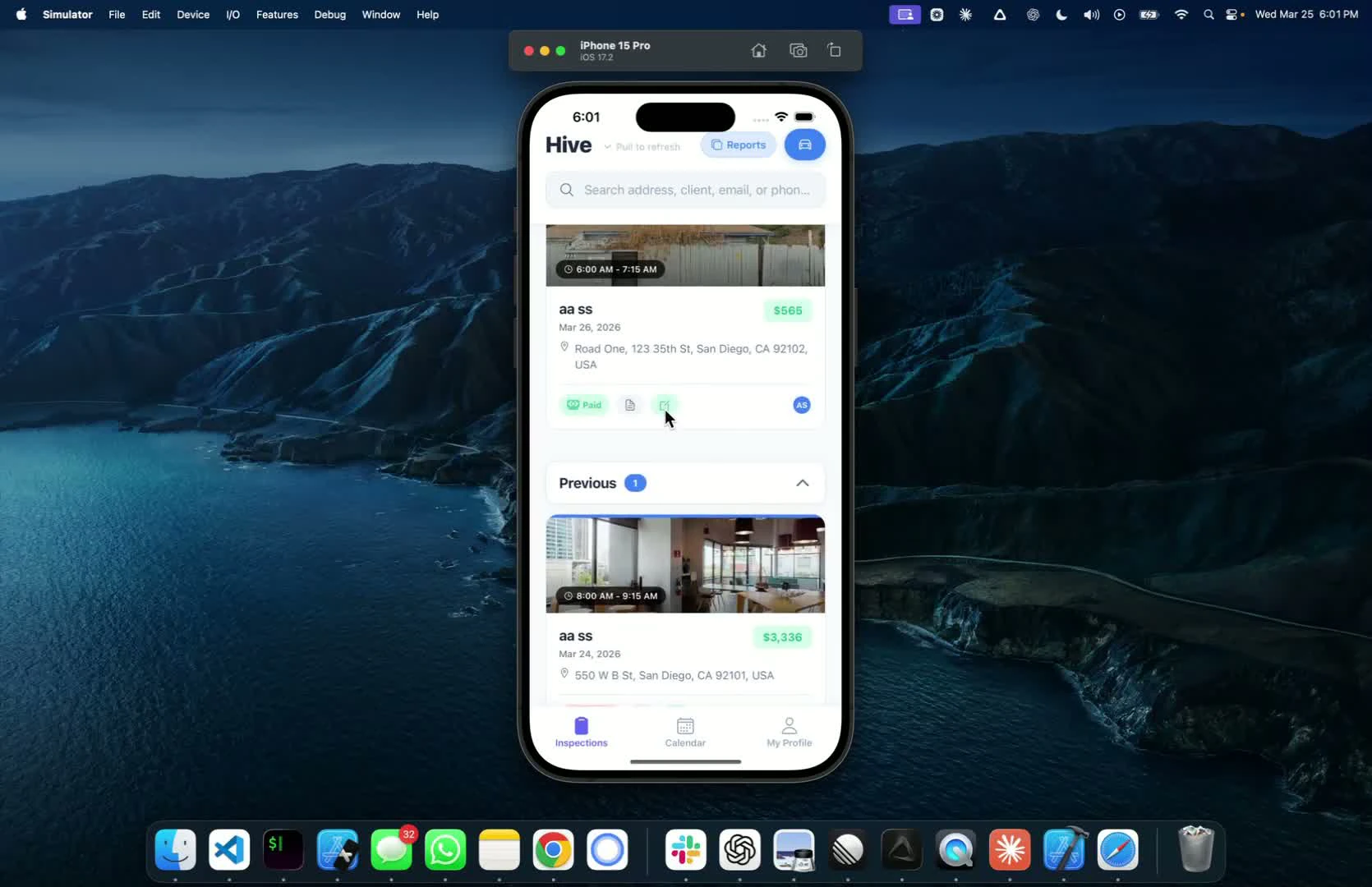
  <Step title="Accessing Inspection Details — 0:27">
    * Each inspection shows:
      * Price
      * Address
      * Time
      * Assigned inspector (ES tag)
    <img src="https://mintcdn.com/hiveinspect-43c85ed1/Ish45kXj50EQHADF/images/Mobile-App-3.jpg?fit=max&auto=format&n=Ish45kXj50EQHADF&q=85&s=3325176363635915eb08b4064c685d89" alt="Accessing inspection details" width="1670" height="1080" data-path="images/Mobile-App-3.jpg" />
  </Step>
</Steps>
