> ## Documentation Index
> Fetch the complete documentation index at: https://docs.hiveinspect.com/llms.txt
> Use this file to discover all available pages before exploring further.

# Targeted Add-On Upsell Emails for Termite, Septic and Radon

> Send one upsell email per add-on, such as termite, septic or radon, only to clients who have not booked it yet, using the Add-on Name Filter in Automations.

export const VideoEmbed = ({id, title}) => {
  const [playing, setPlaying] = useState(false);
  const [thumb, setThumb] = useState(`https://i.ytimg.com/vi/${id}/maxresdefault.jpg`);
  const label = `${title} - Hive Inspect`;
  return <figure className="my-6 not-prose">
      <div className="relative w-full overflow-hidden rounded-xl bg-zinc-950 shadow-sm ring-1 ring-zinc-950/10 dark:ring-white/10" style={{
    aspectRatio: "16 / 9"
  }}>
        {playing ? <iframe src={`https://www.youtube-nocookie.com/embed/${id}?autoplay=1&rel=0&playsinline=1`} title={label} loading="lazy" allow="accelerometer; autoplay; clipboard-write; encrypted-media; gyroscope; picture-in-picture" allowFullScreen className="absolute inset-0 h-full w-full" style={{
    border: 0
  }} /> : <button type="button" onClick={() => setPlaying(true)} aria-label={`Play video: ${title}`} className="group absolute inset-0 h-full w-full cursor-pointer">
            <img src={thumb} alt="" loading="lazy" onError={() => {
    if (!thumb.includes("hqdefault")) setThumb(`https://i.ytimg.com/vi/${id}/hqdefault.jpg`);
  }} className="absolute inset-0 h-full w-full object-cover transition-transform duration-300 group-hover:scale-[1.02]" />
            <span className="absolute inset-0 bg-black/10 transition-colors group-hover:bg-black/20" />
            <span className="absolute left-1/2 top-1/2 flex -translate-x-1/2 -translate-y-1/2 items-center justify-center shadow-lg transition-all group-hover:scale-105" style={{
    width: 96,
    height: 68,
    borderRadius: 20,
    backgroundColor: "#ff0000"
  }}>
              <svg viewBox="0 0 24 24" className="ml-1 h-10 w-10 fill-white" aria-hidden="true">
                <path d="M8 5.5v13l11-6.5z" />
              </svg>
            </span>
          </button>}
      </div>
    </figure>;
};

<p className="hive-locator">In the dashboard: <strong>Business Tools → Services & Fees</strong>, then <strong>Automations</strong></p>

The stock upsell email lists every add-on you sell in one message. A targeted upsell sends a separate email for each add-on, so a client hears why a termite inspection matters in a message about termites, and only if they have not already booked it. Set one up per add-on and Hive Inspect decides who gets which one.

## Sending targeted add-on upsell emails

<VideoEmbed id="J4t4WC_WjD0" title="How to Send Targeted Add-On Upsell Emails" />

## How the matching works

Each targeted automation uses the **Add-on Name Filter**. Before sending, Hive looks at the inspection's **remaining add-ons**, the add-ons available on that service which the client has not added. The email only goes out when at least one remaining add-on name contains your filter text, so a client who already booked termite never gets the termite pitch.

The match is case-insensitive and checks the add-on name, so the text you filter on has to appear in the add-on's name under Services & Fees.

## Set it up

<Steps titleSize="h3">
  <Step title="Check your add-on names">
    <a className="hive-ts" href="https://youtu.be/J4t4WC_WjD0?t=22" target="_blank" rel="noopener" data-seek="22" data-video="J4t4WC_WjD0" aria-label="Jump to 0:22 in the video">0:22</a>

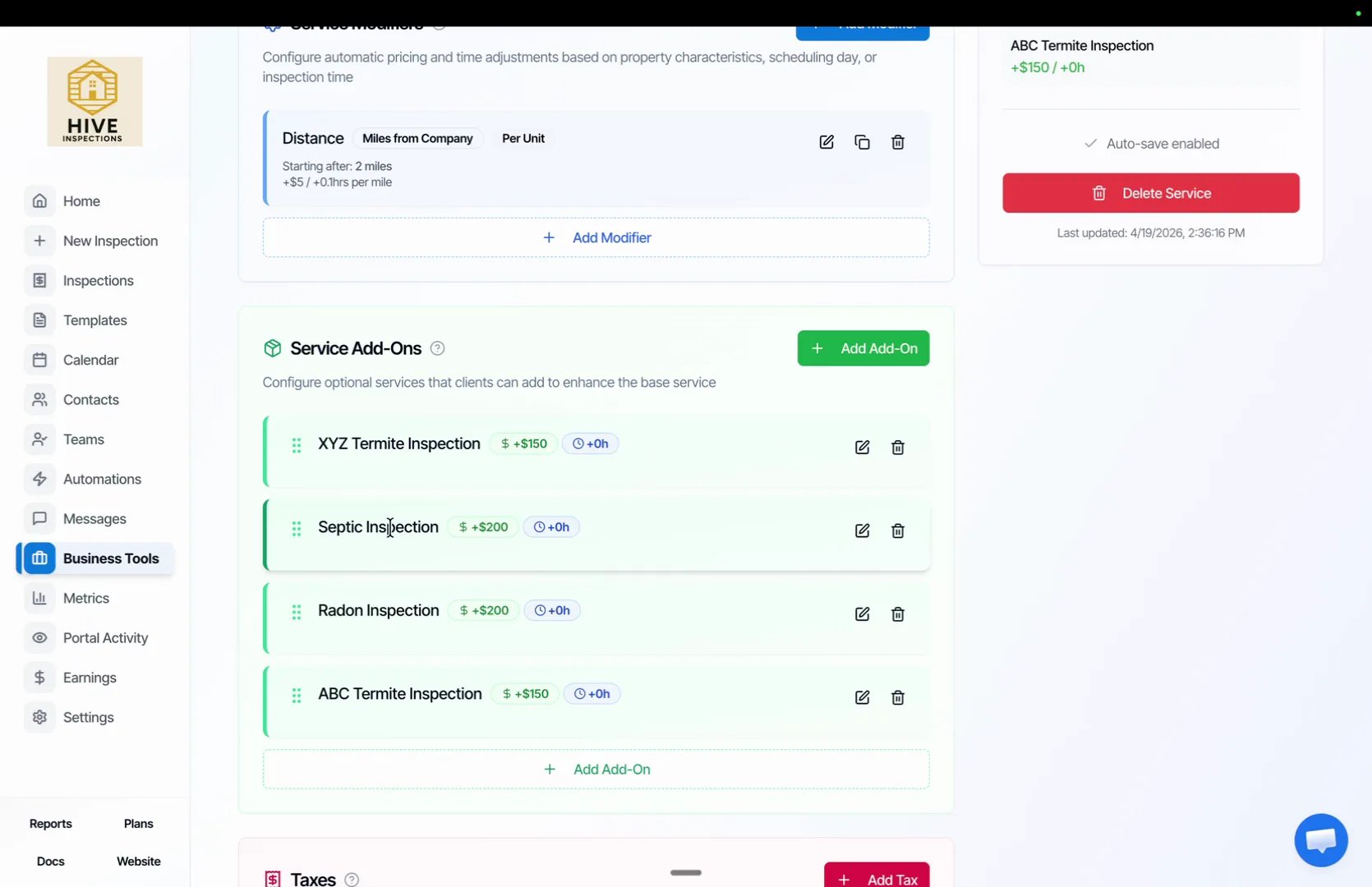
    * Go to **Business Tools → Services & Fees** and click **Edit** on a service, for example Duplex
    * Under **Service Add-Ons**, make sure each add-on has a clear name, such as **Termite Inspection**, **Septic Inspection** and **Radon Inspection**
    * The word you filter on later, such as `termite`, must appear in that name

    <img src="https://mintcdn.com/hiveinspect-43c85ed1/JS5by1am1RlG2dN-/images/Add-On-Upsell-Emails-1.webp?fit=max&auto=format&n=JS5by1am1RlG2dN-&q=85&s=78224b62913f5a7b103b7d7b92395394" alt="Service Add-Ons list showing Termite Inspection, Septic Inspection and Radon Inspection" width="1670" height="1080" data-path="images/Add-On-Upsell-Emails-1.webp" />
  </Step>

  <Step title="Import the upsell template">
    <a className="hive-ts" href="https://youtu.be/J4t4WC_WjD0?t=45" target="_blank" rel="noopener" data-seek="45" data-video="J4t4WC_WjD0" aria-label="Jump to 0:45 in the video">0:45</a>

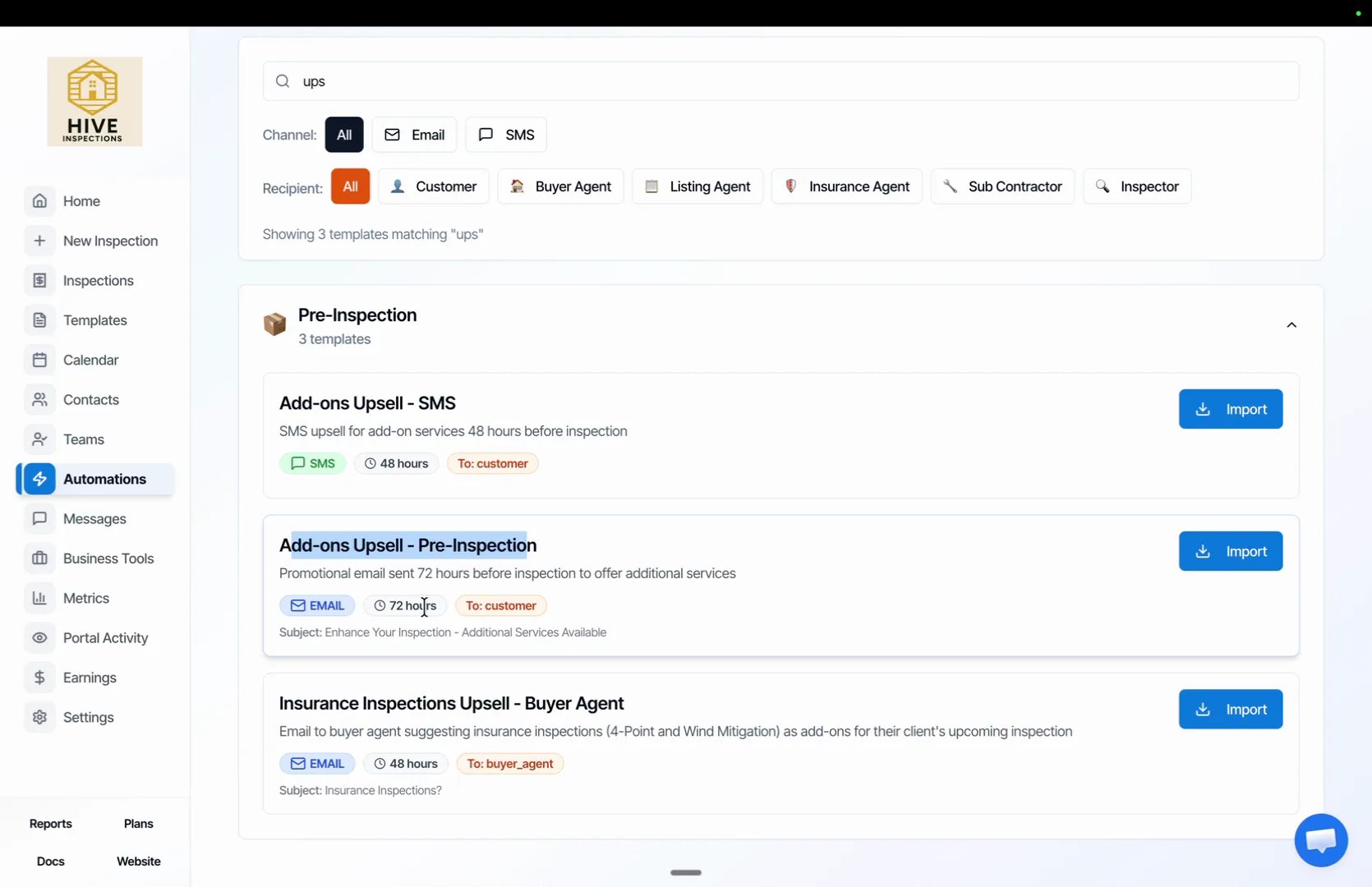
    * Go to **Automations** and click **Browse**
    * Search for `upsell` and, under **Pre-Inspection**, click **Import** on **Add-ons Upsell – Pre-Inspection**
    * Select all services and click **Done**. The stock version is an email sent to the customer 72 hours before the inspection

    <img src="https://mintcdn.com/hiveinspect-43c85ed1/JS5by1am1RlG2dN-/images/Add-On-Upsell-Emails-2.webp?fit=max&auto=format&n=JS5by1am1RlG2dN-&q=85&s=292a8772cffbafea1460ef86e155f031" alt="Browse templates showing Add-ons Upsell – Pre-Inspection with an Import button" width="1670" height="1080" data-path="images/Add-On-Upsell-Emails-2.webp" />
  </Step>

  <Step title="Set the timing and name">
    <a className="hive-ts" href="https://youtu.be/J4t4WC_WjD0?t=72" target="_blank" rel="noopener" data-seek="72" data-video="J4t4WC_WjD0" aria-label="Jump to 1:12 in the video">1:12</a>

    * Open the imported automation from your Automations list
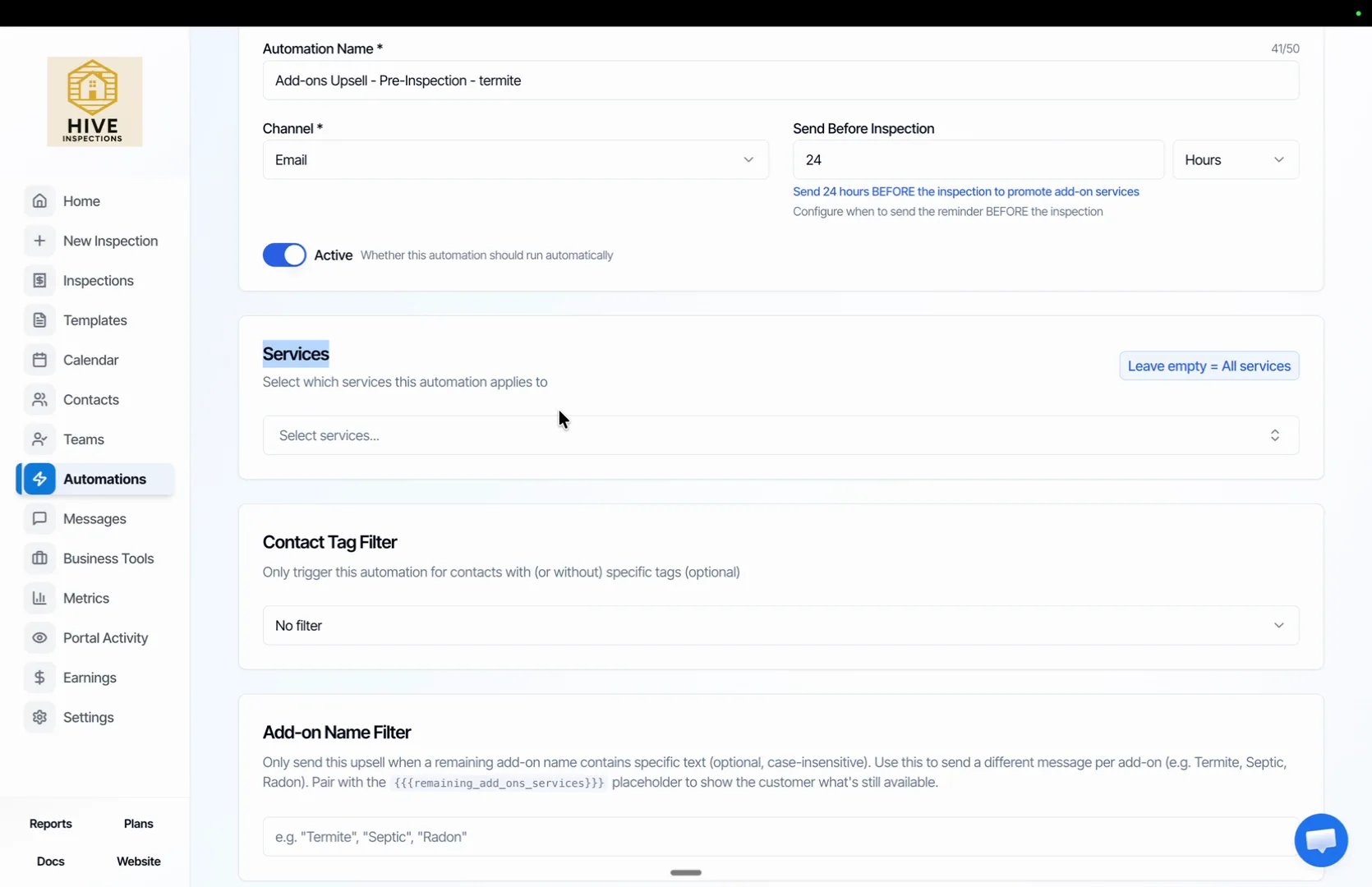
    * Change **Send Before Inspection** from 72 to **24** hours, or whatever lead time suits you
    * Rename it so you can tell the copies apart, for example "Add-ons Upsell – Pre-Inspection – termite"
    * Leave **Services** empty so it applies to every service, and leave **Contact Tag Filter** on **No filter**

    <img src="https://mintcdn.com/hiveinspect-43c85ed1/JS5by1am1RlG2dN-/images/Add-On-Upsell-Emails-3.webp?fit=max&auto=format&n=JS5by1am1RlG2dN-&q=85&s=31b1a4696e4a5d38c0d7bdb72bedf48b" alt="Edit Automation with the name ending in termite and Send Before Inspection set to 24 hours" width="1670" height="1080" data-path="images/Add-On-Upsell-Emails-3.webp" />
  </Step>

  <Step title="Filter on the add-on name">
    <a className="hive-ts" href="https://youtu.be/J4t4WC_WjD0?t=97" target="_blank" rel="noopener" data-seek="97" data-video="J4t4WC_WjD0" aria-label="Jump to 1:37 in the video">1:37</a>

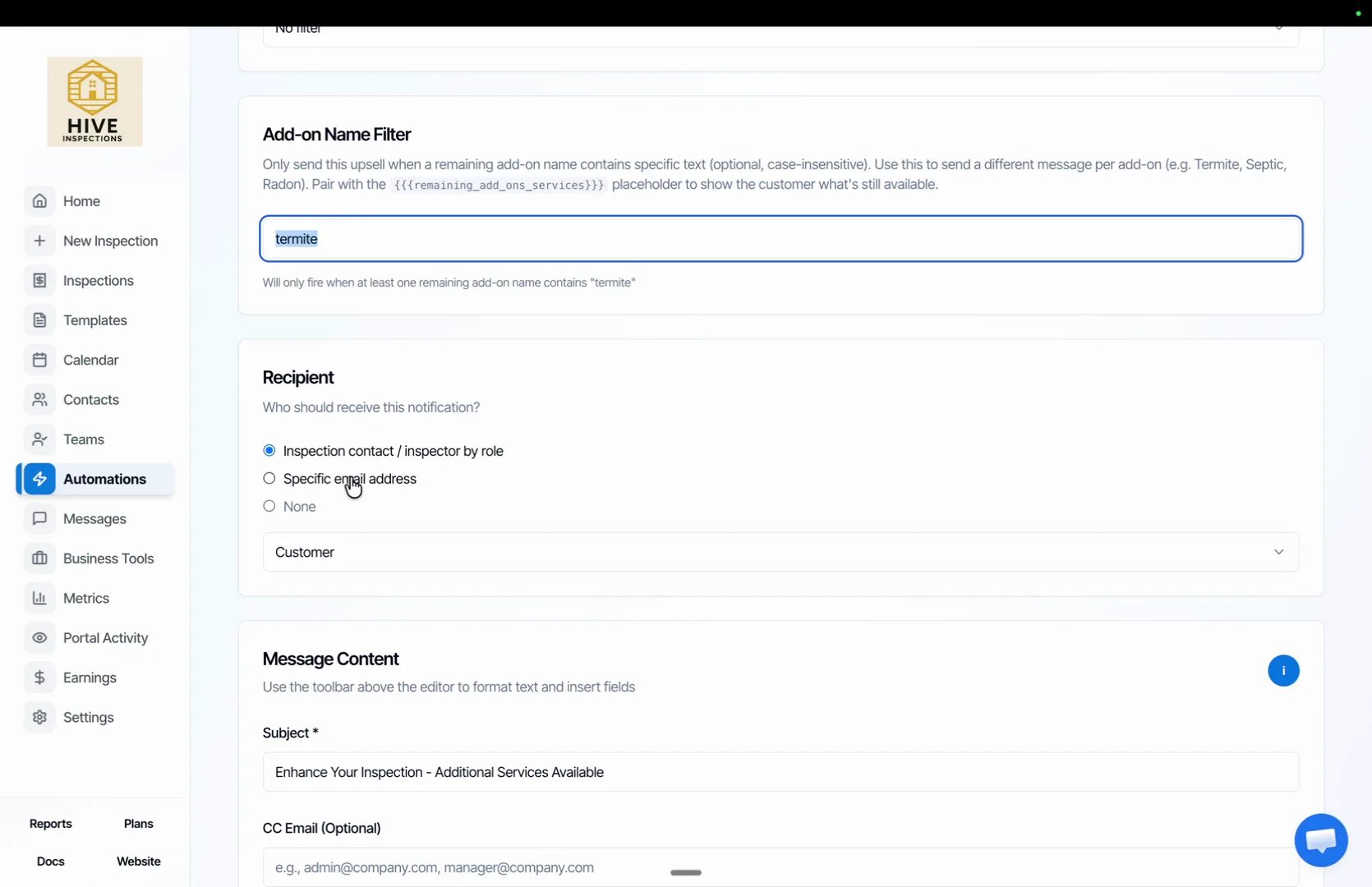
    * In **Add-on Name Filter**, type `termite`
    * Hive confirms underneath: the automation will only fire when at least one remaining add-on name contains "termite"
    * Under **Recipient**, keep **Inspection contact / inspector by role** with **Customer** selected

    <img src="https://mintcdn.com/hiveinspect-43c85ed1/JS5by1am1RlG2dN-/images/Add-On-Upsell-Emails-4.webp?fit=max&auto=format&n=JS5by1am1RlG2dN-&q=85&s=eae3e4b7393fdb4f098221f57315808a" alt="Add-on Name Filter containing the text termite, with the recipient set to Customer" width="1670" height="1080" data-path="images/Add-On-Upsell-Emails-4.webp" />
  </Step>

  <Step title="Write the termite message">
    <a className="hive-ts" href="https://youtu.be/J4t4WC_WjD0?t=126" target="_blank" rel="noopener" data-seek="126" data-video="J4t4WC_WjD0" aria-label="Jump to 2:06 in the video">2:06</a>

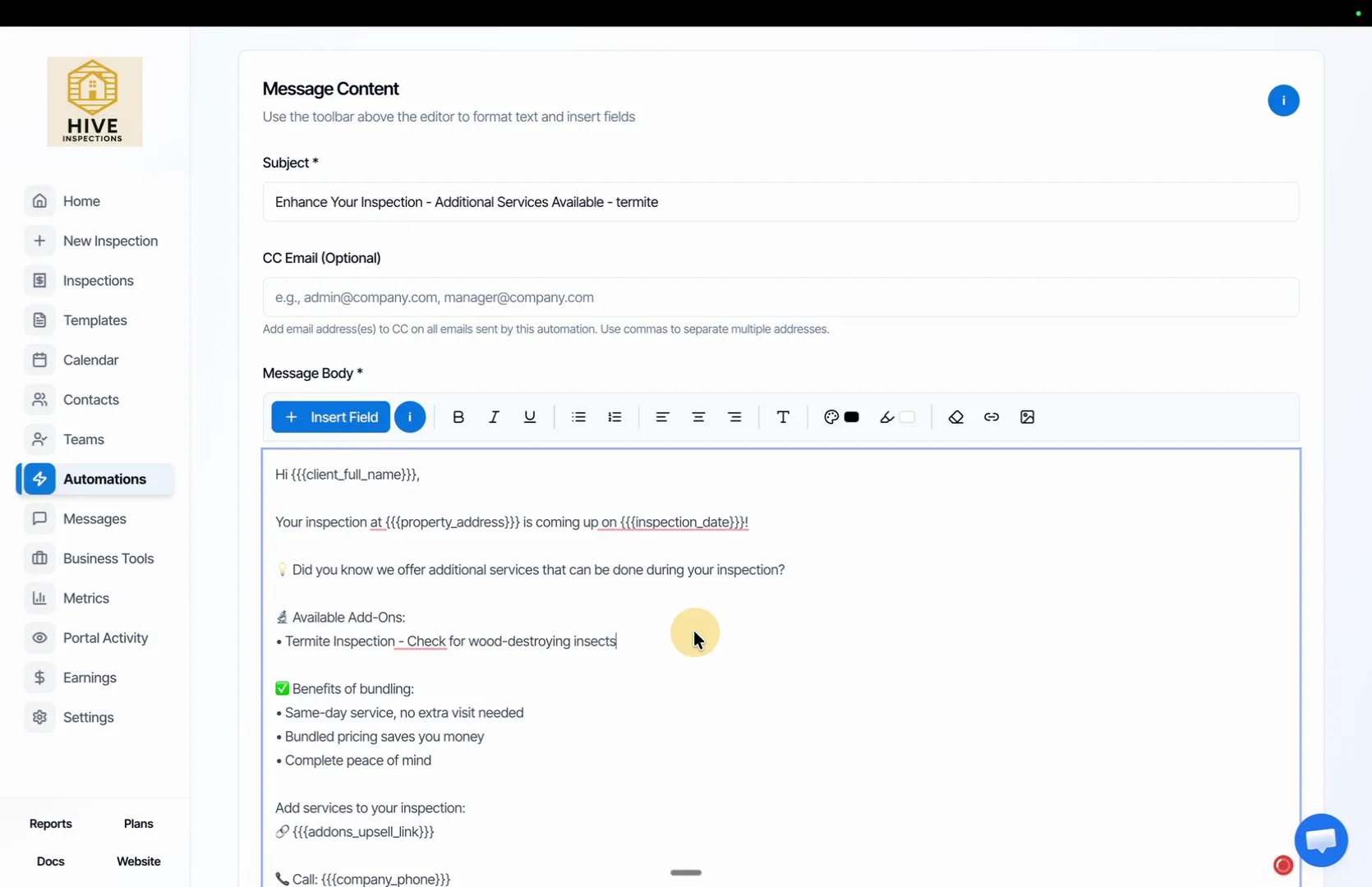
    * Reword the **Subject** for this add-on, for example "Enhance Your Inspection – Termite Inspection Available"
    * In **Message Body**, describe what a termite inspection covers and why it matters for this client
    * Keep the `{{{addons_upsell_link}}}` placeholder so the client can add the service in one click
    * Click **Save**

    <img src="https://mintcdn.com/hiveinspect-43c85ed1/JS5by1am1RlG2dN-/images/Add-On-Upsell-Emails-5.webp?fit=max&auto=format&n=JS5by1am1RlG2dN-&q=85&s=3e85aaf5ceb620a3bcca048d2c4dd8c9" alt="Message Content with a termite subject line and a body that ends with the add-ons upsell link" width="1670" height="1080" data-path="images/Add-On-Upsell-Emails-5.webp" />
  </Step>

  <Step title="Understand the remaining add-ons placeholder">
    <a className="hive-ts" href="https://youtu.be/J4t4WC_WjD0?t=158" target="_blank" rel="noopener" data-seek="158" data-video="J4t4WC_WjD0" aria-label="Jump to 2:38 in the video">2:38</a>

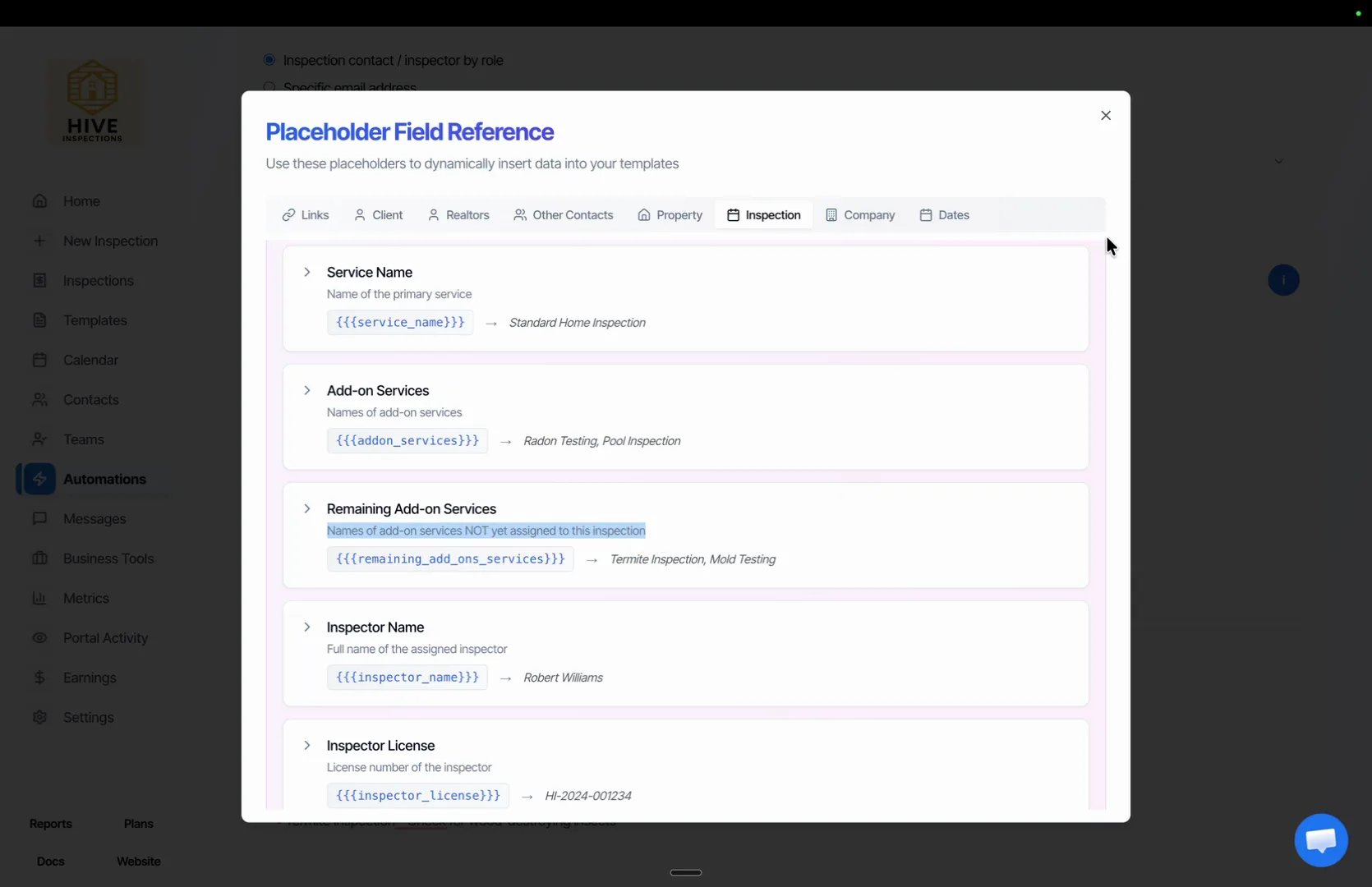
    * Click the **i** button above the editor to open the **Placeholder Field Reference**, then open the **Inspection** tab
    * **Remaining Add-on Services**, `{{{remaining_add_ons_services}}}`, lists the add-ons not yet assigned to the inspection
    * If a Duplex inspection offers a termite add-on the client has not booked, "Termite Inspection" appears there, which is exactly what the filter checks

    <img src="https://mintcdn.com/hiveinspect-43c85ed1/JS5by1am1RlG2dN-/images/Add-On-Upsell-Emails-6.webp?fit=max&auto=format&n=JS5by1am1RlG2dN-&q=85&s=54394f4ff09f7889b6f74f4dd0951bac" alt="Placeholder Field Reference with Remaining Add-on Services highlighted" width="1670" height="1080" data-path="images/Add-On-Upsell-Emails-6.webp" />
  </Step>

  <Step title="Duplicate it for septic and radon">
    <a className="hive-ts" href="https://youtu.be/J4t4WC_WjD0?t=196" target="_blank" rel="noopener" data-seek="196" data-video="J4t4WC_WjD0" aria-label="Jump to 3:16 in the video">3:16</a>

    * On the termite automation, click **Duplicate**
    * Change the name, set **Add-on Name Filter** to `septic` or `radon`, and rewrite the subject and message for that service
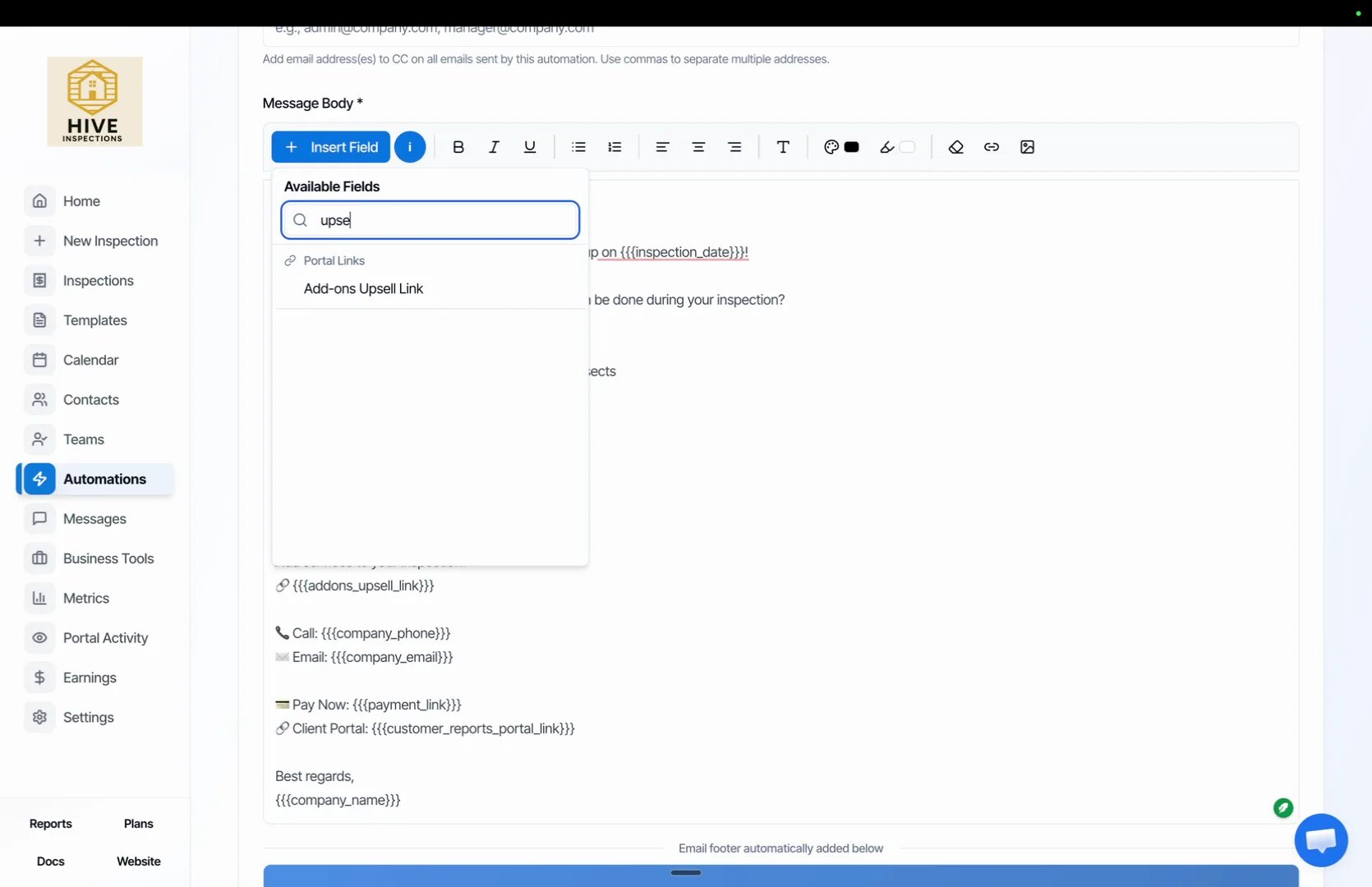
    * Make sure the **Add-ons Upsell Link** placeholder is still in the body: click **Insert Field**, type `upsell` and pick it

    <img src="https://mintcdn.com/hiveinspect-43c85ed1/JS5by1am1RlG2dN-/images/Add-On-Upsell-Emails-7.webp?fit=max&auto=format&n=JS5by1am1RlG2dN-&q=85&s=3c4658fb727db3295abeace70c3a3b13" alt="Insert Field search for upsell showing the Add-ons Upsell Link placeholder" width="1670" height="1080" data-path="images/Add-On-Upsell-Emails-7.webp" />
  </Step>
</Steps>

<Tip>
  Duplicating carries over the timing, the filter and the message. Change all three on each copy, and read the subject line once more, so a septic email never goes out with a termite title.
</Tip>

Once each add-on has its own automation, nothing else is required. Every client gets the pitches for the services they have not booked, timed before their inspection, and none for the ones they already have.
<p className="hive-label">Next step</p>

<div className="hive-rows">
  <a className="hive-row" href="/contacts-and-automation/automations">
    <span className="hive-row-main">
      <span className="hive-row-title">Automated emails and texts</span>
      <span className="hive-row-line">Confirmations, reminders and report delivery, sent for you</span>
    </span>

    <span className="hive-row-meta"><span className="hive-runtime">4:24</span></span>
  </a>
</div>

<p className="hive-label">Related</p>

<div className="hive-rows hive-rows-sm">
  <a className="hive-row" href="/how-tos/subcontractor-emails">
    <span className="hive-row-main">
      <span className="hive-row-title">Subcontractor emails</span>
      <span className="hive-row-line">Email your termite or septic sub automatically when a job is booked</span>
    </span>

    <span className="hive-row-meta"><span className="hive-runtime">3:31</span></span>
  </a>

  <a className="hive-row" href="/business-tools/services-and-fees">
    <span className="hive-row-main">
      <span className="hive-row-title">Services and pricing</span>
      <span className="hive-row-line">Define what you sell, what it costs and which templates it uses</span>
    </span>

    <span className="hive-row-meta"><span className="hive-runtime">2:28</span></span>
  </a>
</div>