

In the dashboard: Templates → Template Tools → Context Layer (default for new inspections), or in a report: Report Tools → Hive Context Layer (one report).
Hive Context Layer adds a short, AI-generated note to each defect in your report: how common the issue is nationally and in the property’s state, and how easy it usually is to fix. Clients get perspective on a finding without you typing anything extra, so a red defect like a missing smoke detector doesn’t read as a deal-killer.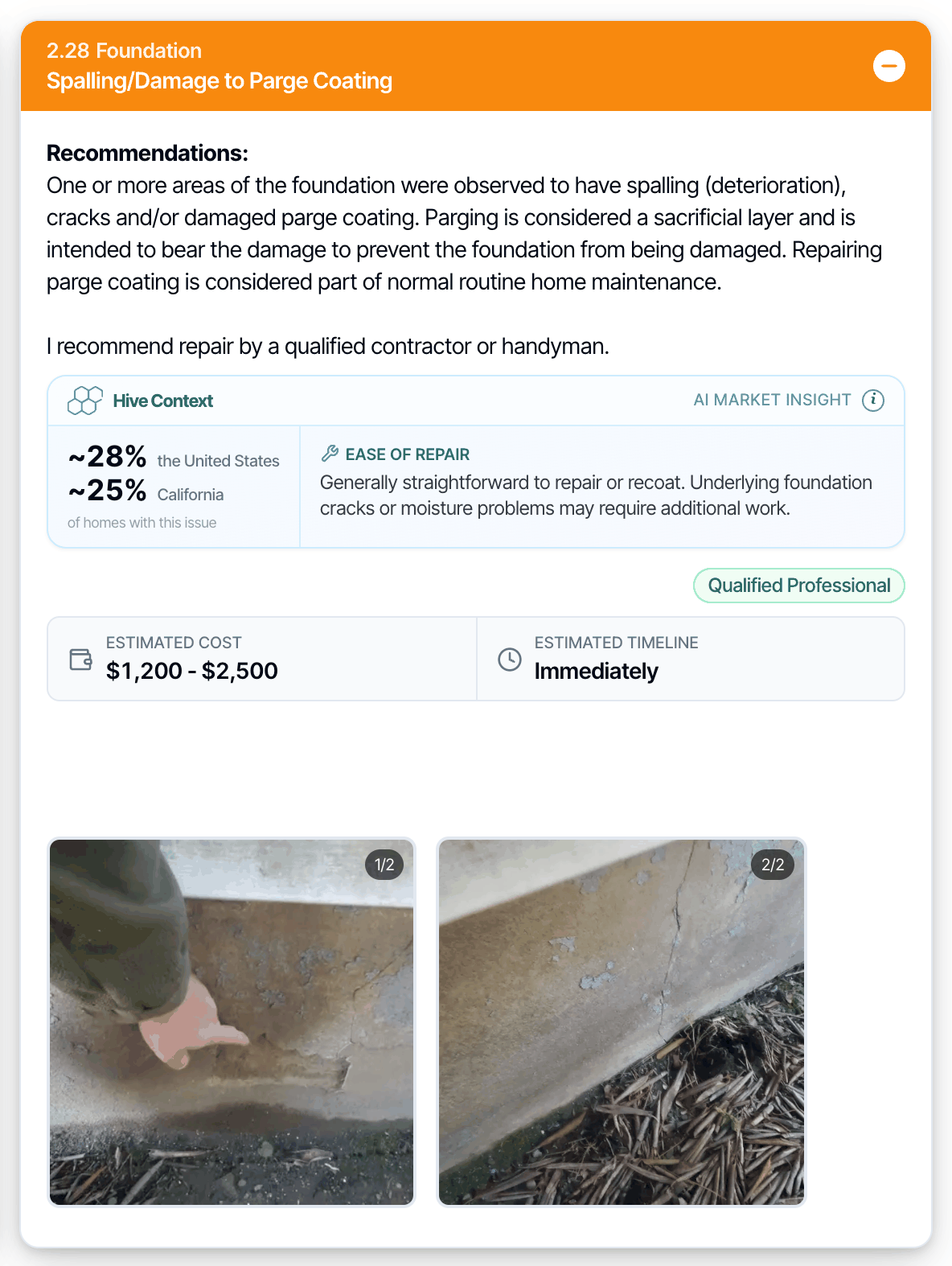
What it adds to each defect
For every defect comment that’s checked in the report, Context Layer adds:- Common in the country: roughly what share of homes in the United States (or Canada) have this issue.
- Common in the state: the same for the property’s state or province.
- Ease of repair: one or two sentences on how straightforward the fix usually is.
Turn it on for a template
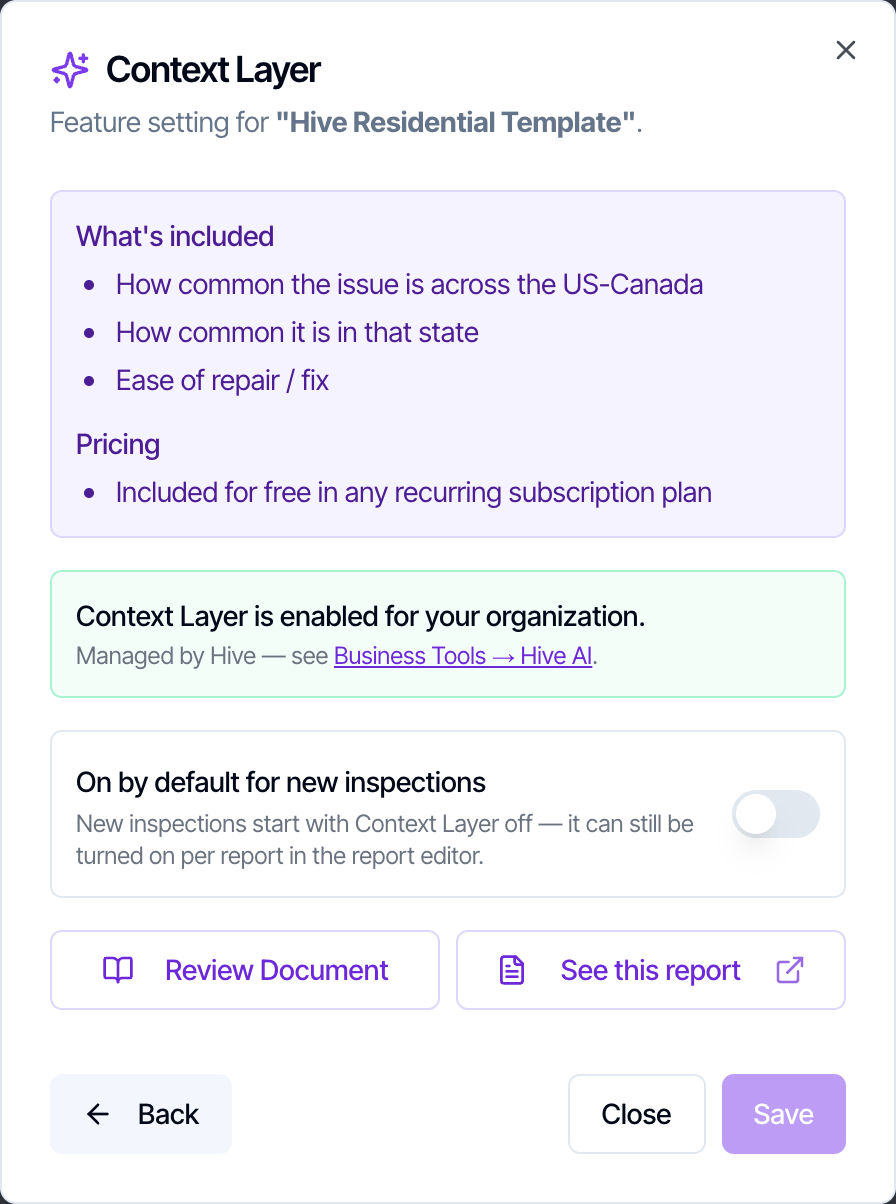
Not every template needs Context Layer, so each template starts with it off.- Go to Templates, open the template and click Template Tools.
- Open Context Layer and turn on On by default for new inspections.
Turn it on or off for one report
- Open the report in the web report editor and click Report Tools.
- Open Hive Context Layer and turn Show Context Layer on this report on or off.
When the context is created
Hive creates the context each time the report’s PDF is built: when you publish, or when you generate the PDF before publishing, from the web or the mobile app. A new build creates fresh context for every checked defect, so add or change defects before you publish.- Re-inspection reports don’t get Context Layer.
- If the context can’t be created, the PDF still builds without it.
Is it on for my company?
Context Layer is on for every company, including new sign-ups, and is included for free in any recurring subscription plan. Go to Business Tools → Hive AI to check: the Hive Context Layer card shows Enabled. Then turn it on per template as above.Common questions
How does it help my clients?
How does it help my clients?
It tells clients how common each issue actually is. Some red defects can scare buyers even though they’re routine, so with context in place your report reads less alarming, which matters most for first-time home buyers.
Where does the data come from?
Where does the data come from?
From Hive’s AI model, which draws on available housing-stock data, published industry sources and inspection history. The numbers are approximate estimates, not measurements.
Is there a liability risk for me?
Is there a liability risk for me?
The context sits in its own box labeled Hive Context and AI market insight, and its info note says it isn’t part of your findings and doesn’t replace a licensed contractor’s assessment. Still, review a sample report and do your own due diligence before you turn it on for your templates.
Can I change the format or edit the numbers?
Can I change the format or edit the numbers?
No. The format is fixed and the numbers aren’t editable. To leave it out of one report, turn it off in Report Tools and publish again.
I turned it on but my report doesn't show it.
I turned it on but my report doesn't show it.
The context is created when the PDF is built. Publish the report, or generate its PDF, and check again. Also make sure the report itself has it on in Report Tools: turning on the template default only affects reports created after that.
Where to go next
- Template and Report Tools: every other tool in those two menus.
- Send a Repair Estimate: price every defect by contractor trade.
- Hive AI Agent: ask questions about your business in plain language.