

In the dashboard: Ask Agent at the top right of any page, or press ⌘J (Mac) / Ctrl+J (Windows).
The Hive AI Agent answers questions about your business in plain language, using your company’s own data in Hive: inspections and your schedule, contacts, automations, text messages and emails, report views, reviews, payments, pay splits, time and mileage, services, and your business metrics. It can also answer “how do I…” questions from these help docs. In the dashboard it’s called Ask Agent, and it’s in Beta. It’s the same assistant as the AI tab in the mobile app.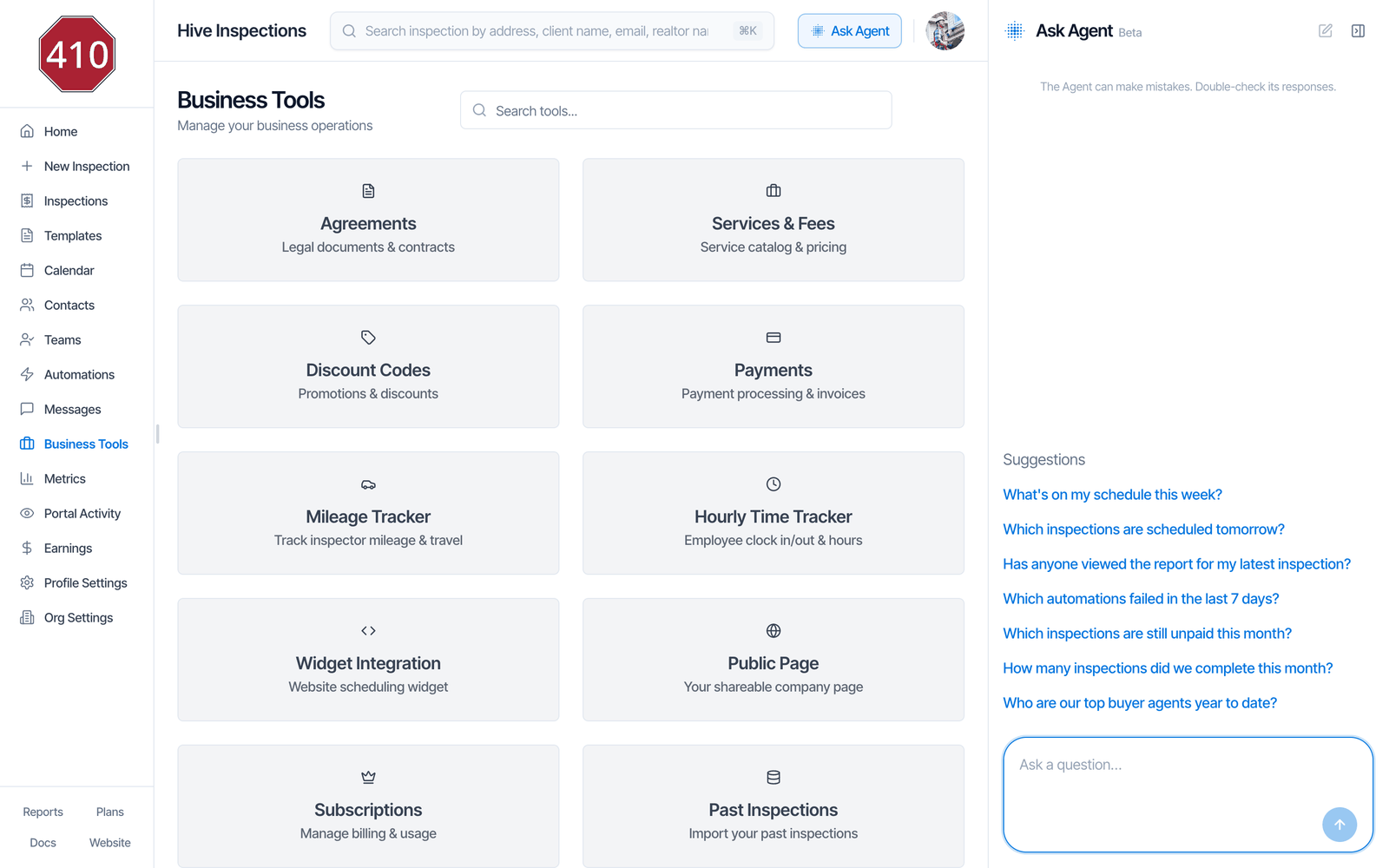
Open the agent
- Click Ask Agent in the header, next to your profile picture. The panel opens on the right.
- To close it, click the Collapse button (top right of the panel), or press Esc while you’re typing in it. ⌘J / Ctrl+J opens and closes it from anywhere in the dashboard.
Ask a question
- Type your question in Ask a question… and press Enter (or click the send arrow). Shift+Enter adds a new line.
- Click one of the Suggestions to fill the box with it. It isn’t sent until you press Enter or send, so you can change it first.
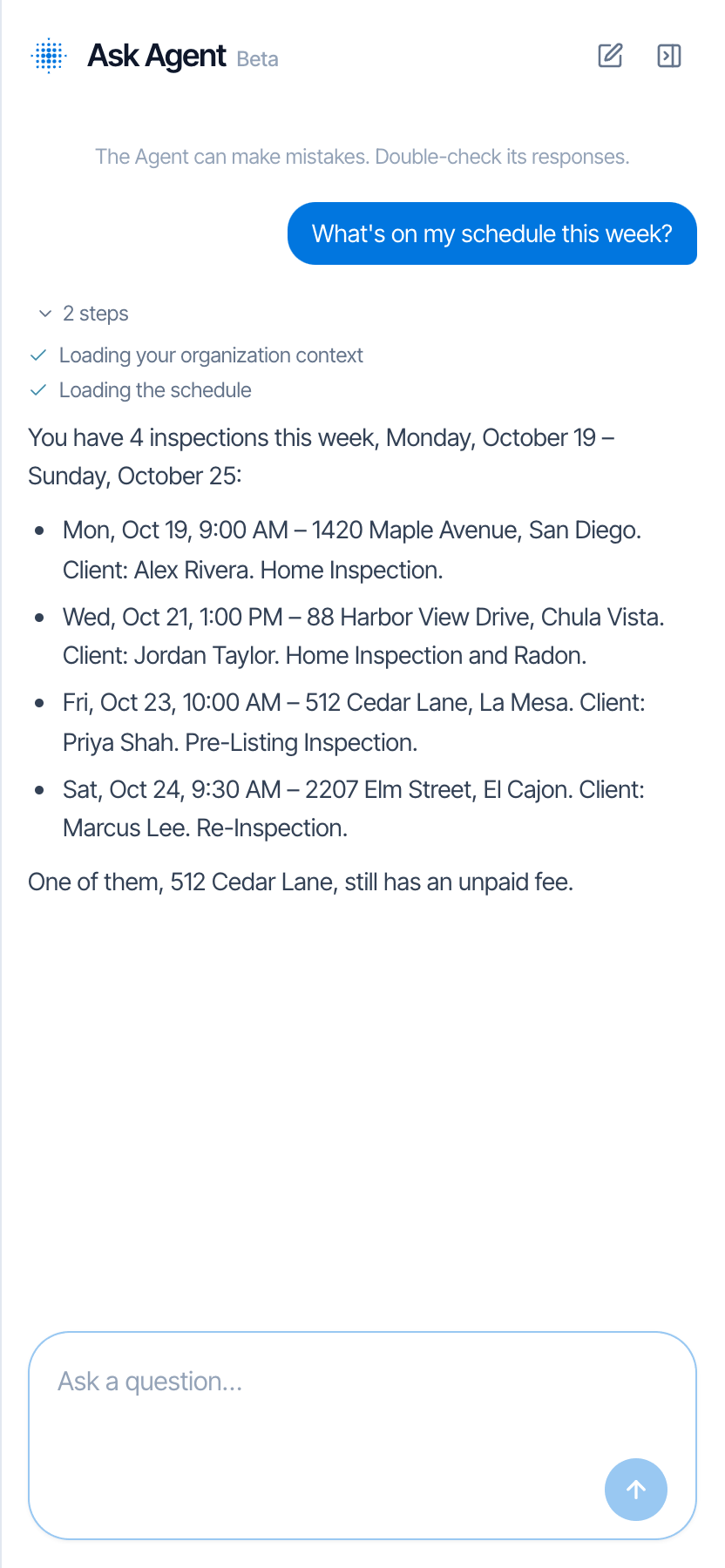
- While the agent works, it shows each step it takes, such as “Loading the schedule” or “Searching inspections”.
- The answer appears below your question. Click 2 steps (or however many) to see what it looked up.
Ask about the inspection you’re looking at
When an inspection is open, “this inspection” means that one. Open it and ask, for example, “Has the client signed the agreement for this inspection?” or “Which automations went out for this inspection?”.Good questions to ask
- Schedule: “What’s on my schedule this week?”, “Which inspections are scheduled tomorrow?”
- Inspections: “Which inspections at Maple Avenue do we have?”, “Is the report for my latest inspection published?”
- Contacts: “How many inspections has Jordan Taylor booked with us?”
- Automations and messages: “Which automations failed in the last 7 days?”, “What was the last text from Alex Rivera?”
- Report views: “Has anyone viewed the report for my latest inspection?”
- Payments (needs financial access): “Which inspections are still unpaid this month?”
- Metrics (needs business metrics access): “How many inspections did we complete this month?”, “Who are our top buyer agents year to date?”
- How Hive works: “How do I connect QuickBooks?” These answers come from the help docs and end with a Source: link to the page.
What it can and can’t see
The agent only reads your data. It never sends an email or text, and it never changes anything in Hive. It sees your company only, never another company’s. Each person sees the same things in the agent that their account can see in the dashboard:
If you ask about something your account can’t see, the agent tells you which access is missing. Ask your company owner to change your permissions in Teams.
It doesn’t read what’s written inside your reports, such as findings and comments. It can tell you a report’s name and whether it’s published.
The chat
- The New chat button (pencil and square, top right of the panel) clears the chat and starts again.
- Your chat is kept in this browser tab, so it’s still there after you reload the page. Other tabs and other people on your team can’t see it, and it’s gone when you close the tab.
- The agent remembers the last 20 messages of the chat when it answers.
- The agent can make mistakes, as the note at the top says: “The Agent can make mistakes. Double-check its responses.” Check important numbers on the page they come from, such as Metrics or the inspection itself.
Is the Hive AI Agent on?
The Hive AI Agent is on for every company, including new sign-ups, so there’s nothing to set up. To check, go to Business Tools → Hive AI: the Hive AI Agent card shows Enabled. If it shows Coming soon, Hive has turned it off for your company.
Limits and messages
- A question can be up to 4,000 characters.
- Each person can ask up to 10 questions a minute and 60 an hour. Past that you see “Too many metrics chat requests; please wait a moment”.
- The agent makes up to 6 lookups per question and has about 2 minutes to answer.
Click Retry under a failed answer to ask the same question again.
Common questions
Can the agent change things or send messages for me?
Can the agent change things or send messages for me?
No. It only looks things up and answers. To change an inspection or send an email, do it in the dashboard as usual.
Why can't it answer payment or metrics questions?
Why can't it answer payment or metrics questions?
Those need the matching permission on your account, such as Financial Data Access or Business Metrics. Ask your company owner to turn it on in Teams.
Why does it only see some inspections?
Why does it only see some inspections?
Without Schedule Management, the agent only sees inspections assigned to you, the same as your Inspections list. An empty answer may mean the inspection isn’t assigned to you.
Can my team see my chat?
Can my team see my chat?
No. Your chat is kept in your own browser tab only.
Can I connect my own AI assistant, like ChatGPT or Claude, instead?
Can I connect my own AI assistant, like ChatGPT or Claude, instead?
Yes, if your company has API access. See the MCP server in the API docs. It’s a separate feature from the Hive AI Agent, turned on separately.
Where to go next
- Ask Agent in the mobile app: the same agent on your phone, with voice input.
- Team settings: what each permission lets a team member see.
- Hive Inspect API: connect other tools to your Hive data.