

In the dashboard: Business Tools → Referrals.
The referral program gives you Hive account credit when another inspector signs up with your referral code and pays for a plan. The inspector you referred gets credit too.How it works
Accept the terms
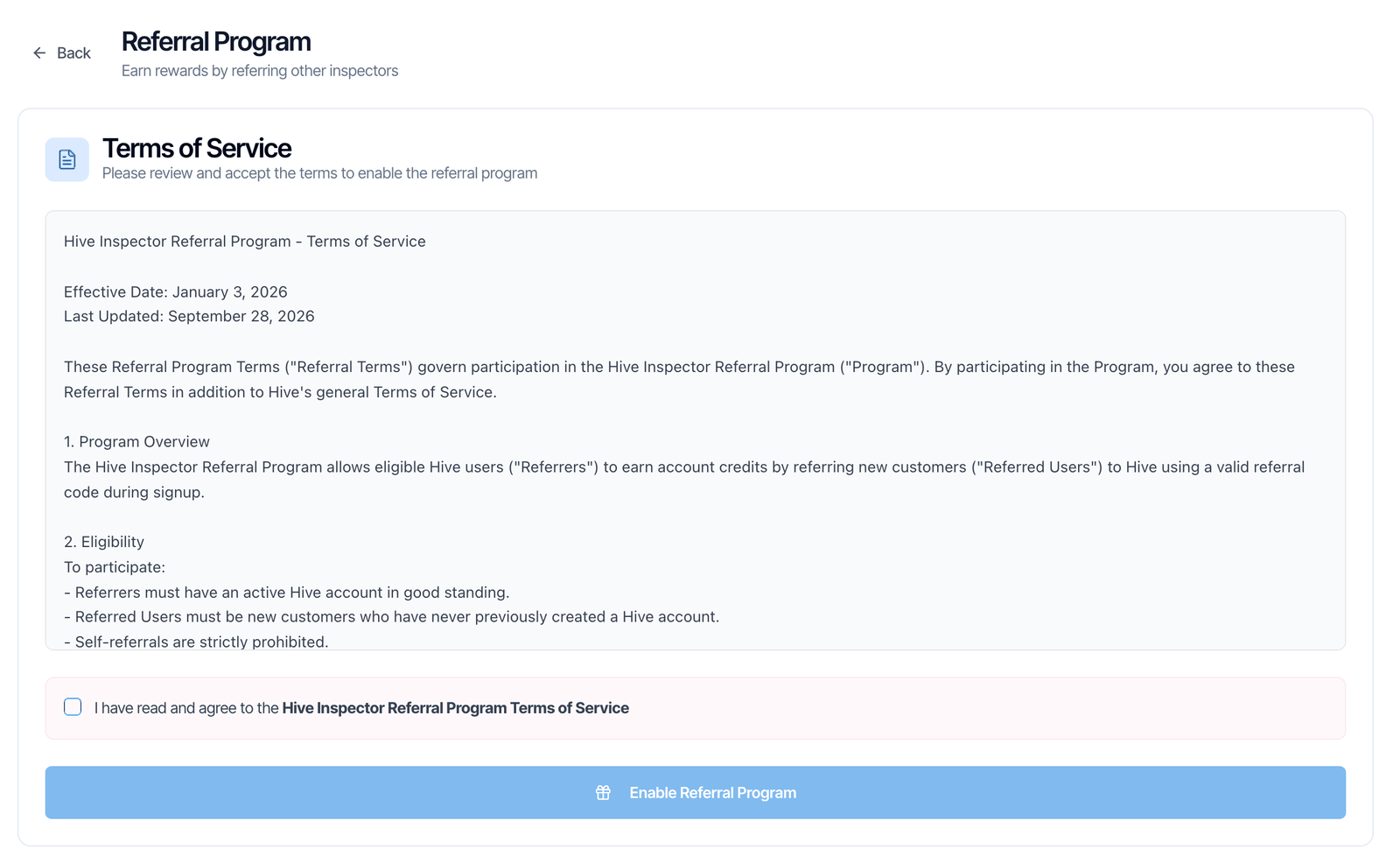
Read the referral program terms and click Enable Referral Program. Hive gives you your own referral code. See Step 1.
Get credit when they pay
Once they pay for a monthly or annual software plan, you both get Hive credit on your next subscription bill. See Rewards.
Step 1: Accept the terms
- Go to Business Tools → Referrals.
- Read the Hive Inspector Referral Program - Terms of Service in the box.
- Tick I have read and agree to the Hive Inspector Referral Program Terms of Service.
- Click Enable Referral Program.
Step 2: Share your code
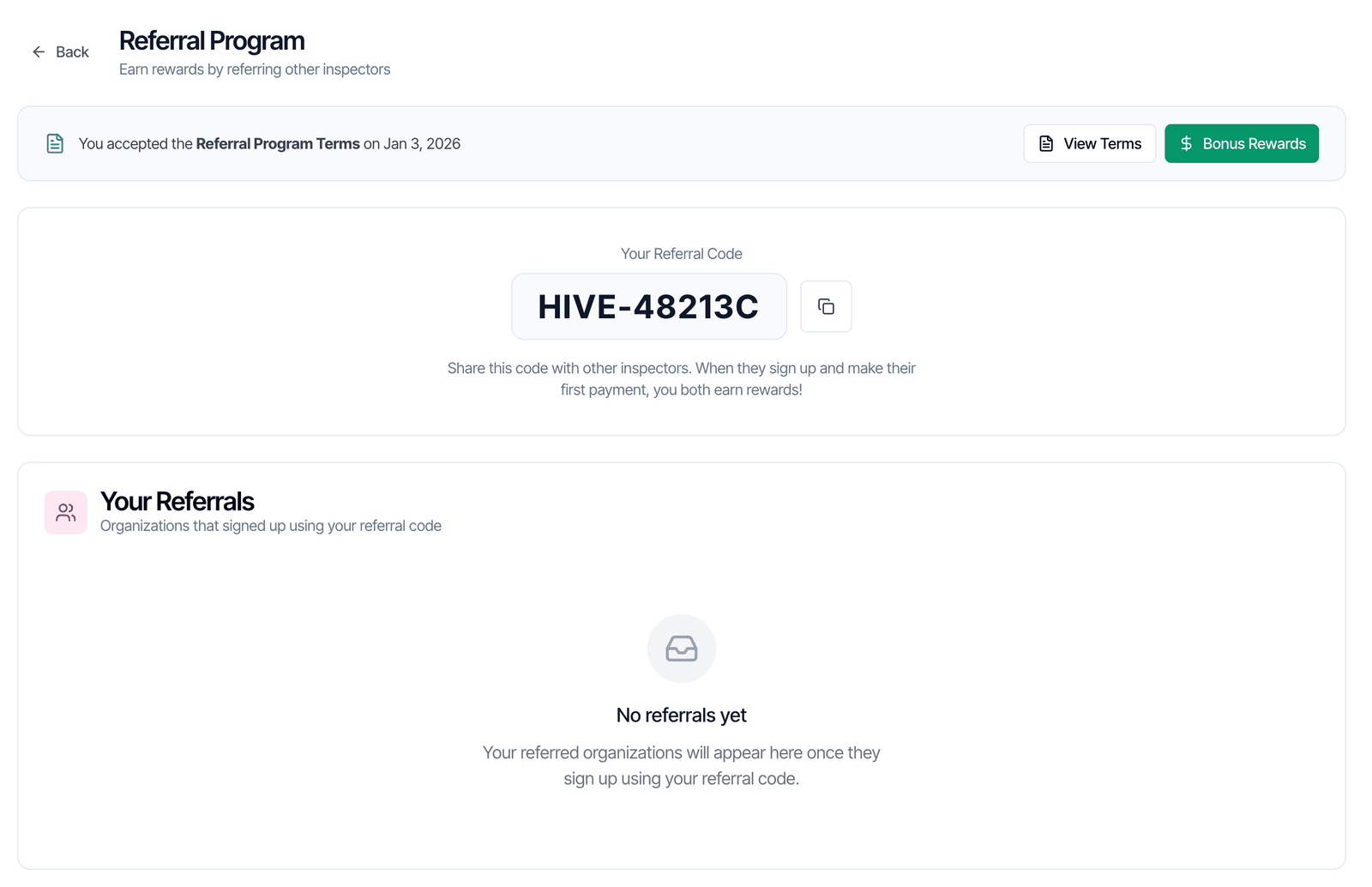
- On the Hive sign-up page, they click Have a referral code?
- They type your code in Referral Code (Optional) and finish signing up.
Rewards
Click Bonus Rewards on the Referrals page to see the rewards.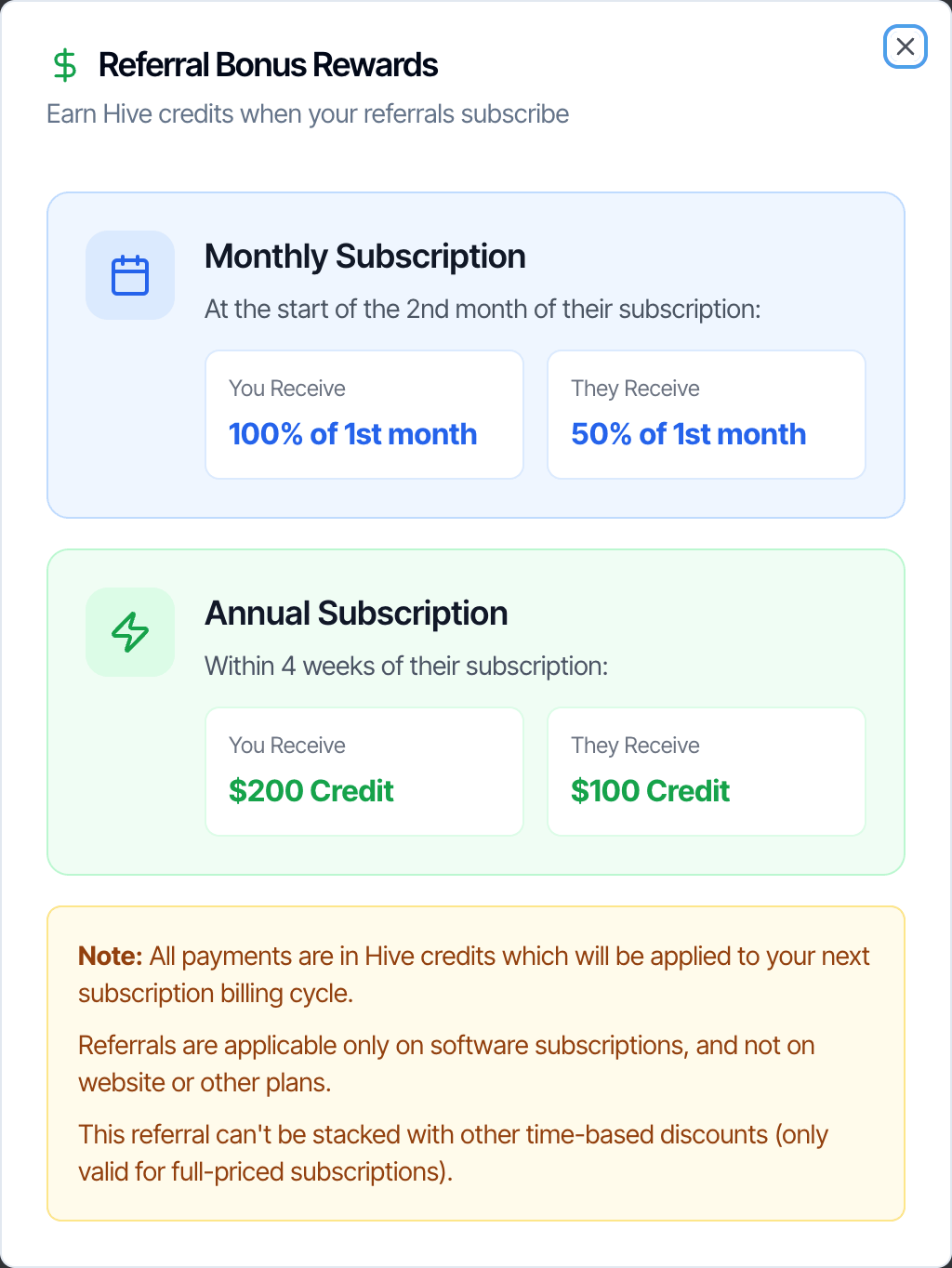
What the window and the terms say about rewards:
- Rewards are Hive credits, not cash. They’re applied to your next subscription billing cycle and lower that bill. They can’t be paid out or transferred.
- Only Hive software plans count. Website plans and other add-ons don’t.
- Only full-price plans count. The reward can’t be combined with other time-based discounts.
- Credit is given only after their first successful plan payment. A sign-up on the free trial doesn’t earn anything yet.
- The inspector you refer must be new to Hive, with no Hive account before. Referring yourself isn’t allowed.
Your Referrals
The Your Referrals card lists Organizations that signed up using your referral code, with Organization, Signed Up and Status columns. Until there’s one, it says No referrals yet. This list may stay empty even after someone signs up with your code. Hive still keeps the code they entered on their account. To check a referral or a credit, ask in the chat bubble in your dashboard.Common questions
The person I referred forgot to enter my code. Can it be added later?
The person I referred forgot to enter my code. Can it be added later?
Yes, as long as they haven’t made their first payment yet. Ask in the chat bubble in your dashboard and include their company name, and our team adds your code to their account. After their first payment, a referral can’t be changed.
Do I get credit when they're still on the free trial?
Do I get credit when they're still on the free trial?
No. Credit is given only after their first successful payment for a monthly or annual software plan.
Does a website plan count?
Does a website plan count?
The rewards are for Hive software subscriptions: monthly and annual plans. Website plans don’t count.
Who do I contact about the referral program?
Who do I contact about the referral program?
The terms list support@hiveinspect.com. You can also ask in the chat bubble in your dashboard.