

In the dashboard: Org Settings → Scheduling → Google Calendar Connection
Connect your Google Calendar so every inspection and event you’re assigned to shows on it automatically. Depending on your company’s calendar engine, Hive can also read your Google Calendar to know when you’re busy. You can connect any Google account. It doesn’t have to be the one you sign in to Hive with.Before you start: check your calendar engine
Your company’s Calendar Engine decides what Google Calendar is used for. It’s in the same place, just above the connection, and it applies to your whole team.
Inspections are added to connected Google Calendars with either engine. See Do my personal Google Calendar events block my online scheduler? for more on how each engine handles availability.
Connect your Google Calendar
Open Org Settings → Scheduling
Click Org Settings in the left sidebar. Then click Scheduling to open that section.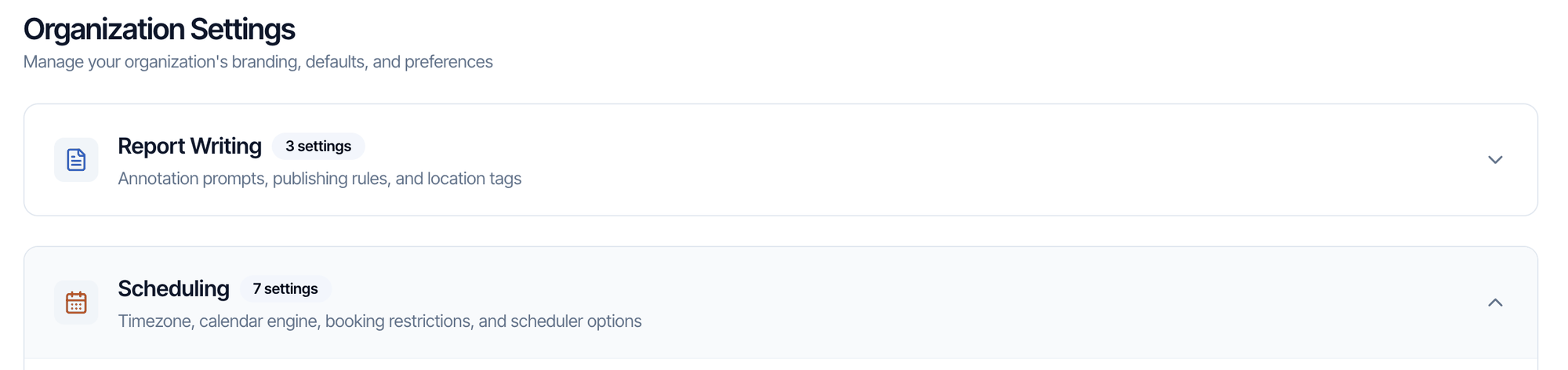
Click Connect Google Calendar
Scroll to Google Calendar Connection, below Calendar Engine, and click Connect Google Calendar.
Choose your Google account
Google opens. Pick the Google account whose calendar you want to use, or sign in to it.
Tick every permission box
Google asks what Hive Inspect may access. Tick every checkbox, then click Continue.

Each person connects their own calendar. The button connects the Google account of whoever is signed in. Every inspector on your team signs in to Hive with their own login and connects their own Google Calendar. The Teams page shows who is connected: Calendar Linked or No Calendar.
- Google Calendar engine: while you aren’t connected, the page shows a prompt with a button to connect.
- Hive Calendar engine: open the ⋯ menu at the top of the calendar and choose Connect Google Calendar.
What shows on your Google Calendar
- Confirmed inspections you’re assigned to, with the time, address and details. When an inspection is rescheduled, its event moves with it.
- Events you create in Hive, such as time off or meetings.
- Draft or waiting inspections, only if you turn on Create calendar event for draft status inspections or Create calendar event for waiting status inspections further down Org Settings → Scheduling. Both are off by default.
Disconnect or fix the connection
To stop syncing, or to switch to a different Google account, go to Org Settings → Scheduling → Google Calendar Connection and click Disconnect. Then connect again with the account you want. If inspections stop appearing on your Google Calendar, or Hive shows a calendar error, disconnect and connect again. Make sure you tick every permission box on Google’s screen.Next step
Related