

In the mobile app: the AI tab.
Ask Agent answers questions about your business in plain language, using your company’s own data in Hive: inspections, your schedule, contacts, automations, messages, report views, payments and metrics. It’s the same assistant as the Ask Agent panel on the dashboard. It’s in Beta, as the tag next to its name shows.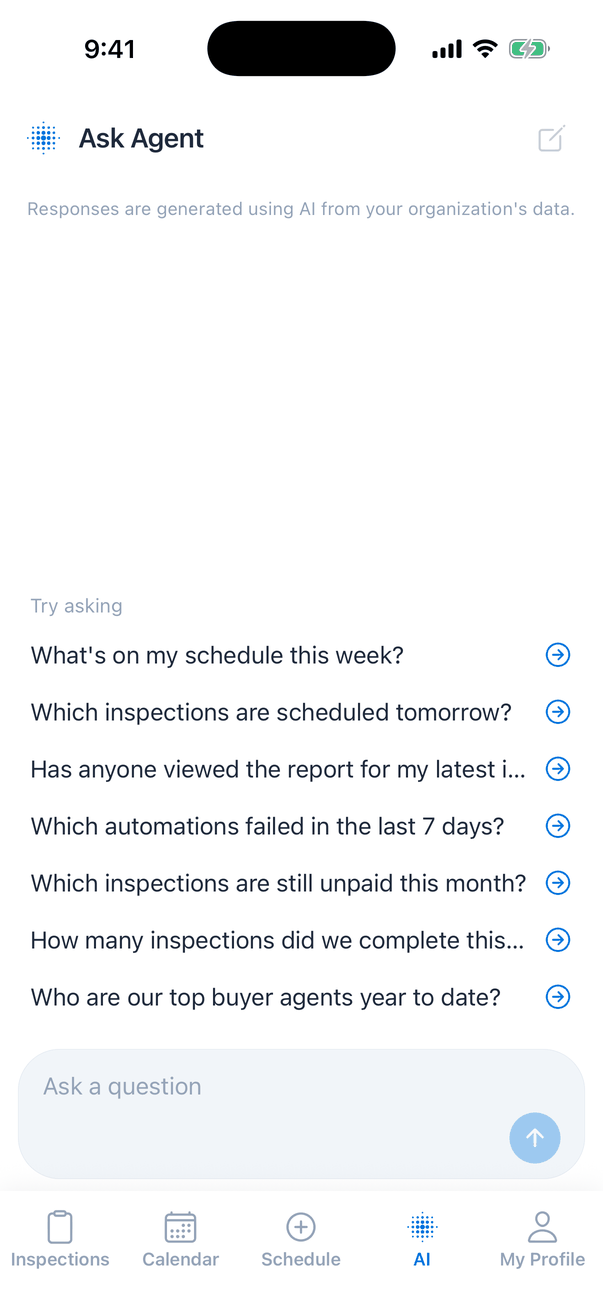
Ask a question
- Type your question in Ask a question, or tap one of the Try asking examples. An example only fills the box; tap the send arrow to ask it.
- To ask by voice, tap the microphone next to the send arrow and say your question. The words appear in the box as you speak. Tap the microphone again to stop, then tap send. Typing in the box stops it too.
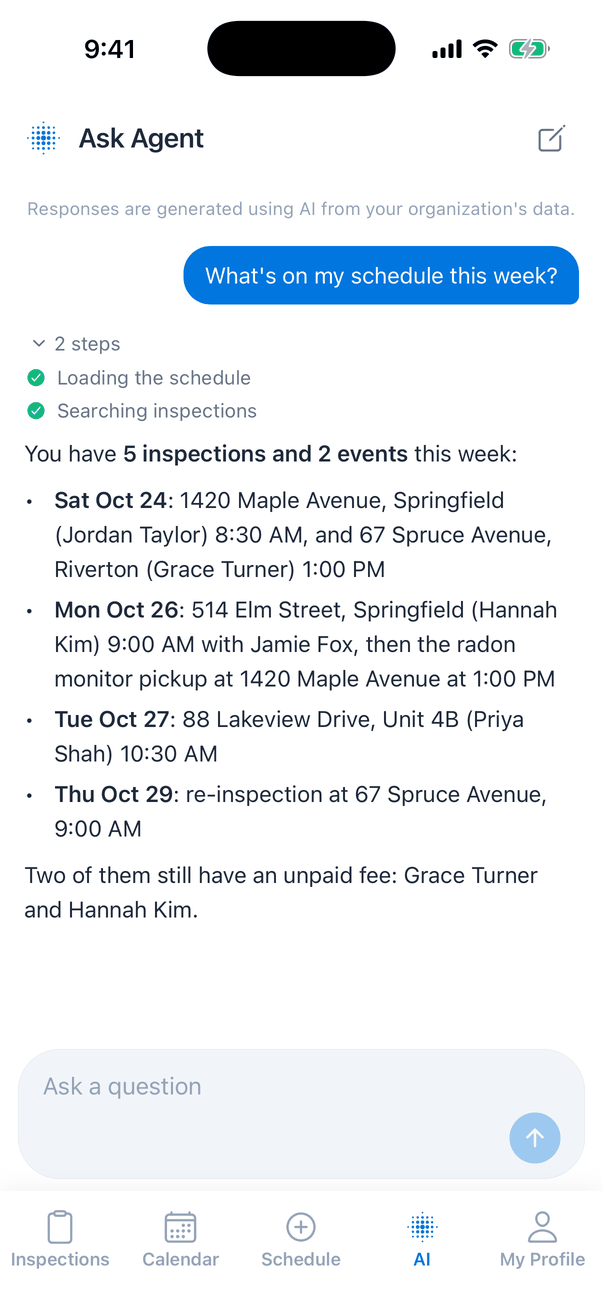
- While Ask Agent works, it shows each step it takes, such as “Loading the schedule” or “Searching inspections”.
- The answer appears below your question. Tap 2 steps (or however many) to see what it looked up.
Good questions to ask
- “What’s on my schedule this week?” or “Which inspections are scheduled tomorrow?”
- “Has anyone viewed the report for my latest inspection?”
- “Which automations failed in the last 7 days?”
- “Which inspections are still unpaid this month?” (needs access to financial data)
- “How many inspections did we complete this month?” or “Who are our top buyer agents year to date?” (needs access to metrics)
The chat
- The new chat button (pencil and square, top right) clears the chat and starts again.
- Your chat is kept on this phone, so it’s still there when you come back to the tab. The last 20 messages are kept.
- Ask Agent can make mistakes, as the note at the top says: “The Agent can make mistakes. Double-check its responses.” Check important numbers on the dashboard.
When it isn’t available
Error messages under a question:
- “Too many questions in a short time. Please wait a minute and try again.” You can ask up to 10 questions a minute.
- “Ask Agent isn’t enabled for your organization.”
- “Could not reach the server. Check your connection and try again.”
- “This answer was interrupted. Try again.” The app was closed while it was answering.
- “Dictation needs an internet connection”
- “Voice input is unavailable right now”
- “Character limit reached”: the question is as long as it can be.
Common questions
Can Ask Agent change things for me?
Can Ask Agent change things for me?
No. It only looks things up and answers. To change an inspection, open it in the Inspections tab or the dashboard.
Why can't it answer payment or metrics questions?
Why can't it answer payment or metrics questions?
Those need the matching permissions on your account, for example financial data or business metrics. Ask your company owner.
Can I ask by voice?
Can I ask by voice?
Yes. Tap the microphone next to the send arrow, say your question, and tap send. It needs an internet connection on most phones.
Is my chat shared with my team?
Is my chat shared with my team?
No. The chat is saved on your phone only.