

In the dashboard: Templates → Template Hub → Special PDF Only → Florida Wood Destroying Organisms Inspection Report · Watch the video walkthrough
The Wood-Destroying Organisms Inspection Report (form FDACS-13645) is Florida’s official WDO form from the Department of Agriculture and Consumer Services. In Hive it’s a special PDF template: you fill it in like any report, and Hive prints it on the official form. Every answer in this template is typed text. You never check a box yourself: Hive checks the form’s boxes from what you type.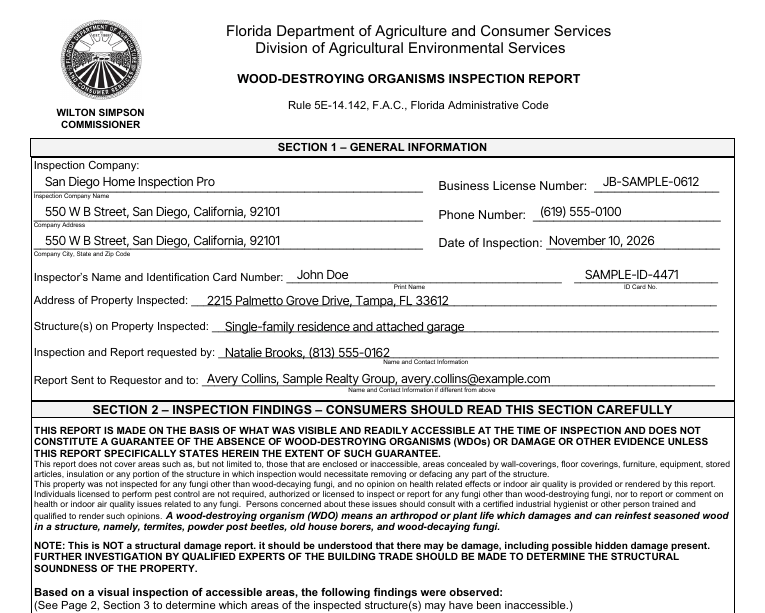
Import the form from the Template Hub
Only the Hub version prints on the form. A WDO form copied from other software prints as a regular Hive report.Import the WDO form
Find Florida Wood Destroying Organisms Inspection Report and click Import Template.
Add it to your service
In Business Tools → Services and Fees, add the template to your WDO service or add-on.
How the report is laid out
The template has one section for each of the form’s five sections, plus Photos:- Section 1 – General Information
- Section 2 – Inspection Findings
- Section 3 – Obstructions and Inaccessible Areas
- Section 4 – Notice of Inspection and Treatment Information
- Section 5 – Comments and Financial Disclosure
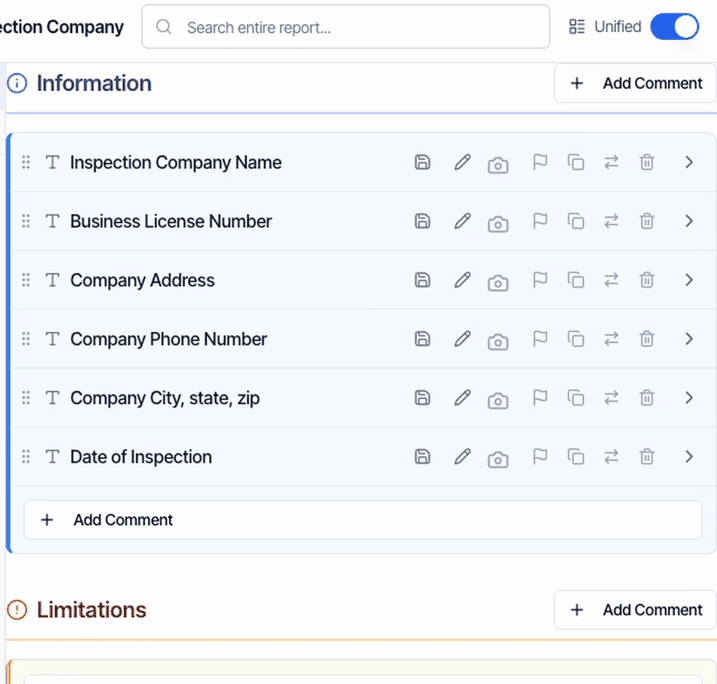
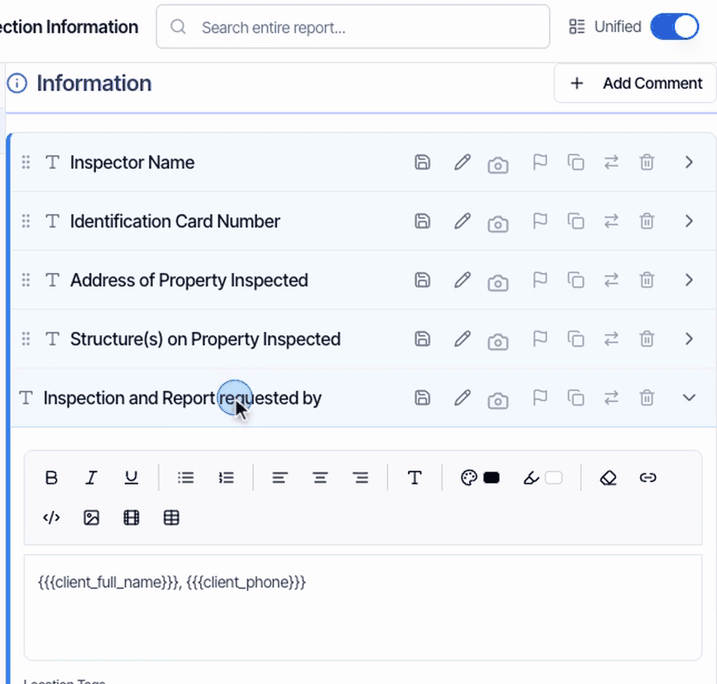
Section 1: general information
Section 2: findings
There are three findings: live WDOs, evidence of WDOs, and damage caused by WDOs.- Leave all three blank and the form checks A (no visible signs of WDOs).
- Type in any of them and Hive checks B (visible evidence), plus the box for that finding.
Section 3: obstructions and inaccessible areas
For each area you couldn’t inspect, type the Specific Areas and the Reason under Attic, Interior, Exterior, Crawlspace or Other. Hive checks that area’s box. Leave the rest blank.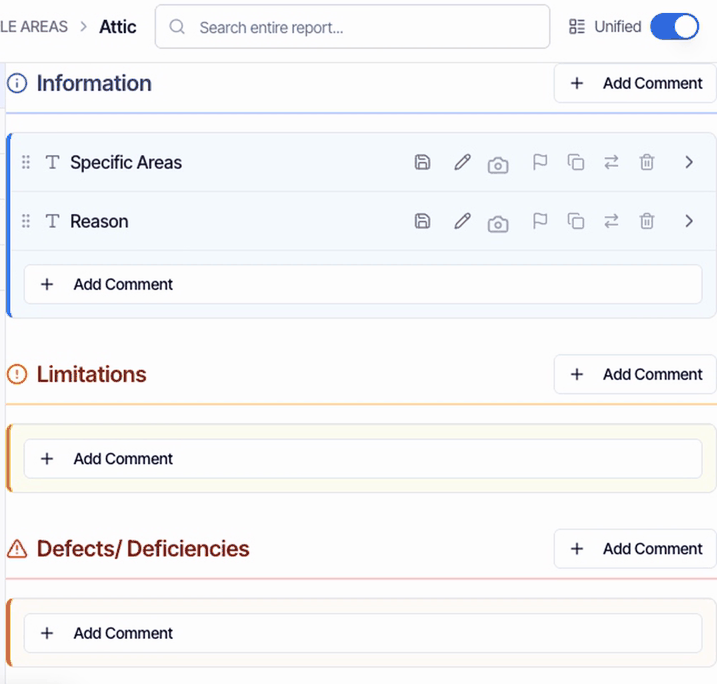
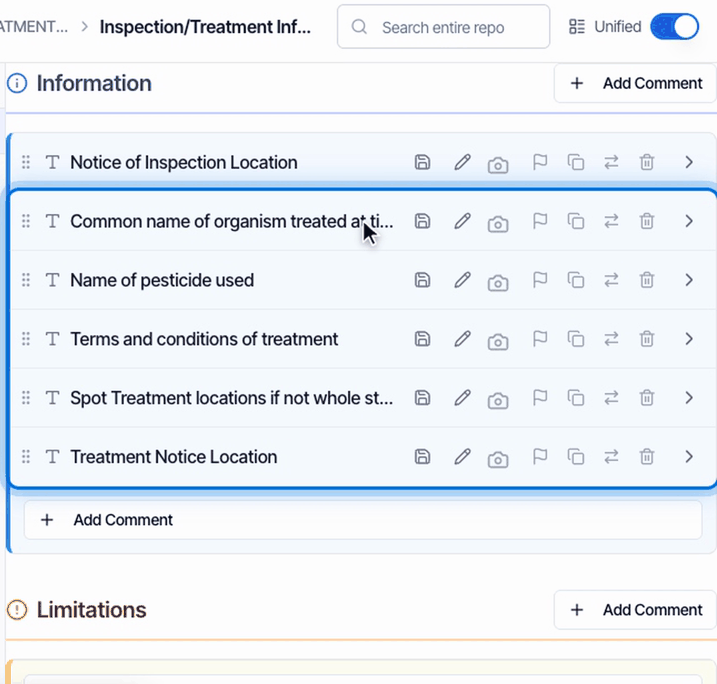
Section 4: notice and treatment
- Evidence of previous treatment: typed, it prints Yes. Blank, it prints No.
- Notice of Inspection Location: type where you posted the notice of inspection.
- Treatment at the time of inspection: fill in these comments only when your company treated the structure at the inspection. Any of them prints Yes. Spot Treatment locations checks Spot treatment; otherwise Whole structure is checked. Left blank, it prints No and no method is checked.
Section 5: comments, signature and dates
Comments has four lines on the form. Longer text, or anything that doesn’t fit its line, continues on an additional page right after the form, so you don’t need to shorten it. The signature is your signature from Profile Settings. The date next to it is the day the PDF is built, and the address and inspection date fill in.Photos
Photos on the Photos comment print after the form, two across, with your captions, in the same layout as the Florida 4-Point.Keep the template’s structure
The form has no place for ratings, so turn them off for this template if you see IN, NI, NP and D buttons (how).Check the PDF before you publish
Click PDF, then View PDF. Preview shows the online report, not the form. This form is English only.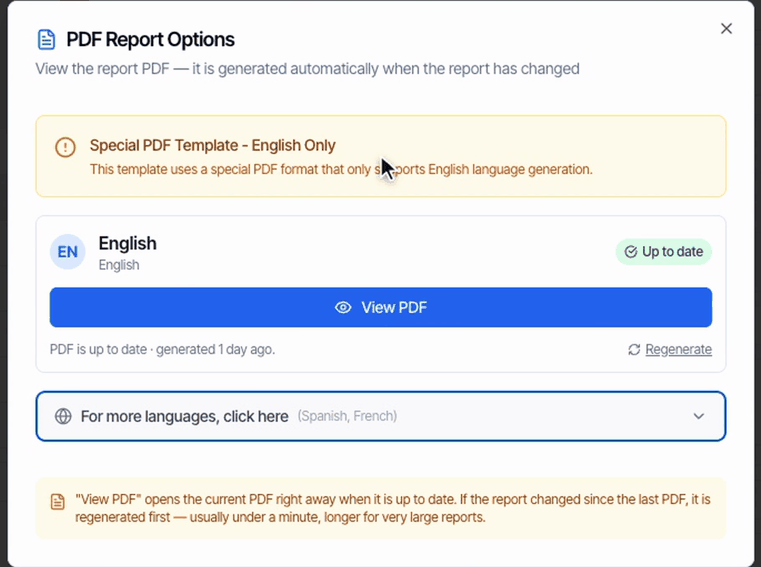
- A cover page.
- The two pages of the official form.
- An additional page, when something didn’t fit.
- Your photos.
What your client gets
When you publish, your client’s portal leads with View PDF, and the report email links straight to the PDF.Common questions
I have too much text for the form. How do I add a page of comments?
I have too much text for the form. How do I add a page of comments?
Just type it in Comments. Anything that doesn’t fit the form’s four lines continues on an additional page right after the form.
Can the answers be multiple choice instead of typed?
Can the answers be multiple choice instead of typed?
The template is built from typed answers on purpose: Hive checks each box on the form from what you type. For example, typing in any Section 2 finding checks B, and typing a spot treatment location checks Spot treatment. Put repeat wording in the template as default answers so you don’t retype it.
Which inspector's name prints on a multi-inspector job?
Which inspector's name prints on a multi-inspector job?
The primary inspector on the inspection. The identification card number is typed in the template, so on a job with a different inspector, update it in that report.
My company address prints twice.
My company address prints twice.
Both address lines start with your full address. Type your street on Company Address, and use the city, state and zip placeholders on Company City, state, zip, once in the template.
Can the WDO photos look like the 4-Point photos?
Can the WDO photos look like the 4-Point photos?
They do: photos on the Photos comment print two across with captions, in the same layout as the Florida 4-Point.
Why did the date next to my signature change?
Why did the date next to my signature change?
The date is the day the PDF is built. Regenerating the PDF later updates it.
Related
- NPMA-33 report: the wood destroying insect report used in many other states.
- Florida 4-Point form: the 4-Point insurance inspection.
- Import a template: every official form in the Template Hub.