

In the dashboard: Inspections, then Report Editor → Report Tools → Generate Reinspection
When a client or their agent asks you to come back and check repairs, build the re-inspection from the original report. You pick only the defects to recheck, Hive books the follow-up as its own inspection, and the client, agent and address come across automatically.Creating a re-inspection report
Before you start
Add a re-inspection service under Business Tools → Services & Fees so you can pick it when you book. It doesn’t need a template. If you use a separate agreement for re-inspections, attach it to that service.Create the re-inspection
Open the original report
0:04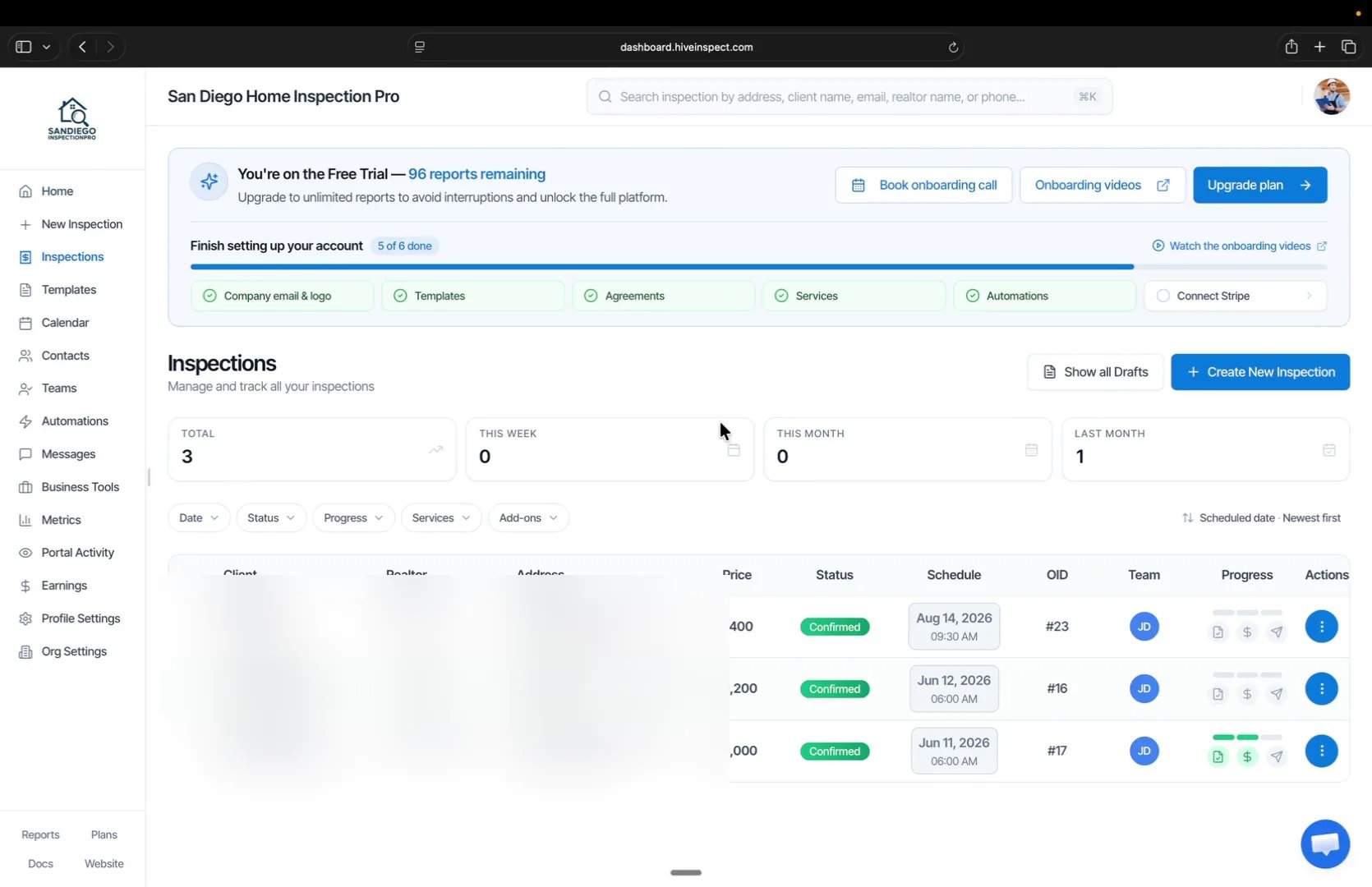
- Click Inspections in the sidebar
- Search for the inspection you want to reinspect, for example by the house number
3238 - Click the three dots on that inspection, open the Report Editor, then click Edit
Click Generate Reinspection
0:32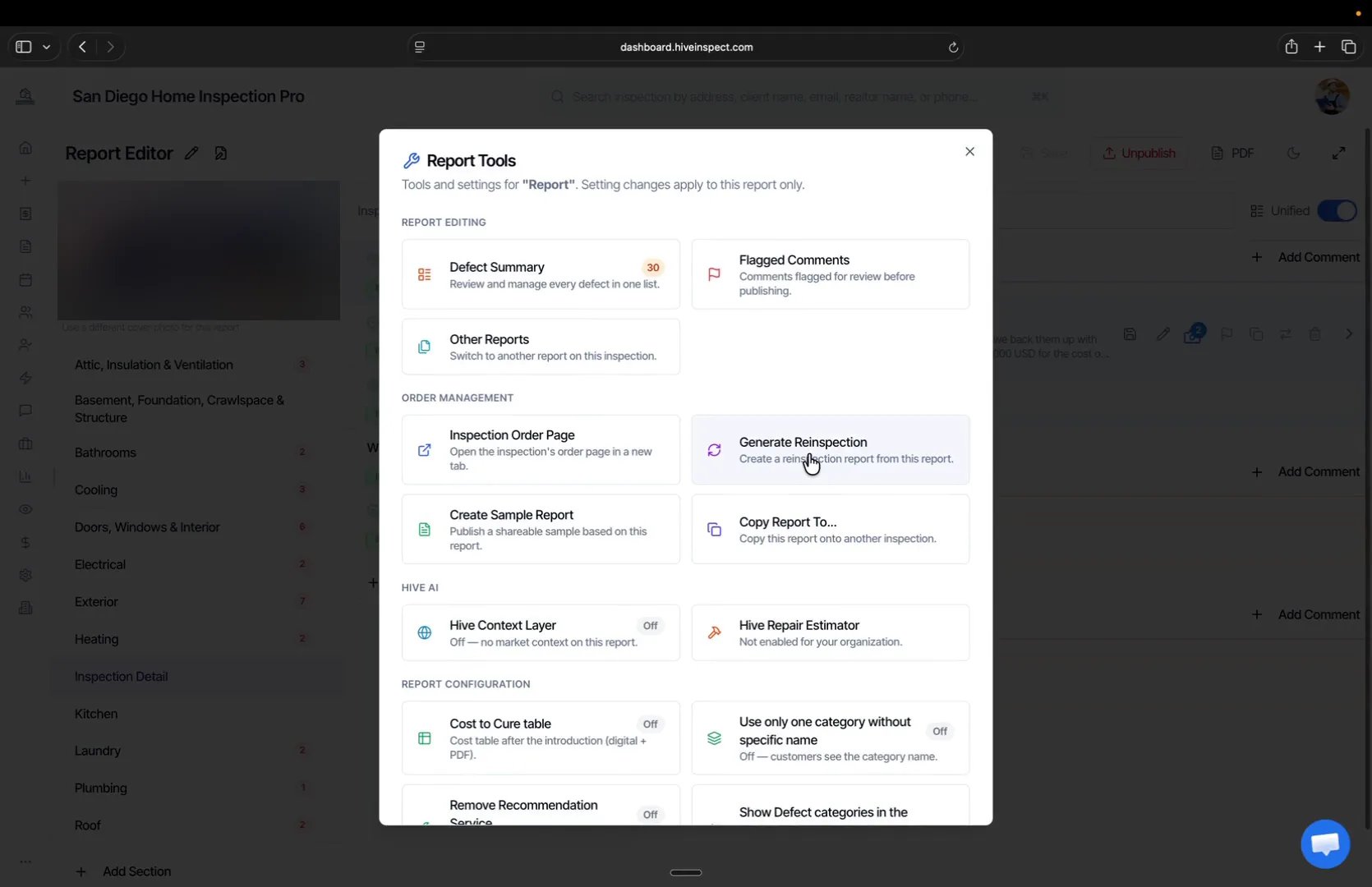
- In the Report Editor, click the three dots to open Report Tools
- Under Order Management, click Generate Reinspection
Choose which recommendations to carry over
0:36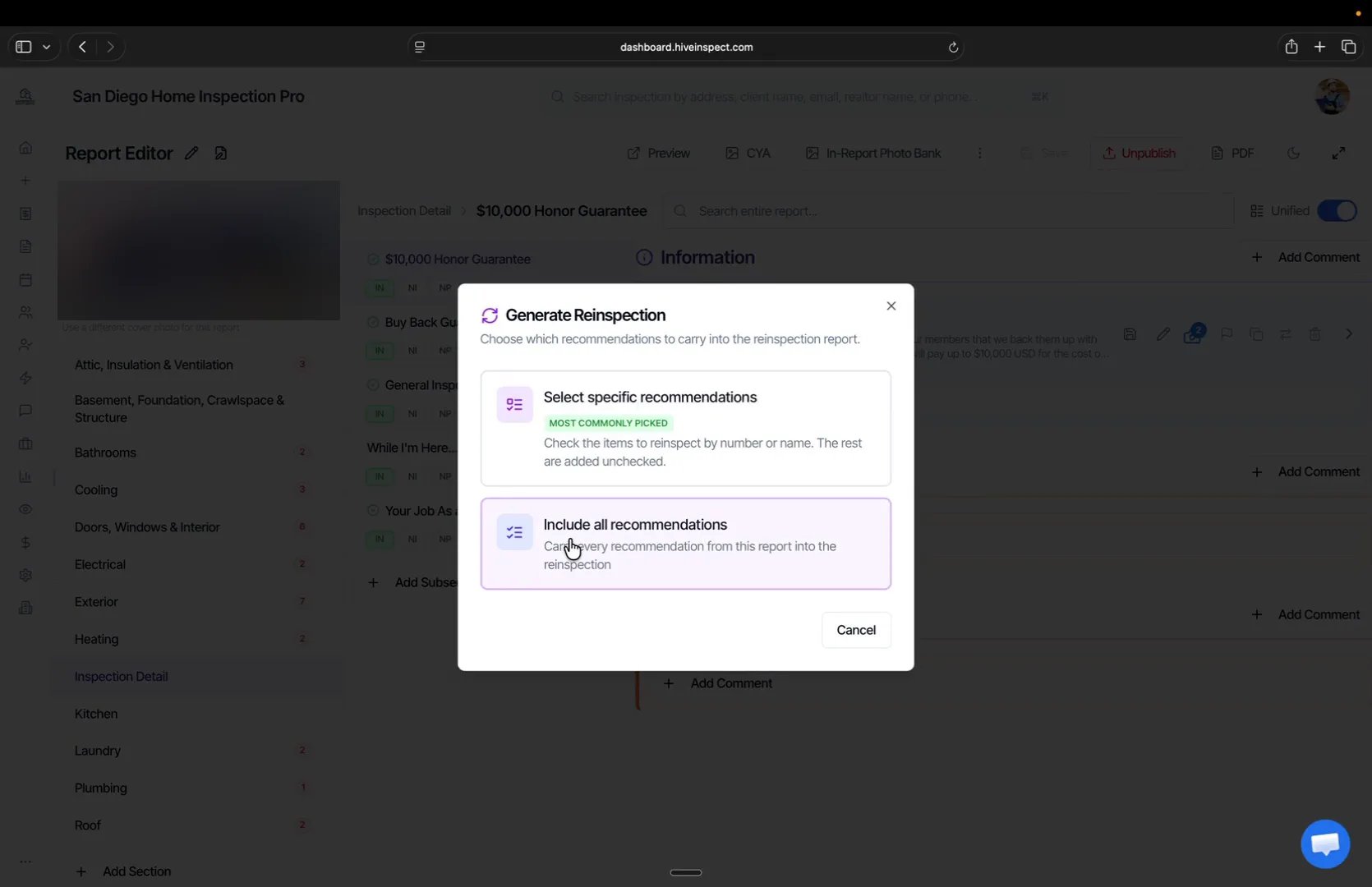
- Select specific recommendations is the most common choice, since most re-inspections cover a handful of items, often up to 10 or 20
- Include all recommendations checks every recommendation from the original report
Check the defects to reinspect
0:57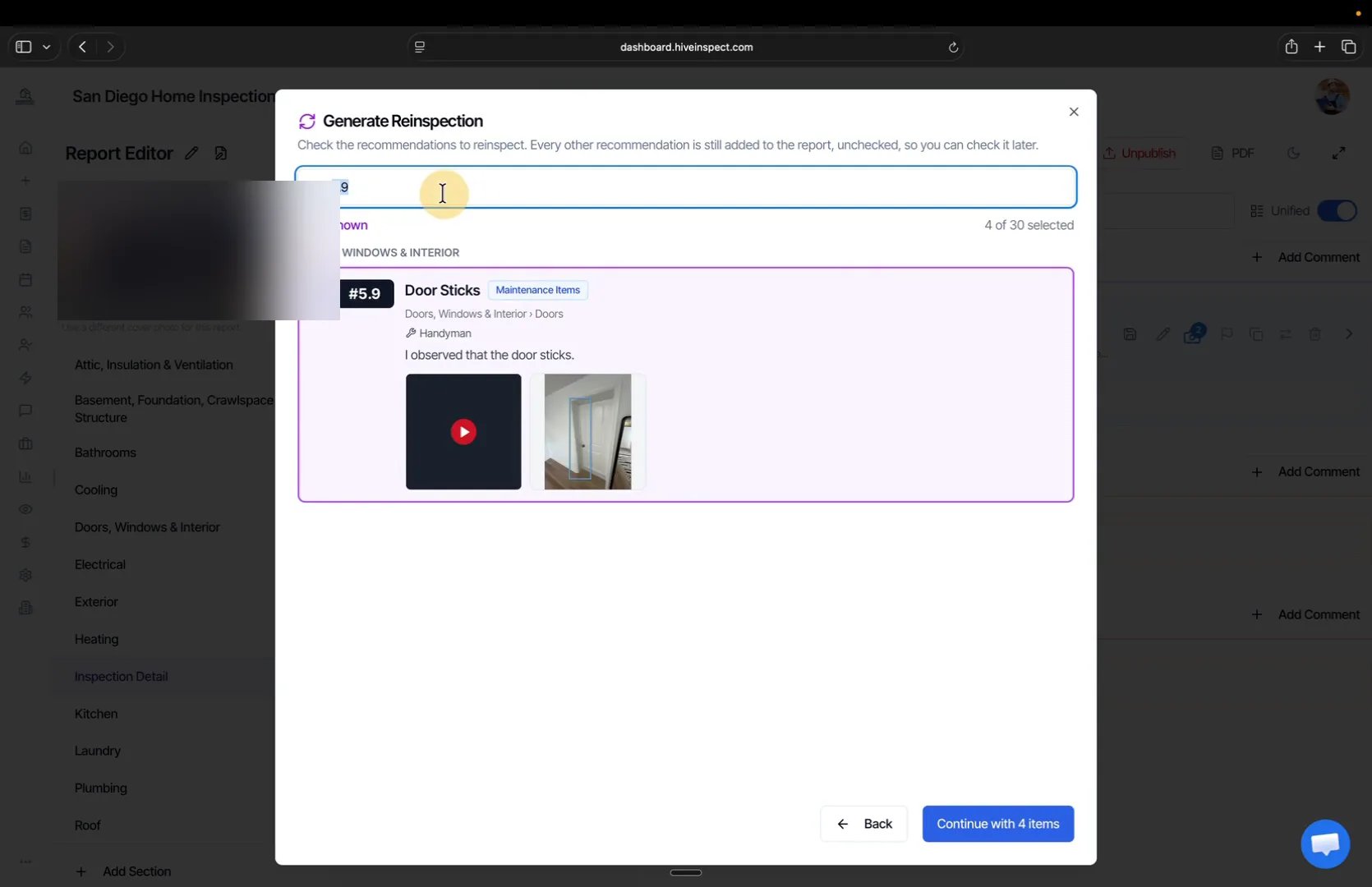
- Every defect in the report is listed with its number, for example 30 in this report
- Search by item number, such as
5.9, or by name, using the numbers your client or their agent sent you - Check each defect you want to reinspect, then click Continue with N items
- Every other recommendation is still added to the re-inspection report, unchecked, so you can check it later
Create a new inspection order
1:26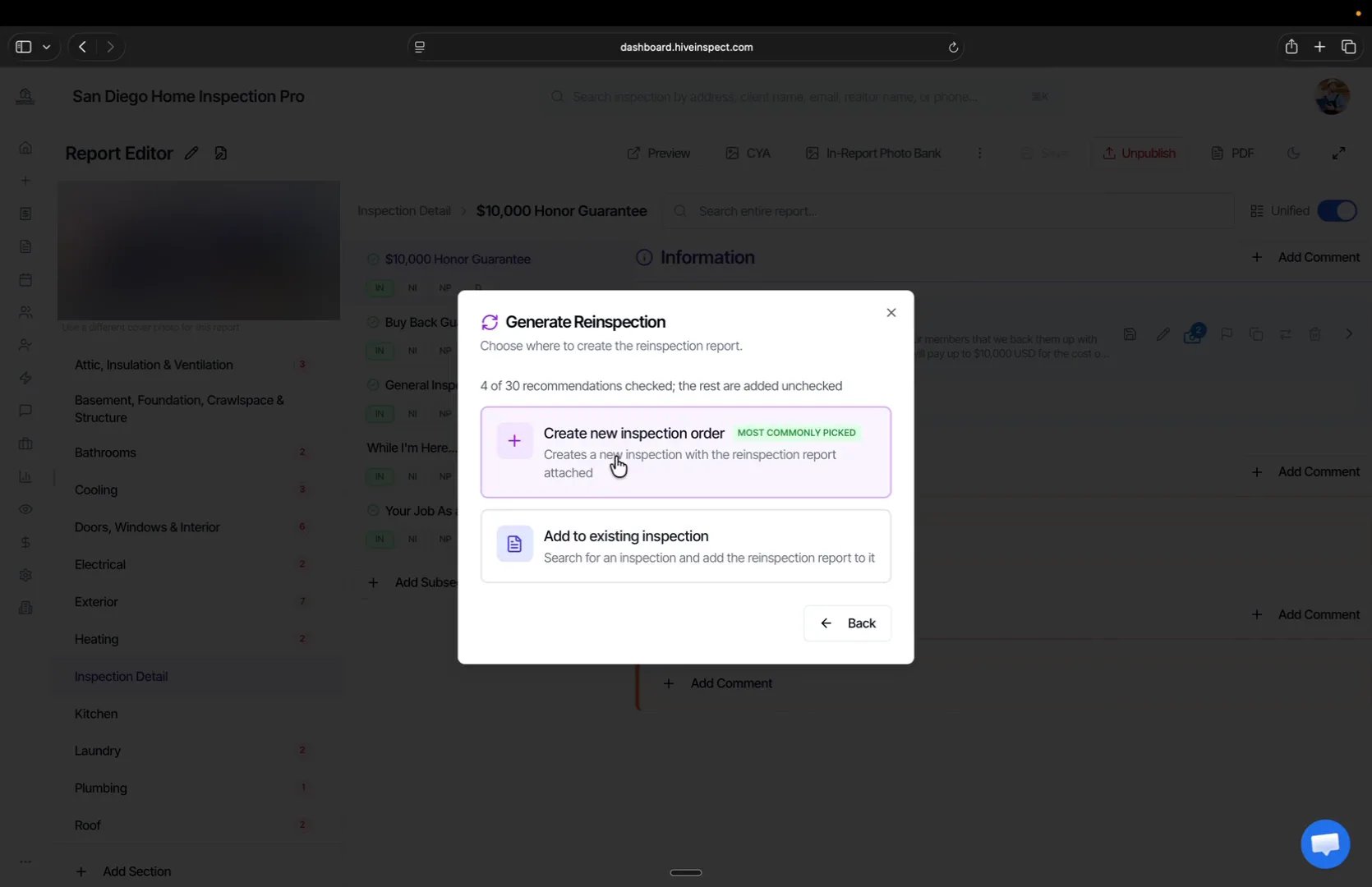
- Create new inspection order is the usual choice, because it puts the re-inspection on your schedule for its own date
- Add to existing inspection attaches the re-inspection report to an inspection you already have, such as the original one
Pick the date, time and service
1:43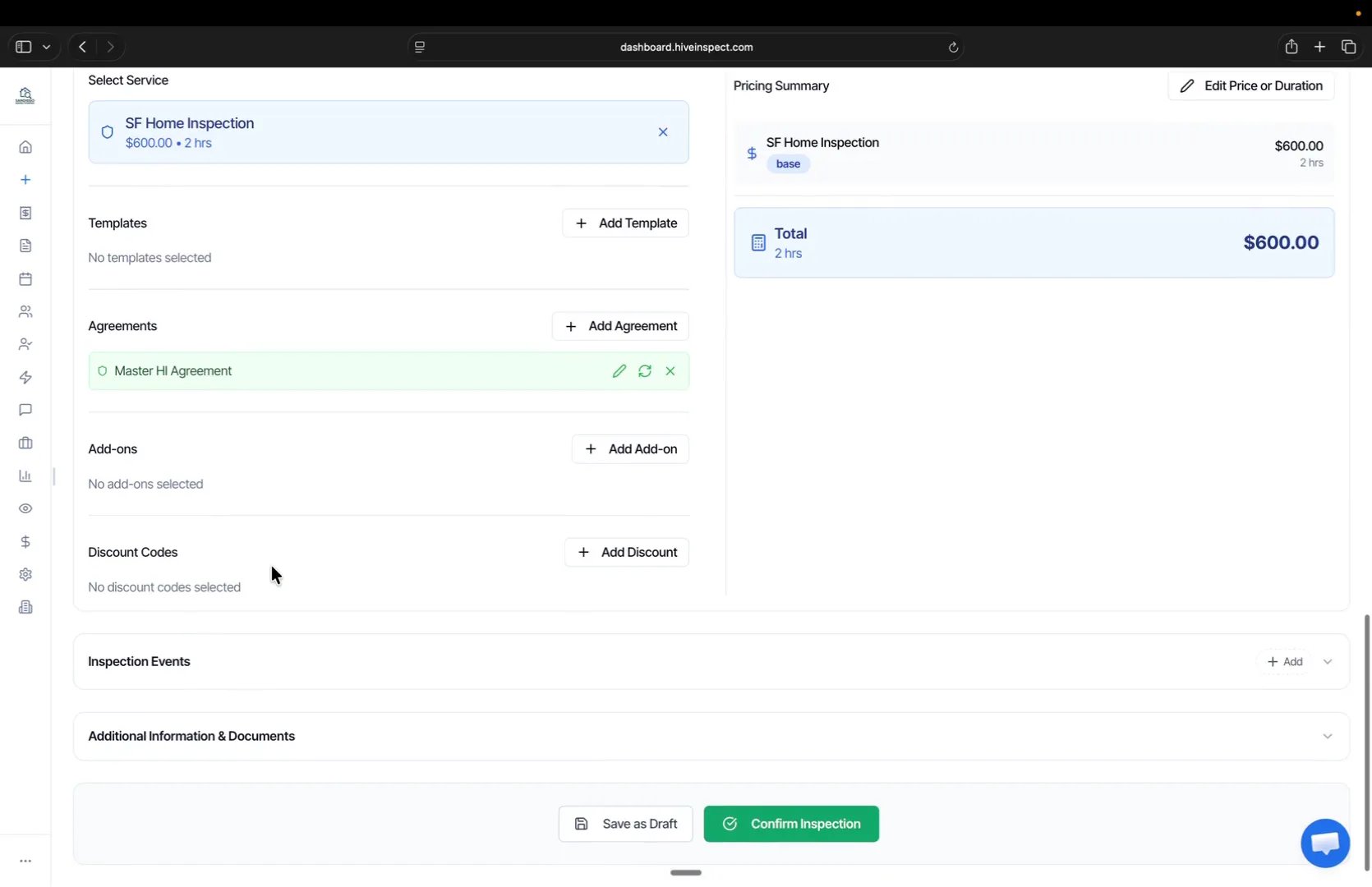
- Pick the date and time of the re-inspection
- Under Select Service, choose your re-inspection service
- You don’t need to add a template, the re-inspection template is added automatically
- Click Confirm Inspection. Your automations run for the new inspection like any other booking
Open the re-inspection
2:11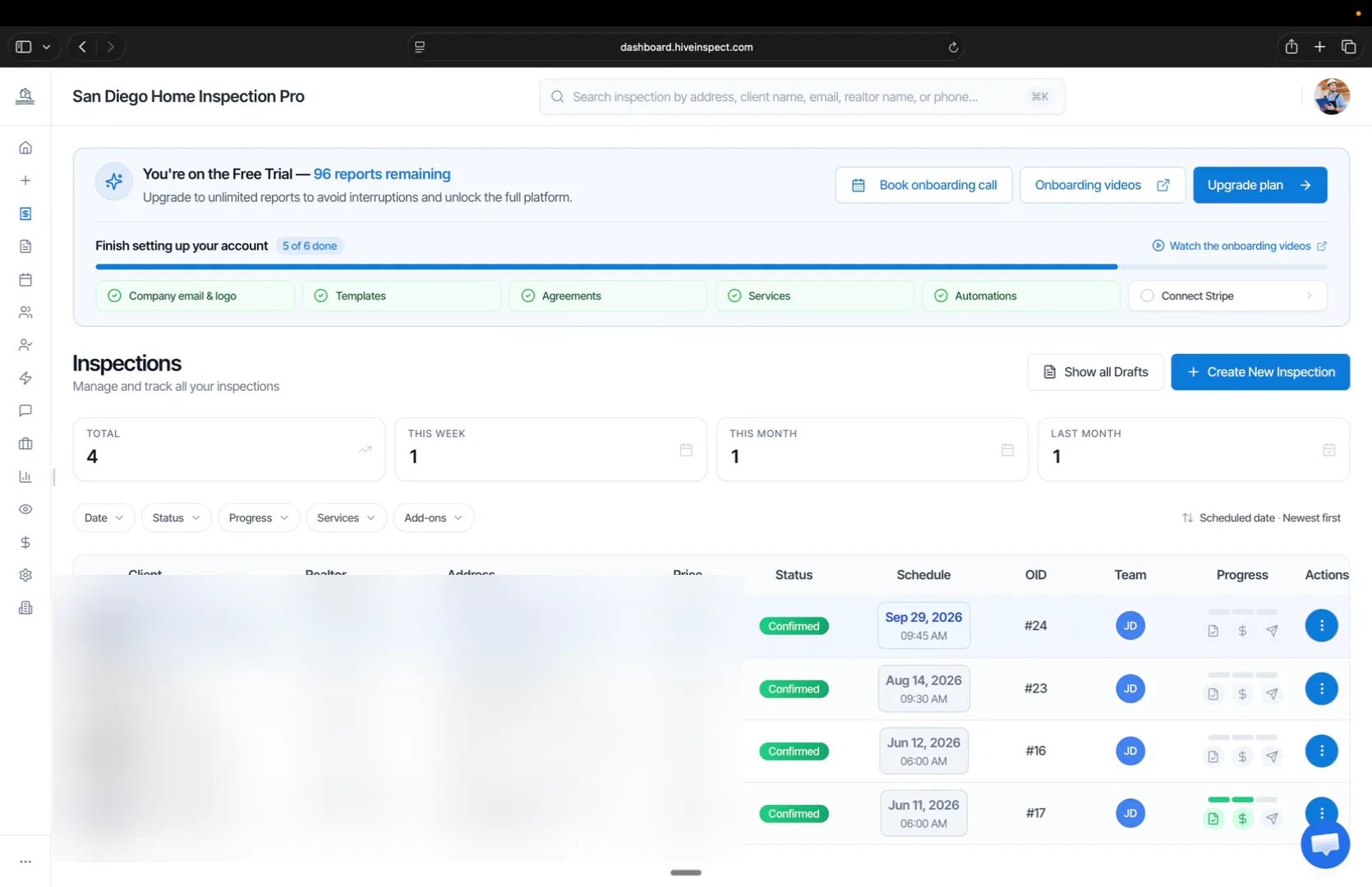
- The new inspection appears in your Inspections list
- The client, agent and property address carry over from the original inspection
- Click the three dots on it and click Edit on the report
Work through the reinspection items
2:22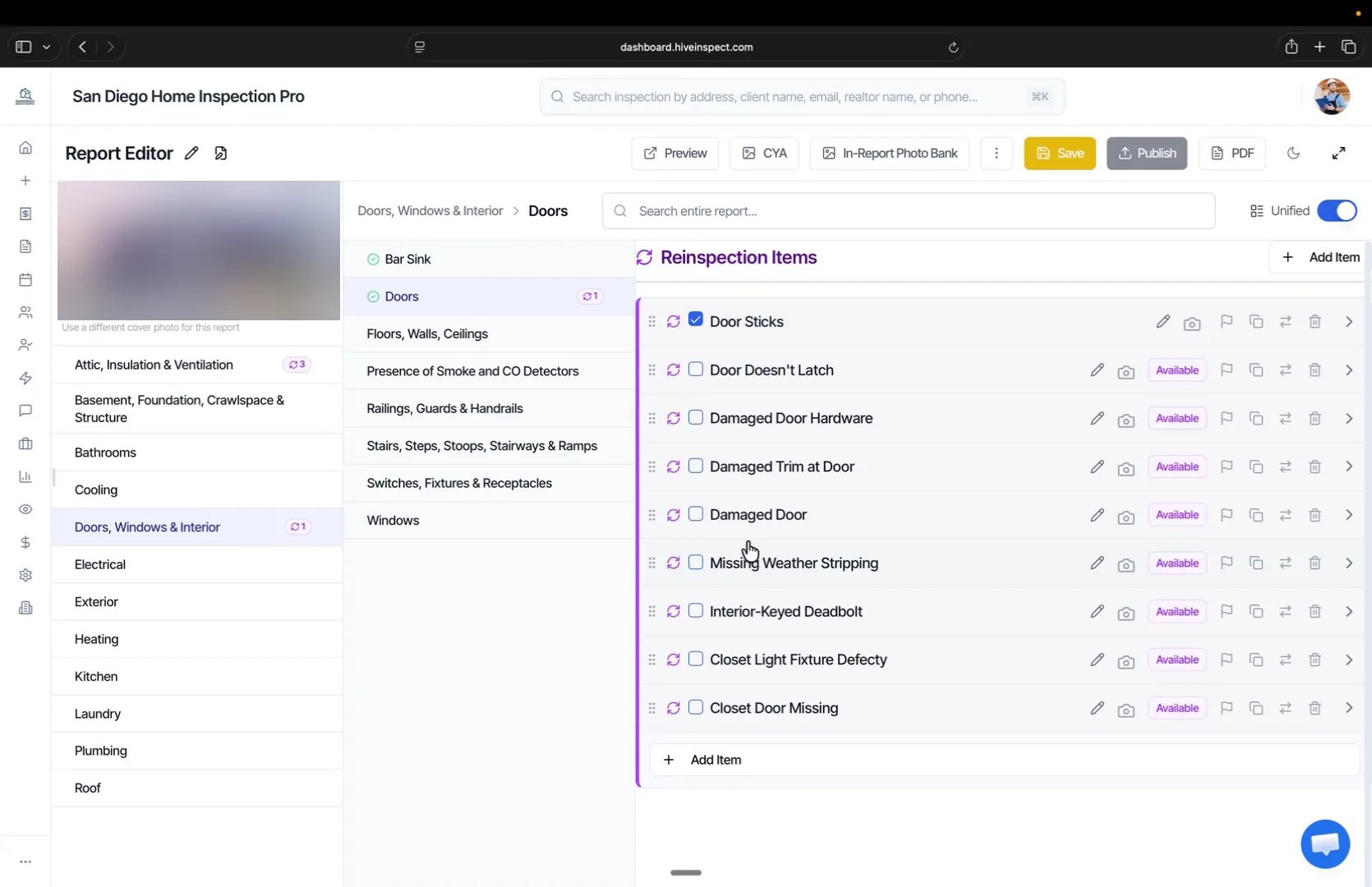
- The defects you selected are already checked under Reinspection Items
- Every original defect is still there if you need to check one later, and you can add new items on the fly
- The same report opens in the mobile app, so you can complete it on site
Complete the re-inspection
For each reinspection item, set its status:- Resolved: the repair was made and the issue is fixed
- Unresolved: the issue is still there
- Unsatisfactory: work was done, but not well enough to resolve the issue
Next step
Related