

How clients book an inspection online
How to book an online inspection
Access the inspector's website
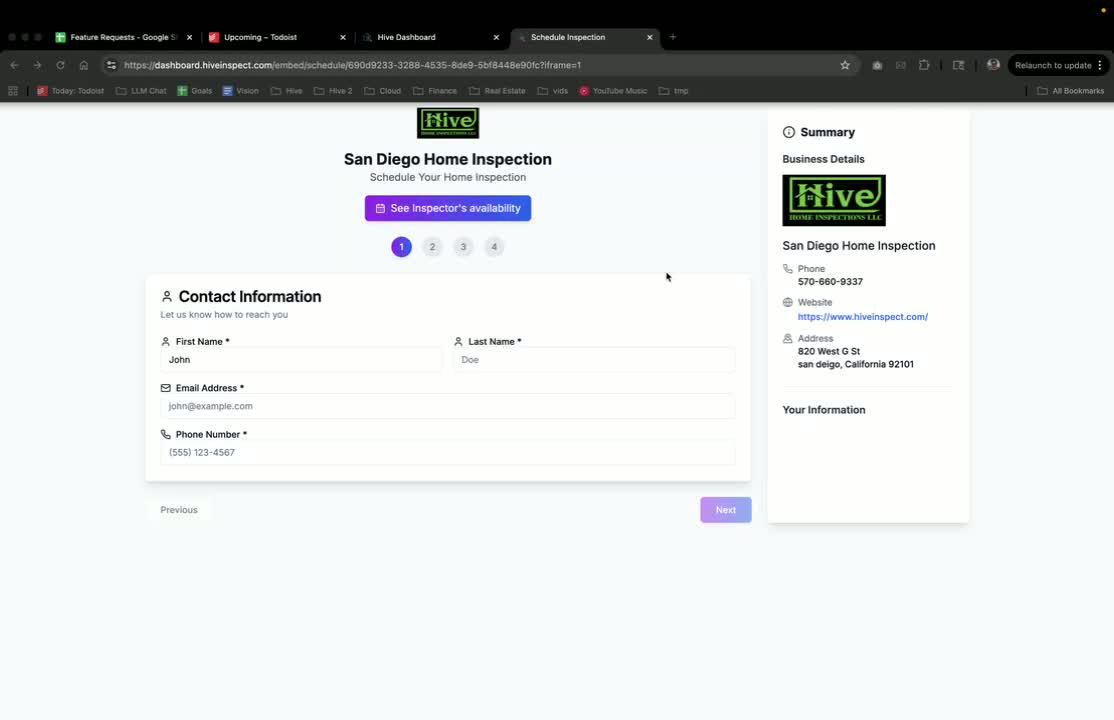
Fill in your information
0:14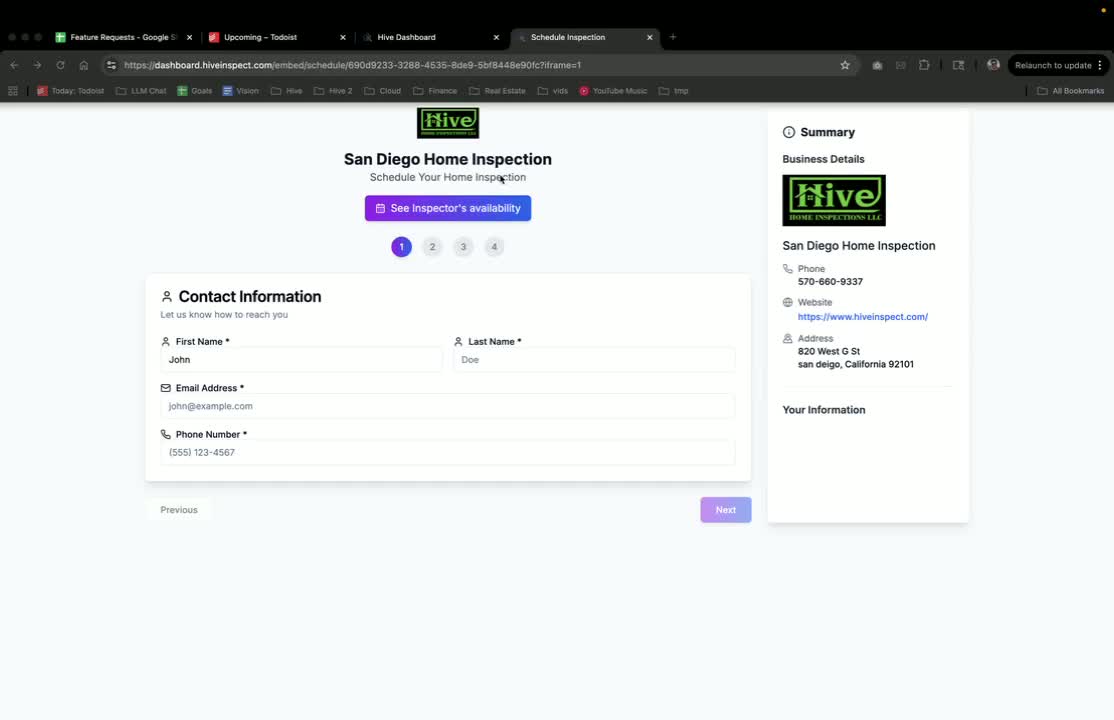
- Enter your personal information (name, contact details).
- Ensure you provide accurate contact details to receive updates.
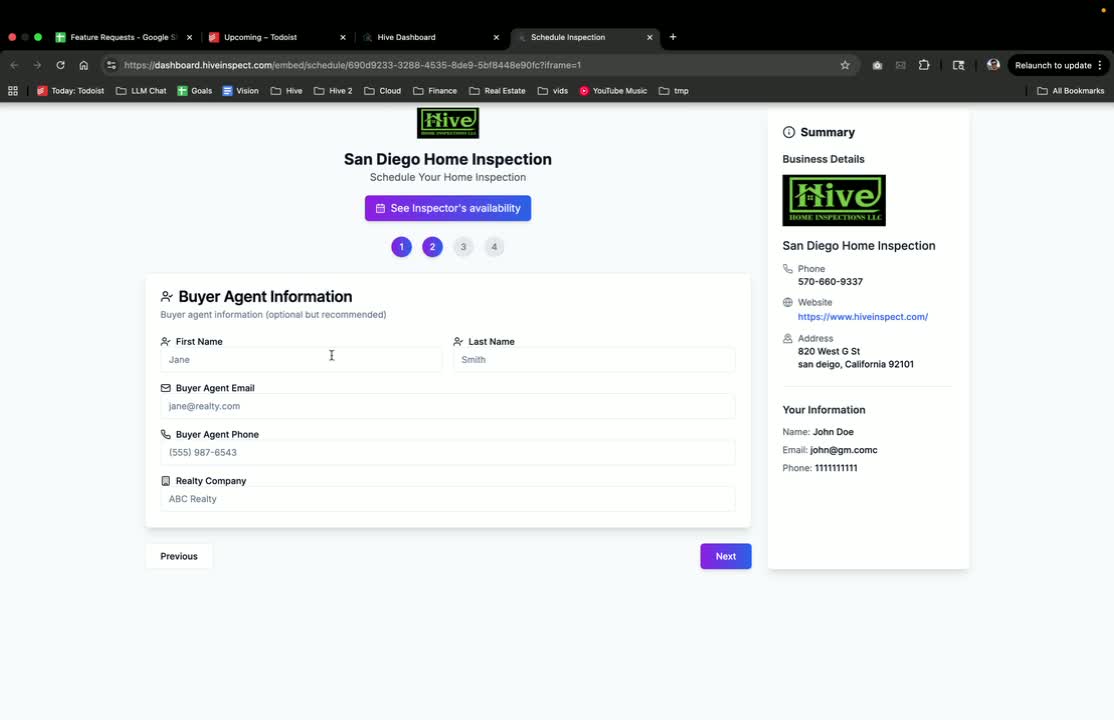
Optional: enter buyer agent information
Provide property address
0:42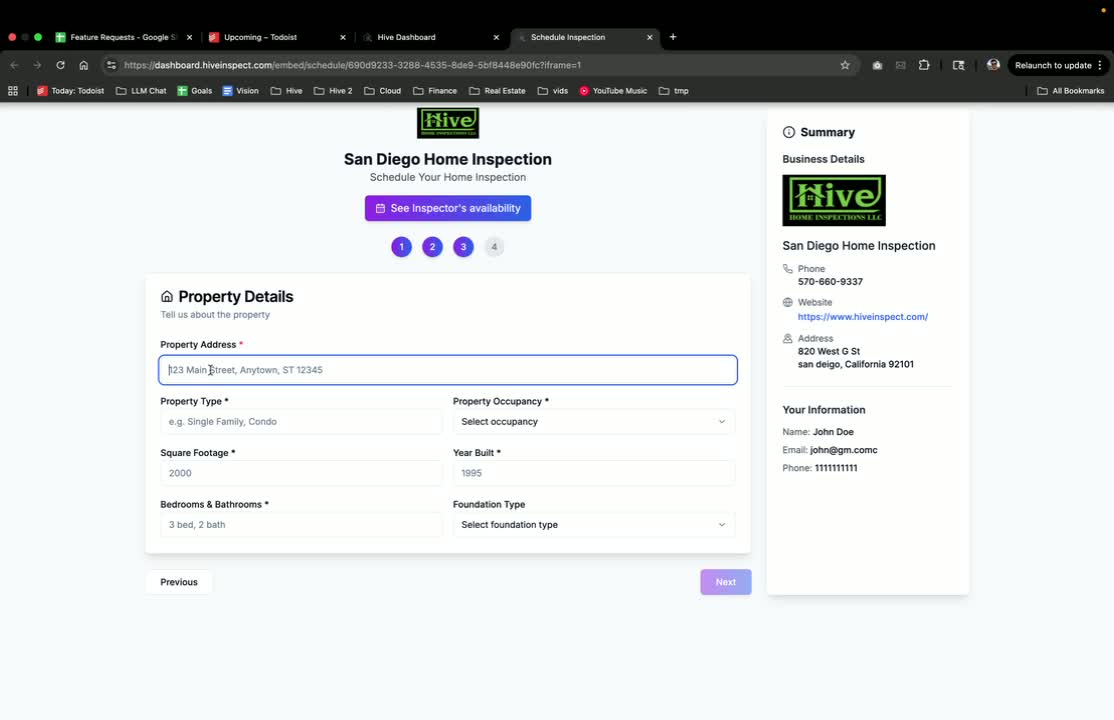
- Enter the address of the property to be inspected.
- You can type the address manually or let the system auto-fill.
Select inspection services
1:07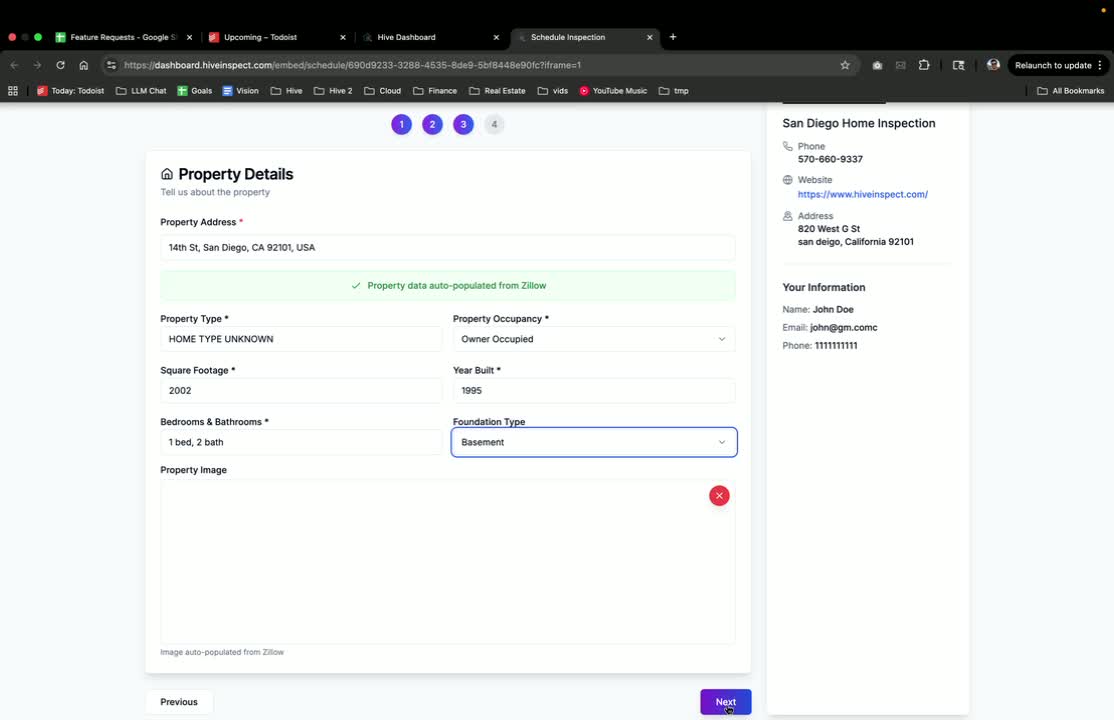
- Choose from the list of services offered by the inspector.
- For example, select ‘Single Family Home’ if applicable.
Review your information
1:16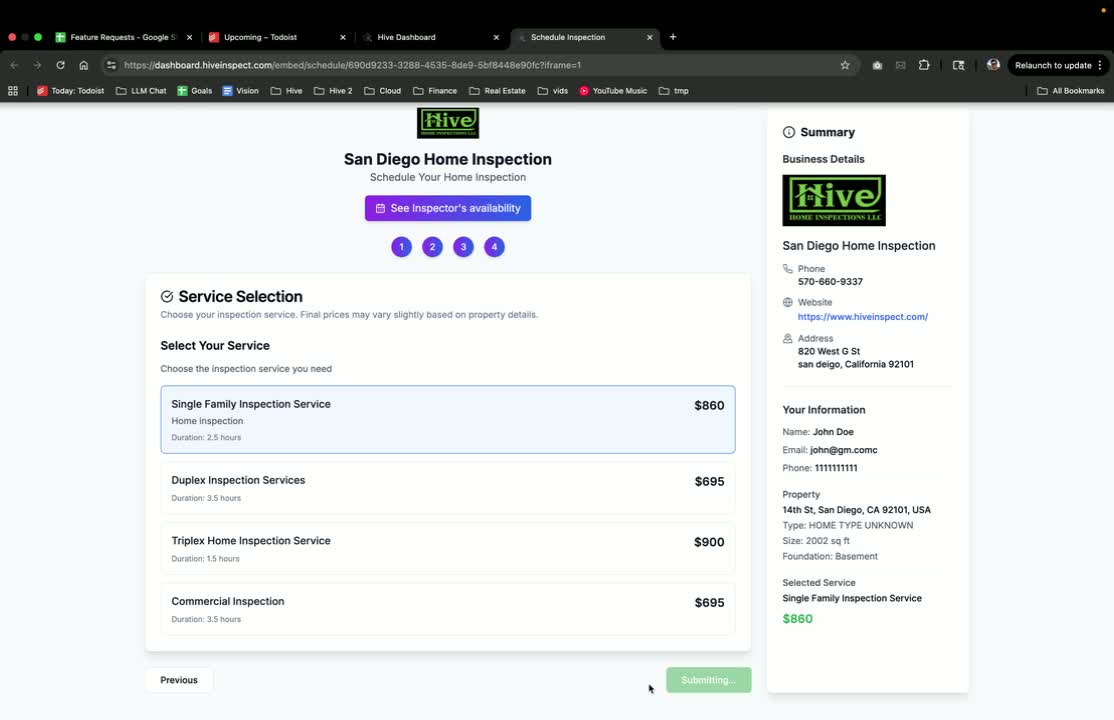
- Click ‘Go to Review Page’ to see a summary of your input.
- Check for any add-on services you may want to include.
Schedule the inspection
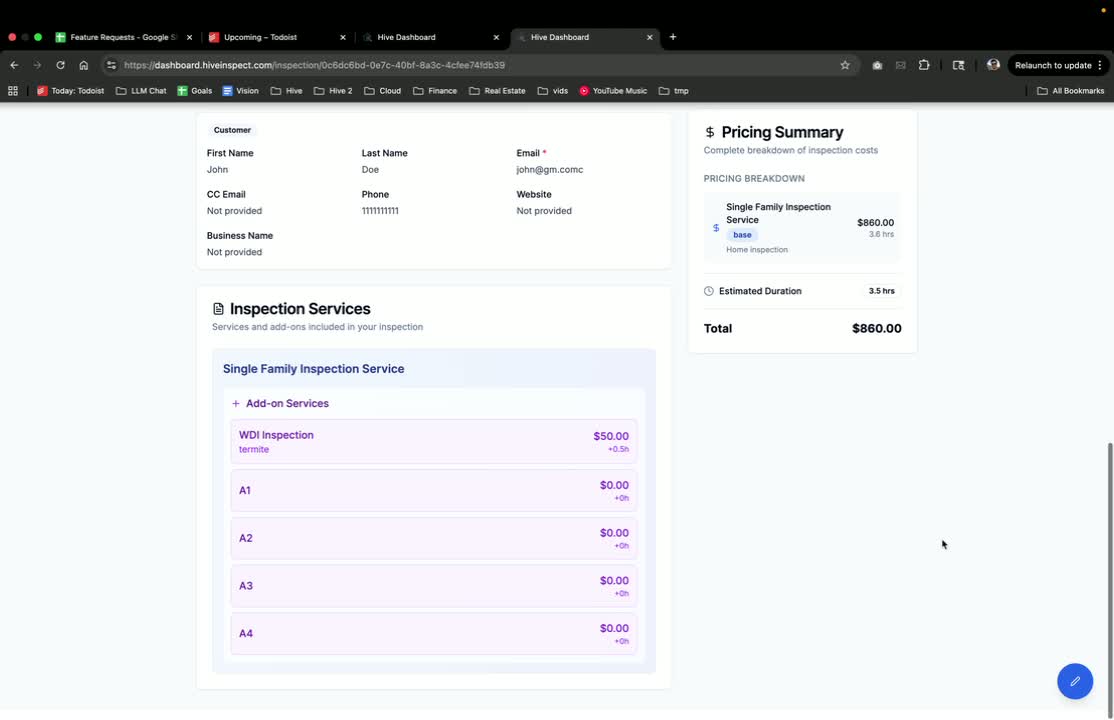
Confirm your appointment
1:35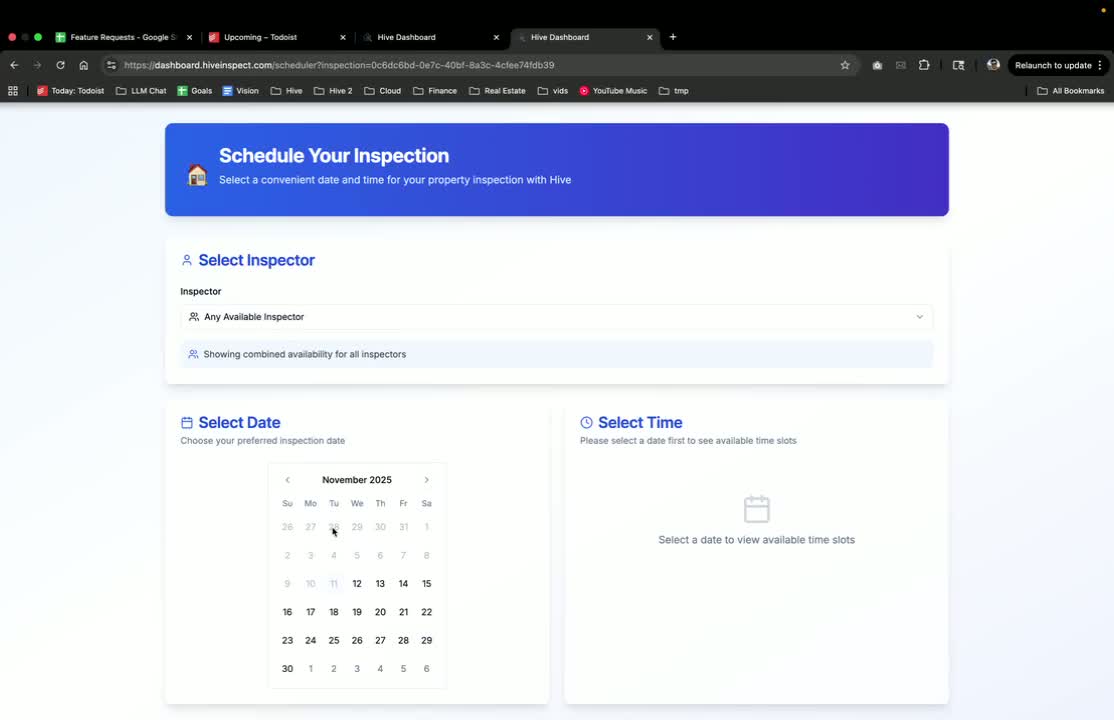
- Review the final details and confirm the inspection.
- You will receive email updates regarding your inspection.
Access your reports
1:48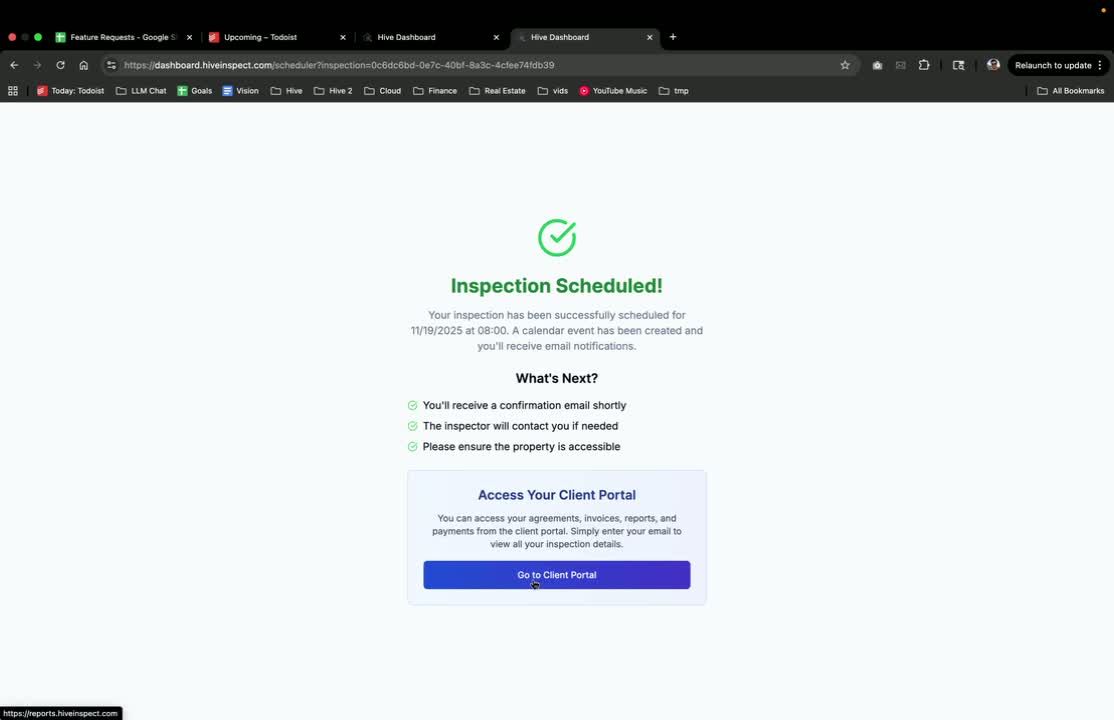
- Use the provided link to access your inspection reports.
- Enter your email and select the property address to view details.
Next step
Related
Add the scheduling widget to your websiteGet your booking link, embed code and QR code, and set up Org Settings → SchedulingAdd the quote widgetClients see an instant price, then continue to bookServices and pricingDefine what you sell, what it costs and which templates it usesBusiness tools and discountsDiscount codes, referral tracking, sample reports and marketing toolsWhat clients seeThe portal where clients read the report, sign and pay