

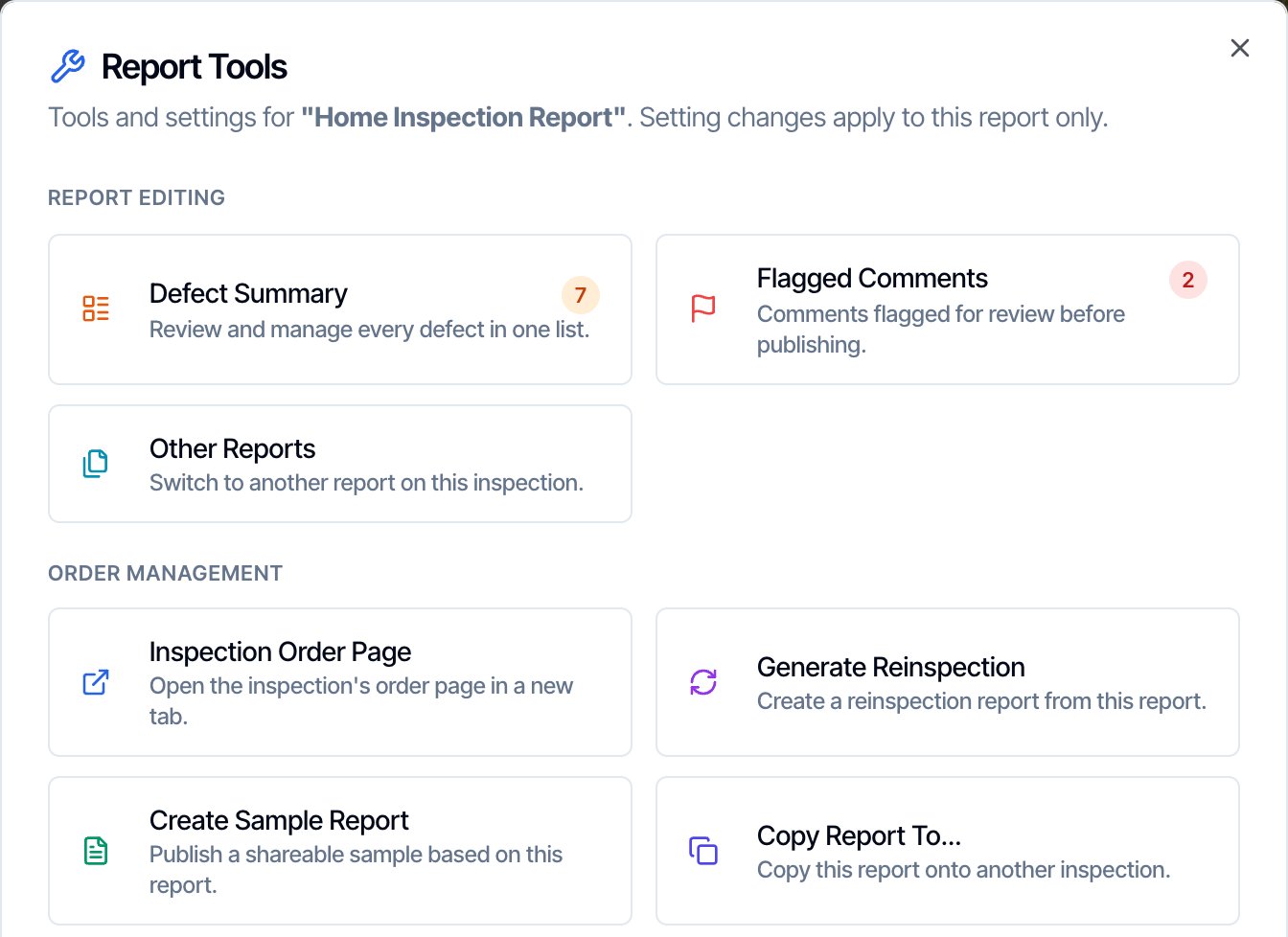
Create one in the report editor: ⋮ Report Tools → Create Sample Report. Find them in the dashboard: Business Tools → Sample Reports.
A sample report is a copy of one of your real reports, with the client, the agents and the address swapped for made-up ones. Share it with agents and people shopping for an inspector, so they can see the quality of your work before they book.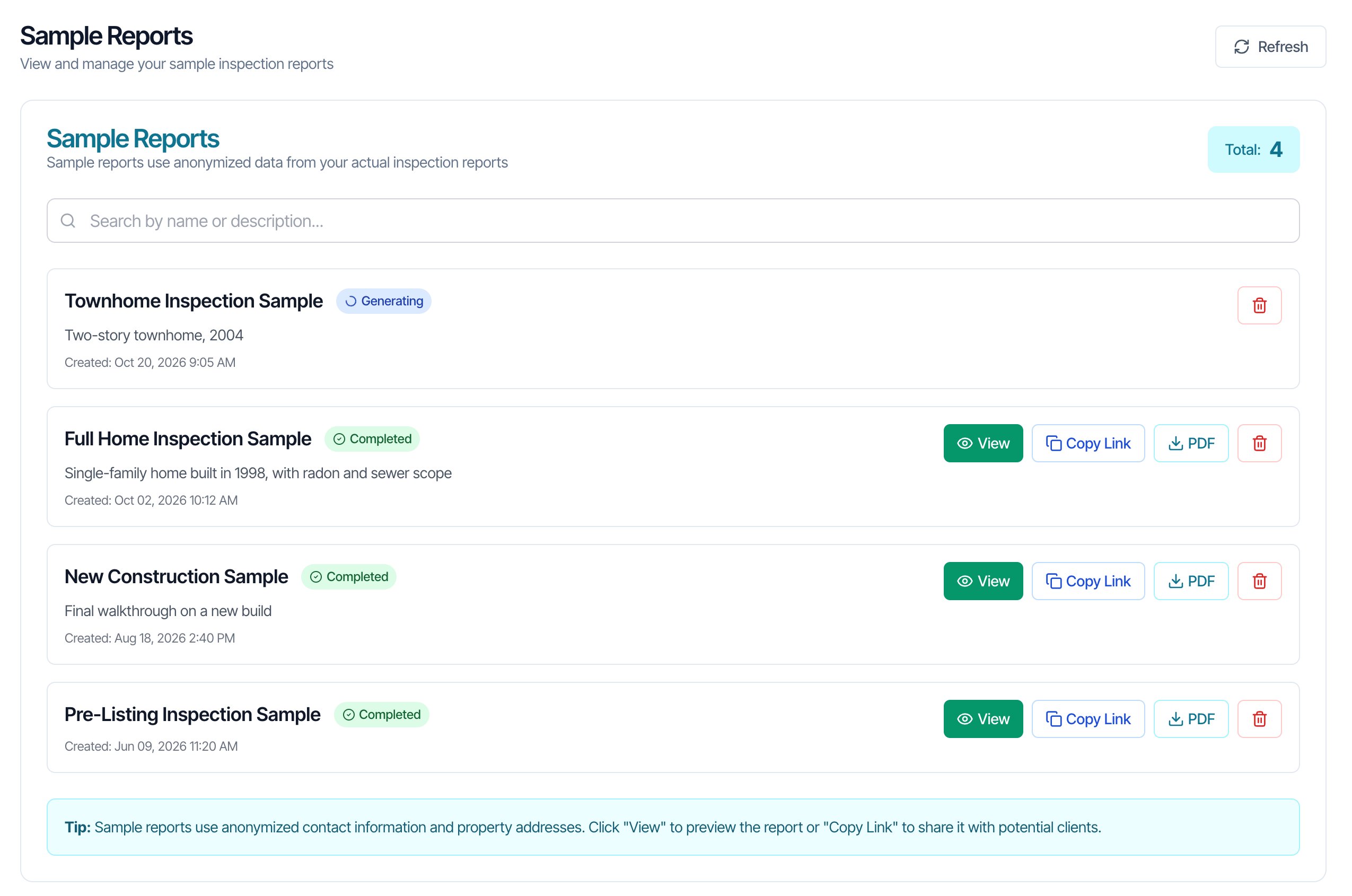
Create a sample report
You make a sample from a report in the web report editor. The mobile app can’t create samples.Pick a good report
Choose a finished report that shows your work at its best: clear photos, well-written comments and a range of findings. Open it in the report editor (on the inspection, click Edit Reports, then Edit next to the report).Before you start, read What the sample keeps from the original. Some details are copied as they are.
Open Report Tools
Click the ⋮ button at the top of the editor, next to In-Report Photo Bank.
Name it and create it
Type a Report Name, for example Full Home Inspection Sample. People see this name when you share the sample, so make it describe the home or the inspection type. Add a Description if you like, such as “Single-family home built in 1998, with radon and sewer scope”.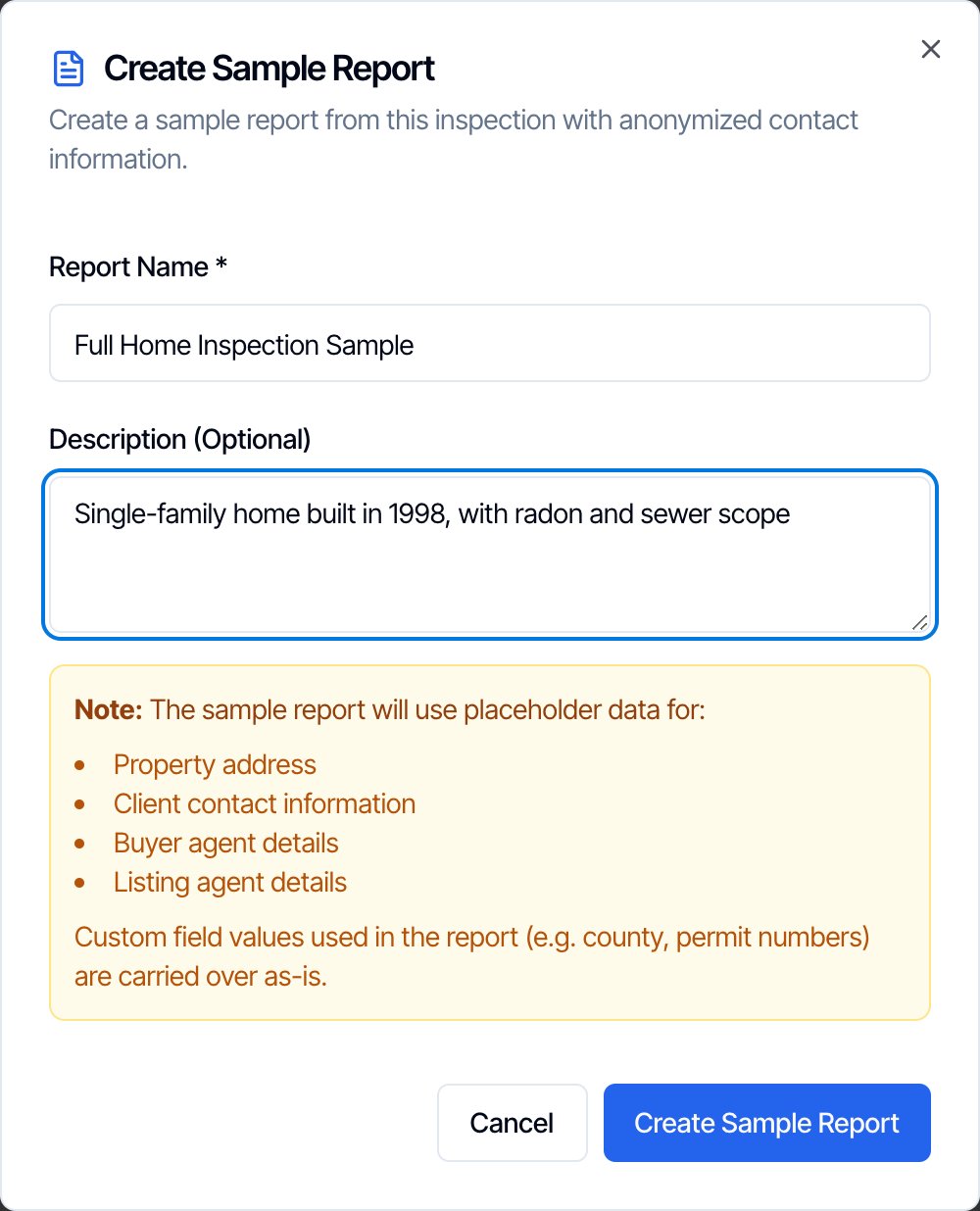
Wait for it to finish
You see Sample Report Creation Started. Hive builds the sample and its PDF in the background. This can take up to 15 minutes. You can close the window and keep working.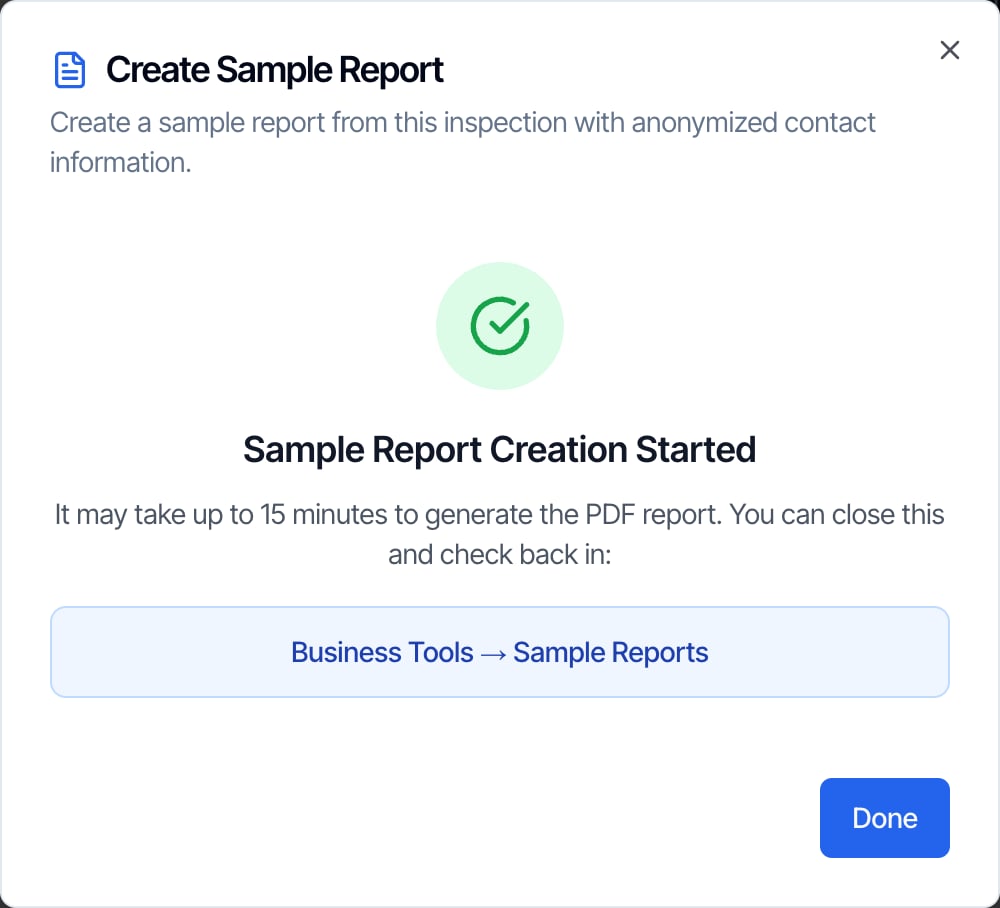
What the sample replaces
Hive puts made-up details in place of the real ones, everywhere they appear through placeholders (for example in the report header, the summary and the PDF):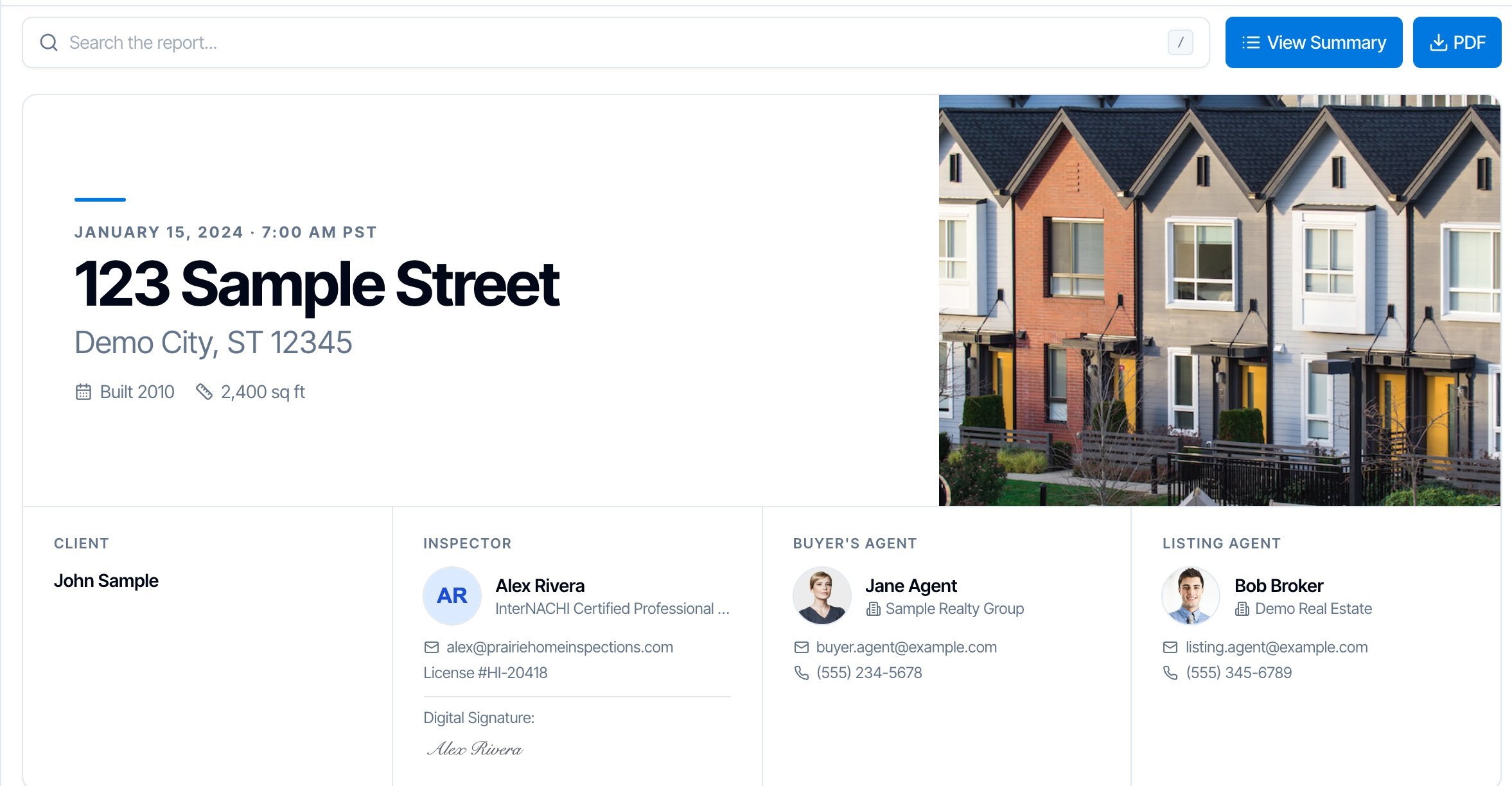
What the sample keeps from the original
These are copied as they are. Check them before you create the sample, or pick a report where they don’t matter:- Your comments, photos and videos. Only placeholders are replaced. If you typed the client’s name, the street or the house number into a comment, it stays in the sample.
- The cover photo. The sample uses the report’s real cover photo. If it shows the house number or a recognizable home, click Use a different cover photo for this report under the photo in the editor first, or choose another report.
- Photos that show identifying details, such as a house number, a mailbox or paperwork.
- Custom field values used in the report, such as a county or permit number.
- Your company and the inspector: logo, colors, report settings, and the inspector’s name, photo, signature, license and contact details. That’s what makes the sample show off your business.
Share a sample report
Once a sample shows Completed, it has these buttons:- View: opens the sample the way other people will see it.
- Copy Link: copies the sample’s web link (it says Copied!). Paste it into an email, a text, a social post or your website.
- PDF: opens the PDF of the sample.
Show your samples on your public page
Your Public Page (Business Tools → Public Page) lists every completed sample report in its Sample Reports section (headed See a real report before you book unless you renamed it), newest first. To hide one, open the Details tab and switch it off under Sample reports.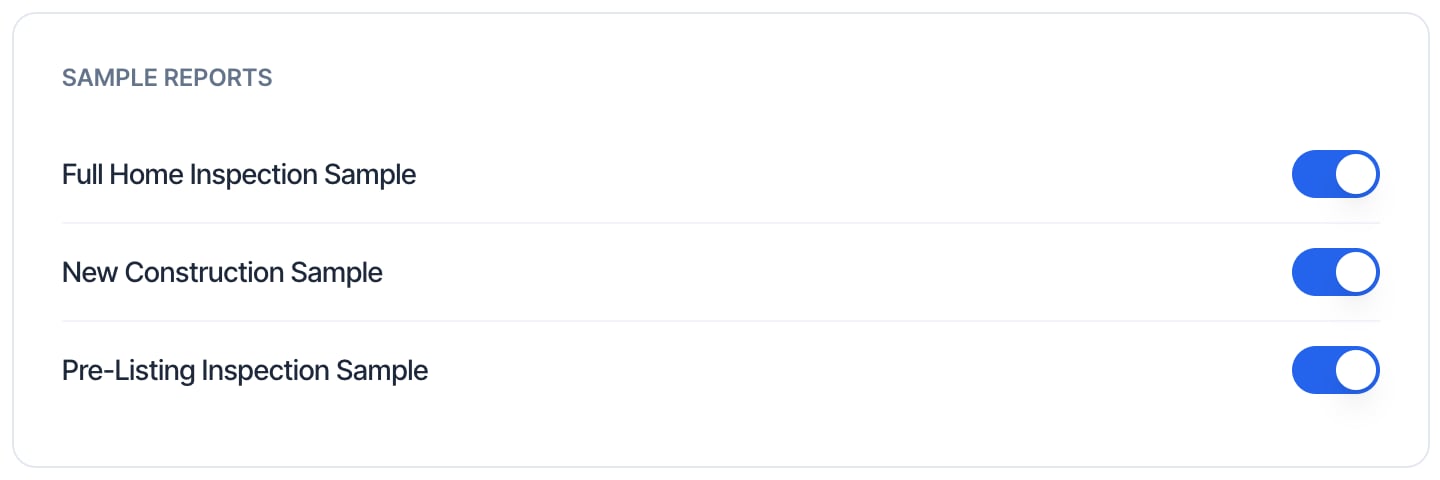
Put a sample on your own website
Use Copy Link and add the link to a button or a menu item on your website, for example “See a sample report”. The PDF link works too, if you’d rather people download a file.Find and delete sample reports
Type in the search box to find a sample by its name or description. To delete a sample, click the red trash button on it and confirm Delete. This can’t be undone: the sample, its PDF and its link stop working for everyone you shared it with. You can’t rename a sample. Create a new one with the new name and delete the old one.Who can create and see sample reports
Anyone who can open the report editor can create a sample. Everyone who can open Business Tools can see, share and delete your company’s samples. See Team permissions. There’s no limit on how many samples you can have. Two or three is usually enough: for example a full home, a condo and a new build.Common questions
My sample says Generating. How long does it take?
My sample says Generating. How long does it take?
Up to 15 minutes, while Hive builds the PDF. The page updates by itself. If it still says Generating after half an hour, message us in the chat bubble.
My sample says Failed. What do I do?
My sample says Failed. What do I do?
Delete it and create it again from the report. If it fails again, message us in the chat bubble with the sample’s name and we’ll rebuild it.
Can I make a sample from a report I imported from other software?
Can I make a sample from a report I imported from other software?
No. A sample is made from a report written in Hive. Imported PDFs can’t be turned into samples. Many inspectors rewrite one old report in Hive for this.
I changed the original report. Will the sample update?
I changed the original report. Will the sample update?
No. The sample is a copy from the moment you created it. Create a new sample, then delete the old one.
Does changing or deleting the original inspection affect the sample?
Does changing or deleting the original inspection affect the sample?
The sample keeps its own copy of the report text, so edits to the original don’t reach it, and deleting the inspection doesn’t remove the sample.The sample does show the original’s photo files. If you later replace the original inspection’s cover photo, the sample can lose its cover photo. Create a new sample if that happens.
Can I get the sample in Spanish?
Can I get the sample in Spanish?
Message us in the chat bubble and we can add a Spanish PDF to a sample. People then choose English or Spanish when they download the PDF.
Can I make a sample from the mobile app?
Can I make a sample from the mobile app?
No. Open the report in the web dashboard’s report editor.