

In the dashboard: Business Tools → Subscriptions to subscribe, Automations → Dedicated Number for the registration form, and Messages in the sidebar for your texts.
Without a dedicated number, the texts your automations send come from a shared Hive number. Clients can’t tell they’re from you, and when they reply, the reply doesn’t reach you. The Dedicated SMS Number add-on gives your company its own phone number for texts. Once it’s set up:- Your automated texts (confirmations, reminders, agreement and payment links), review requests and reports you text from Quick Actions come from your number.
- When a client or agent replies, you see it in Messages, get a text on your phone and an email.
- You can answer from Messages, and the client gets your answer from the same number.
The number is for text messages only. Calls to it don’t go through, and there is no voicemail.
Setting it up at a glance
Subscribe
Business Tools → Subscriptions → Dedicated SMS Number → Subscribe. It costs $20 a month. See Step 1.
Fill in the registration form
Carriers only let a business text from its own number after it’s registered. Fill in your business details and where replies should go, then click Submit for Registration. See Step 2.
Wait for approval
Hive registers the number with the carriers and assigns it to you. This can take up to 7 days. See Step 3.
Text from Messages
Your automations start using your number by themselves. Read and answer replies in Messages. See Messages.
Before you start
- You need an active Hive plan. The add-on is only for companies with a paid software subscription. On a free trial, or with a plan that isn’t paid up, clicking Subscribe shows Dedicated SMS number requires an active software subscription.
- Who can subscribe: the account owner, and team members with the Manage Subscriptions permission. Others see Access Denied on the Subscriptions page. See What each permission does.
- Have your business details ready: your legal business name and federal tax ID (EIN) exactly as the IRS has them, or your Business Number (BN) in Canada, and your business address.
Step 1: Subscribe
- Open Business Tools → Subscriptions.
- Find the Dedicated SMS Number card and click Subscribe.
- Pay on the Stripe checkout page. It’s a separate monthly subscription of $20/month, on top of your Hive plan.
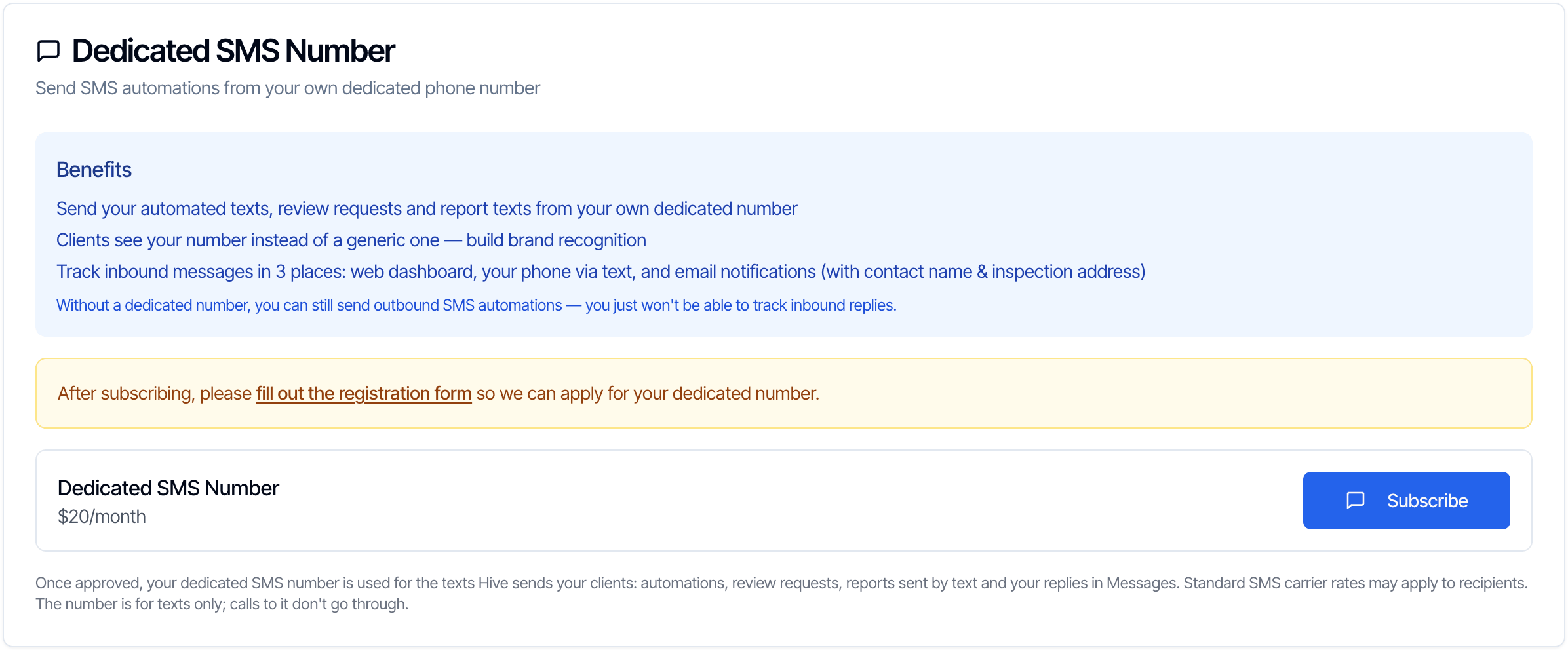
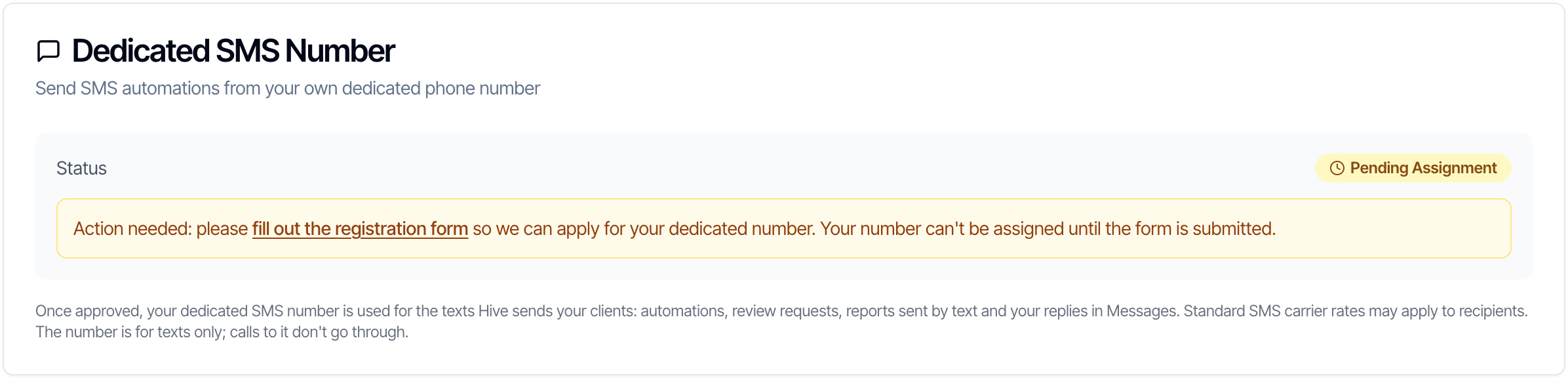
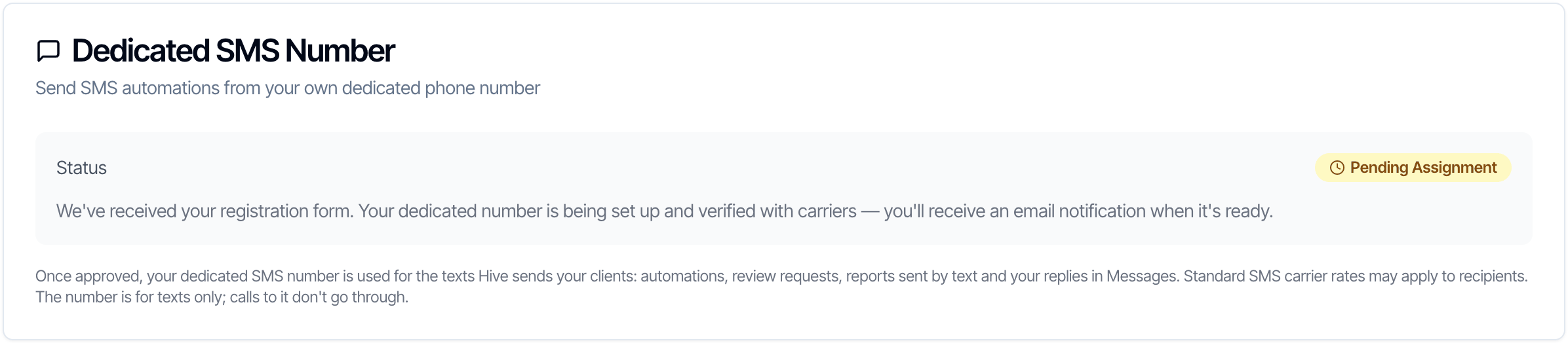
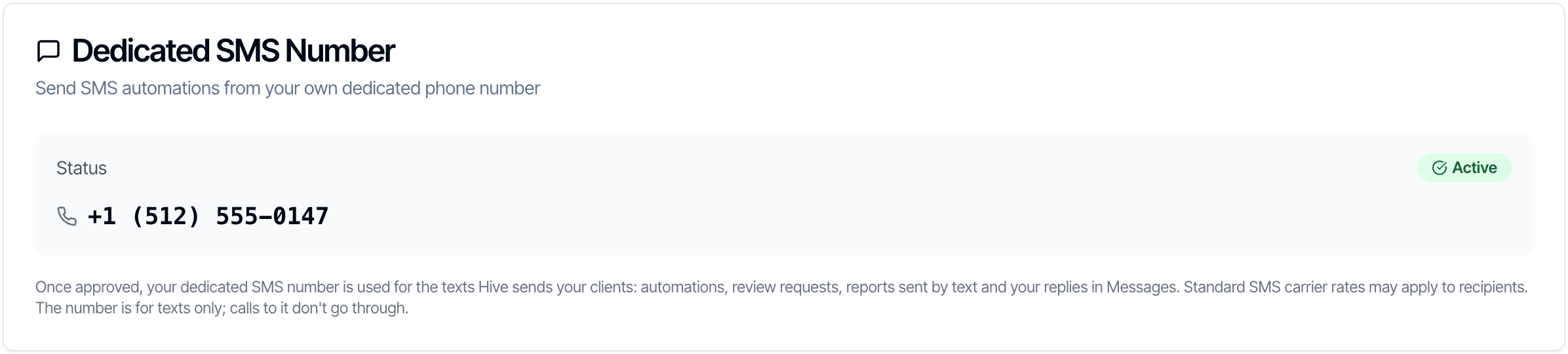
What the card shows after you subscribe
The card shows where you are. Come back to it at any time.- Form needed
- Being set up
- Active
Step 2: Fill in the registration form
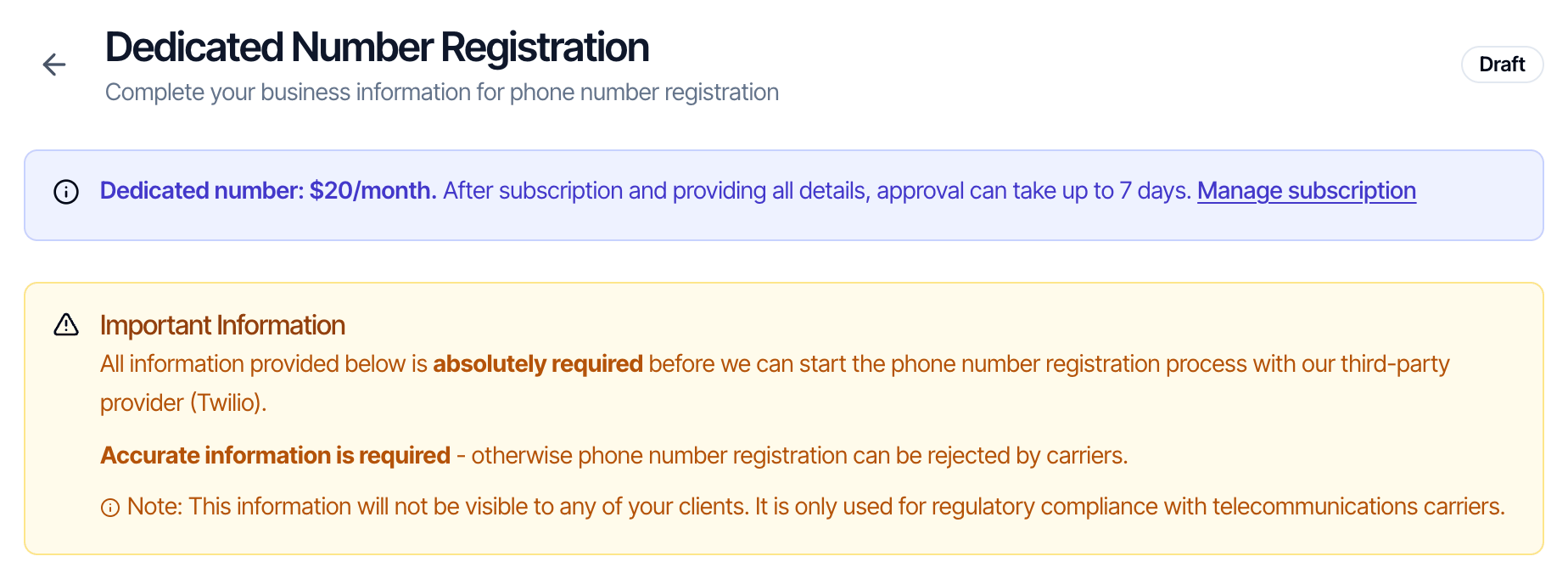
Phone carriers block business texts from numbers that aren’t registered to a real business. This form gives Hive what’s needed to register your number with Twilio, our texting provider, and the carriers. Open the form in any of these ways:- Automations → the purple Dedicated Number button at the top.
- Messages → Dedicated Number.
- The fill out the registration form link on the Subscriptions card.
- Directly: dashboard.hiveinspect.com/dashboard/automations/dedicated-number-form.
Business Information
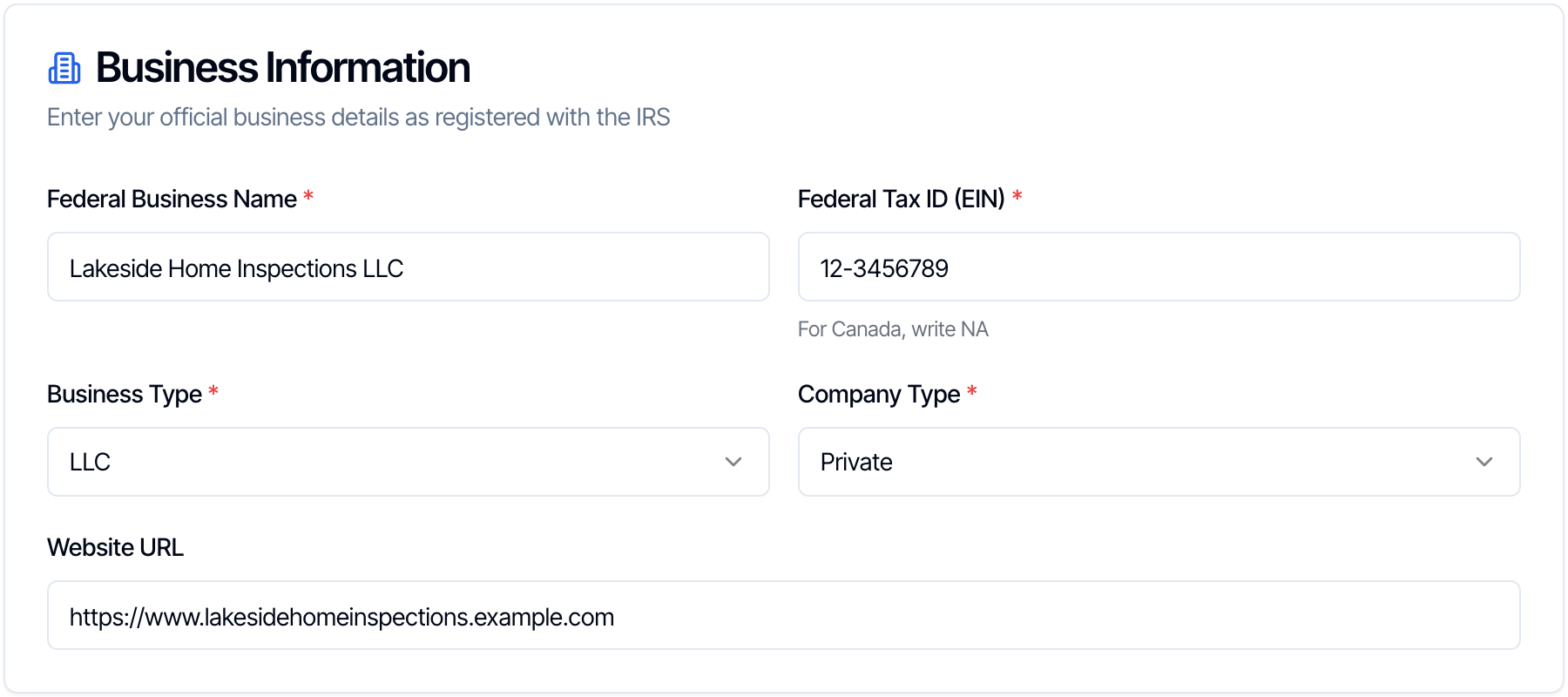
Choose Business Type and Company Type before you click Save Draft. A draft without them doesn’t save.
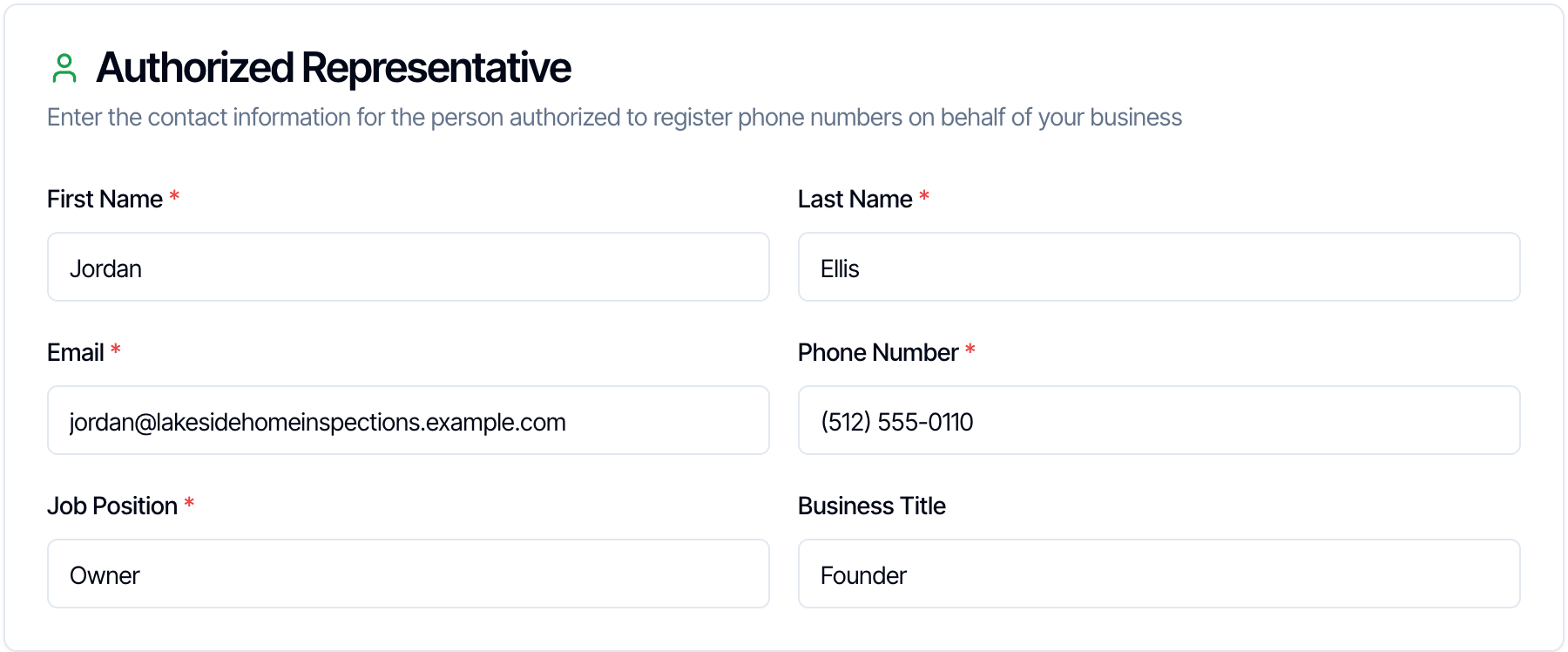
Authorized Representative
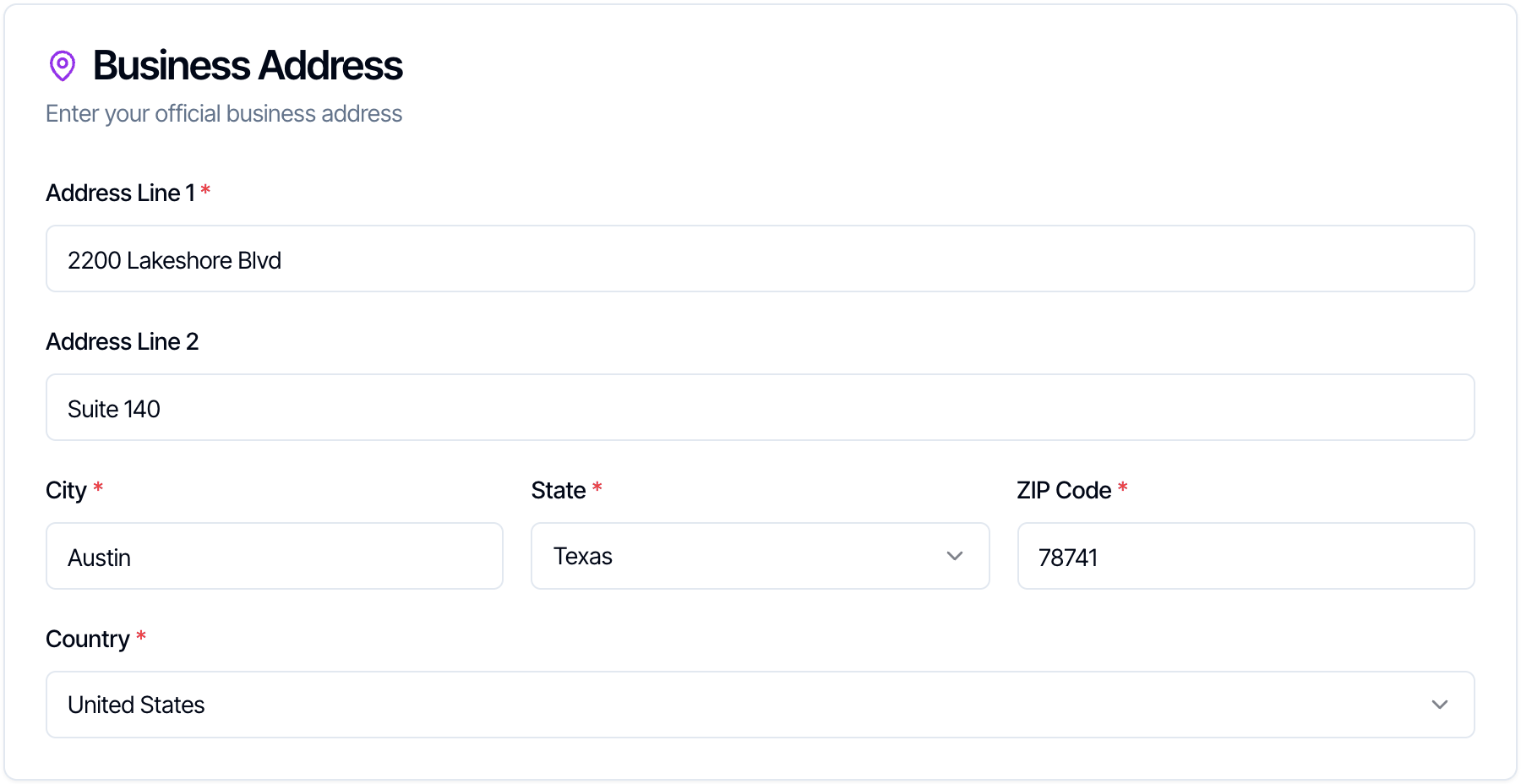
Business Address
Forwarding Details
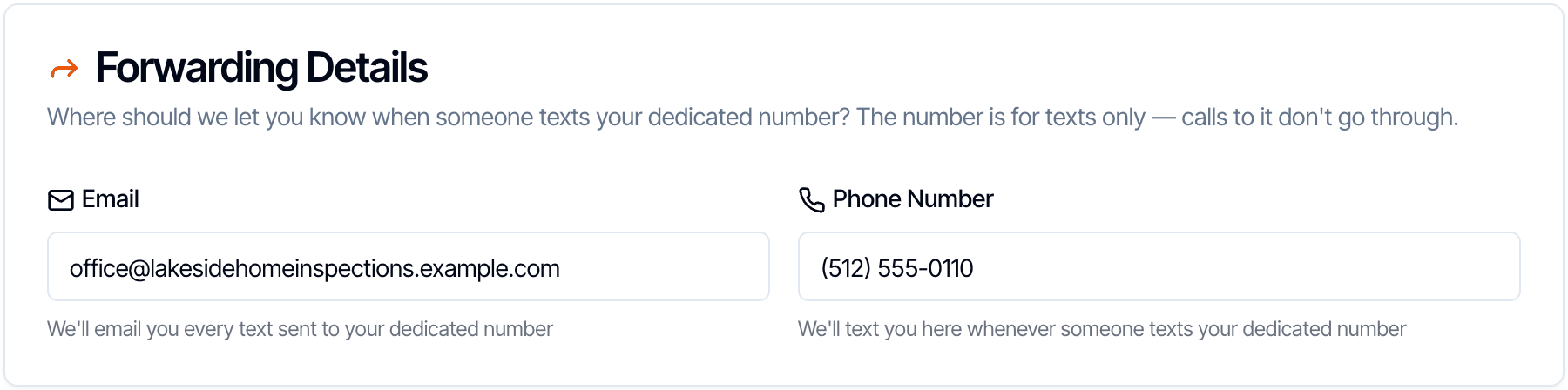
One email address and one phone number each. See When someone replies for what these look like.
Save or submit

- Save Draft keeps what you’ve typed so you can finish later. You see Form saved successfully.
- Submit for Registration saves and sends the form to Hive. You see Form submitted successfully. If a required field is empty, you see Missing required fields instead. Look for the empty box marked *.
- Cancel leaves without saving.
Step 3: Wait for approval
After you submit, the badge at the top changes to Submitted, and the page says Form Submitted.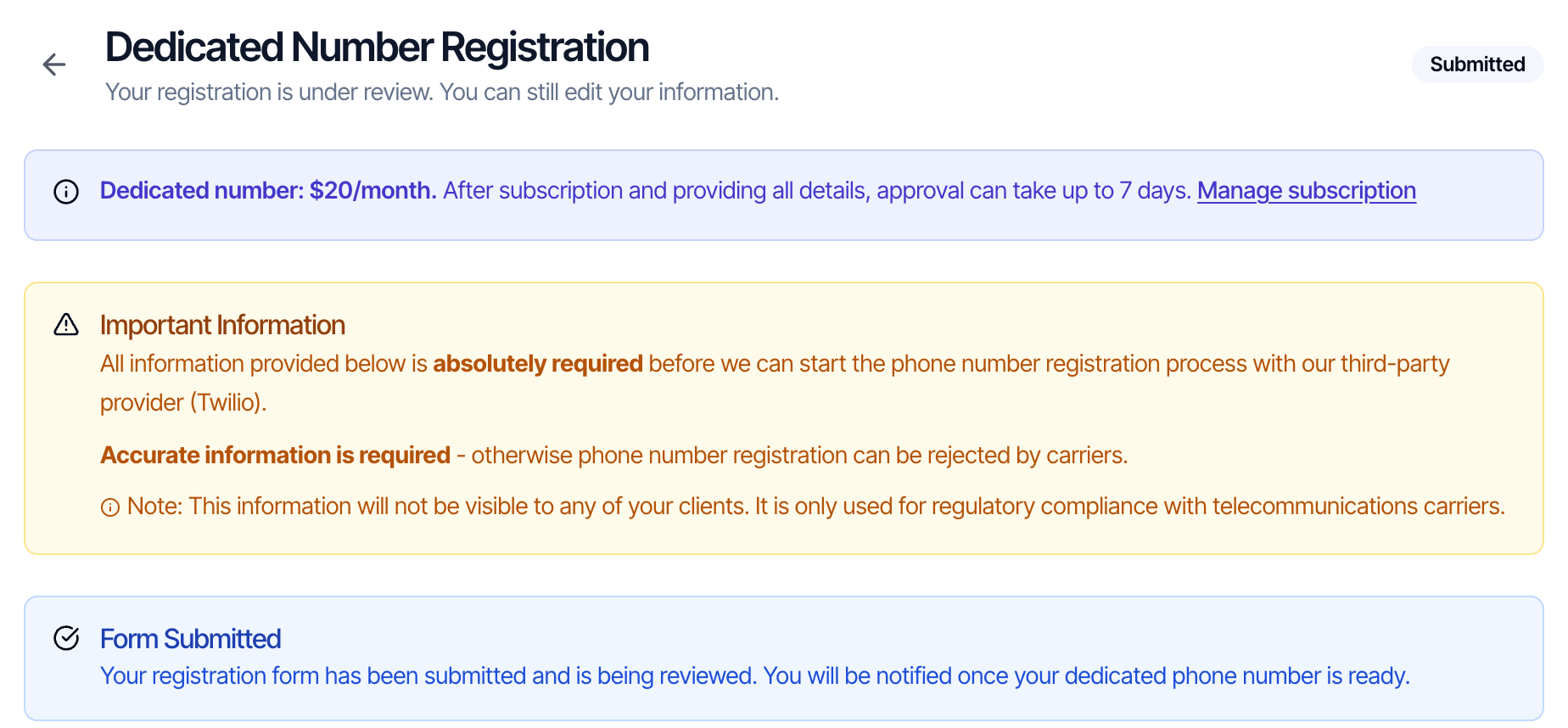
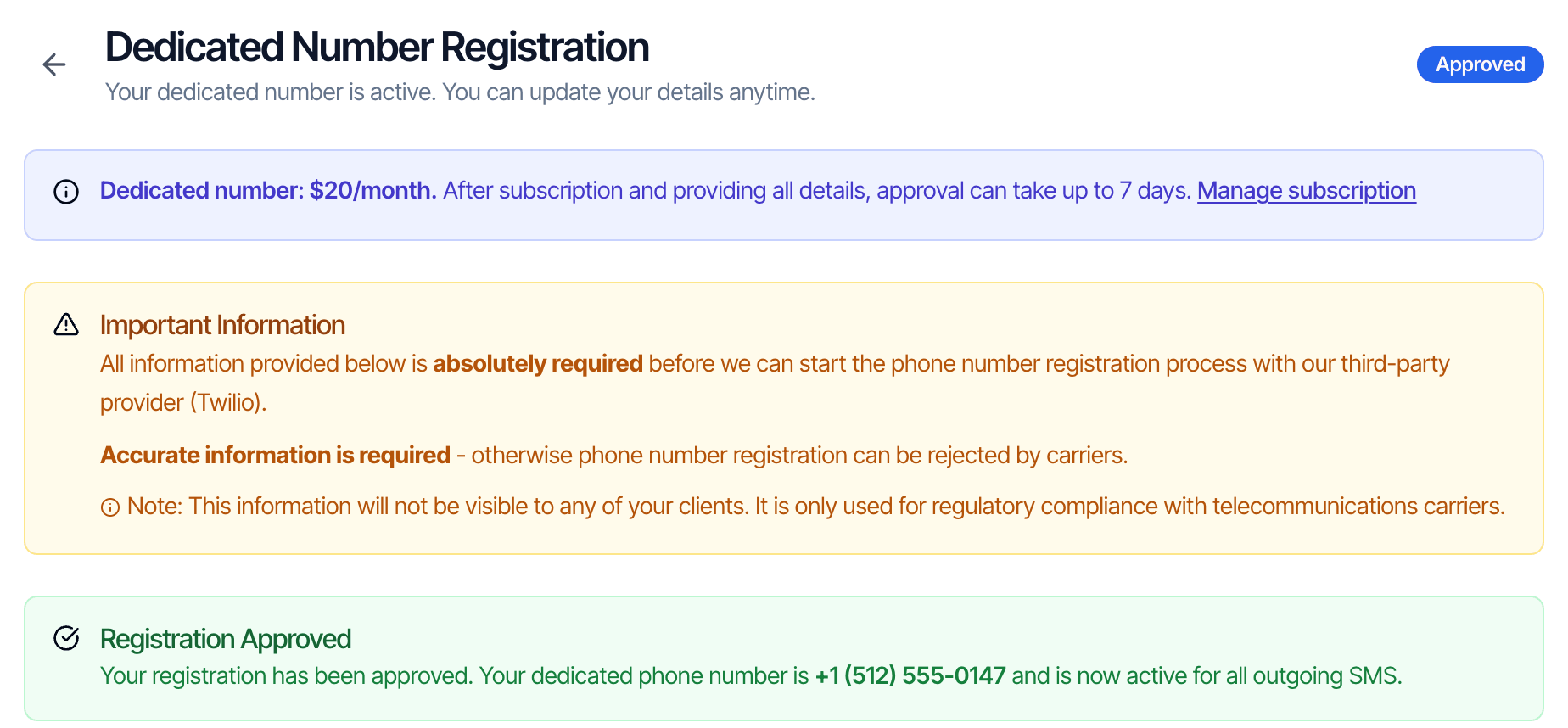
- The form shows Approved and Registration Approved with your number.
- The Subscriptions card shows Active with your number.
- Messages shows Your dedicated number is … at the top.
Changing your details after you submit
Once the form is Submitted or Approved, only the Forwarding Details can be changed. Change the email or phone and click Save Changes. The other boxes still look editable, but changes to your business details aren’t saved, because they’ve already gone to the carriers. To correct them, message us from the chat bubble in the dashboard.If your registration is rejected
The form shows Rejected and Registration Rejected. Fix the details the carriers didn’t accept (usually the business name or tax ID) and click Resubmit.Read and answer texts in Messages
Click Messages in the sidebar.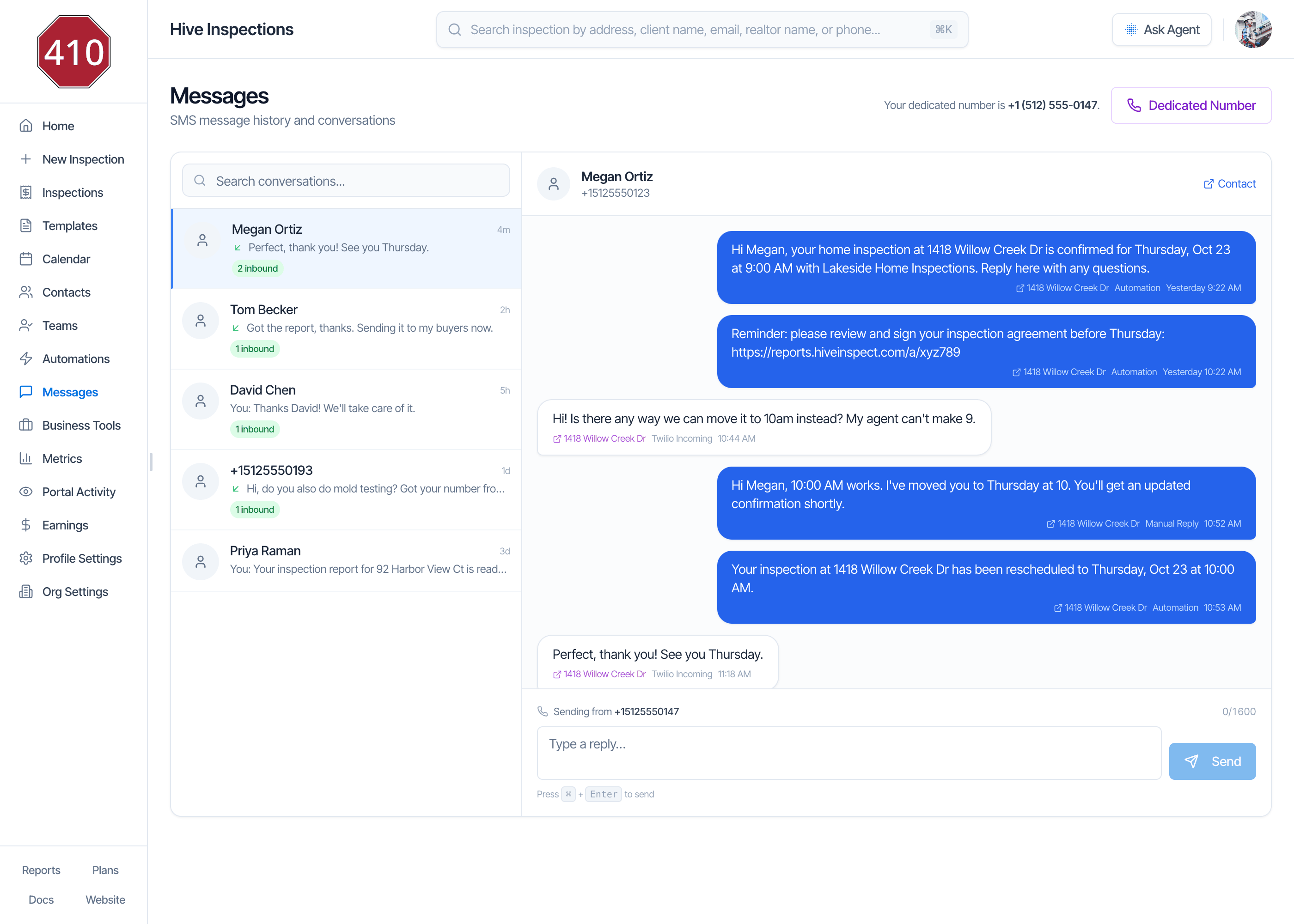
The conversation list
On the left, one row per person, newest first:- The contact’s name, or just the phone number when the number isn’t one of your contacts.
- The last message, with You: in front when it was yours, and a green arrow when it was theirs.
- 2 inbound: how many texts this person has sent you in total. It is not an unread count. Messages has no read or unread state.
- Search conversations… finds a name, phone number or message text.
A conversation
Click a row to see every text with that person, oldest at the top. Your texts are blue on the right, theirs are white on the left. Under each text:- The inspection address. Click it to open the inspection.
- Where it came from: Automation (sent by an automation), Manual Reply (typed in Messages), Send Reports (report links from Quick Actions → Send Reports), Review Engine (a review request), or Twilio Incoming (a text they sent you).
- When it was sent.
Reply

- The reply goes out from your dedicated number, shown as Sending from.
- Up to 1,600 characters.
- Text only: you can’t attach photos or files.
- Hive links your reply to the most recent inspection in the conversation.
Good to know
- You can only answer. You can’t start a new conversation in Messages. A person shows up once you’ve texted them through an automation, or they’ve texted your number.
- Reload to see new texts. Messages doesn’t refresh by itself. Reload the page to see replies that came in while it was open. The text and email you get for each reply arrive straight away.
- Photos clients send aren’t shown. If a client texts a picture, you see their text but not the picture. Ask them to email photos.
- Your whole team sees Messages. Everyone on your team can open it, read every conversation and reply.
- Messages is on the web dashboard only. The mobile app doesn’t have it. On your phone, use the text and email notifications.
Replies are disabled

If a client replied STOP
When someone texts STOP, the carrier blocks all texts from you to that number. If you try to reply, you see This contact replied STOP and has unsubscribed from texts, and the reply box is replaced by This contact has unsubscribed. They need to text START to your number before you can text them again. Use email or call them in the meantime.When someone replies
Every text a client, agent or anyone else sends to your number reaches you three ways at once.In Messages
It appears in the person’s conversation. If they aren’t one of your contacts, it gets its own conversation under their phone number. Hive links the reply to an inspection: the one your last text to that number was about, otherwise that contact’s most recent inspection. Canceled inspections are skipped.By text
A text to the Phone Number in your Forwarding Details, from your dedicated number:By email
An email to the Email in your Forwarding Details, from “Your Company via HiveInspect”, with the subject New SMS from Megan Ortiz — Hi! Is there any way we can move it…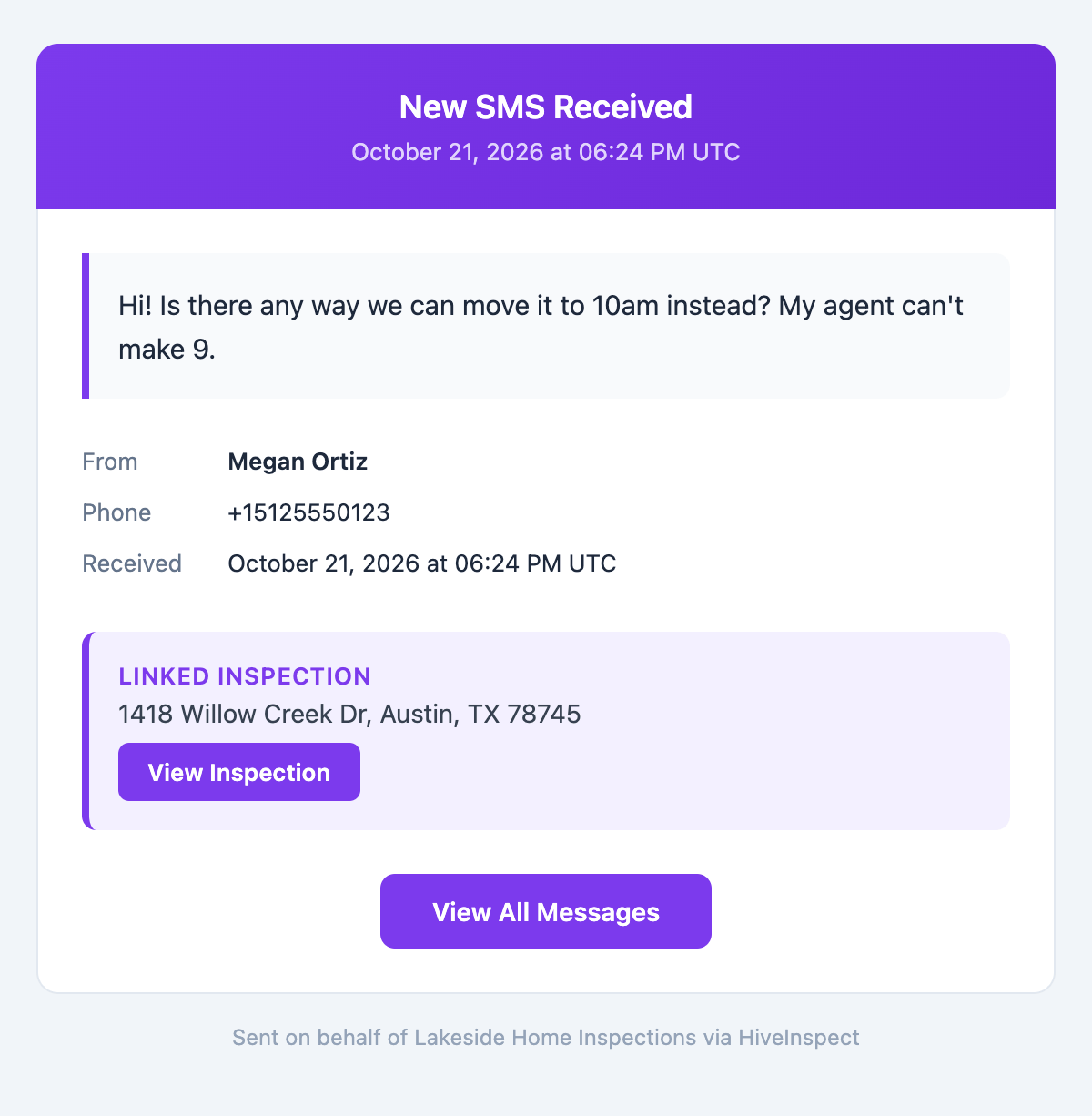
- The full message, the sender’s name and phone, and the time received (in UTC).
- Linked Inspection with the address and View Inspection, when the reply is linked to one.
- View All Messages opens Messages.
Which texts come from your number
Once your number is approved:
Until your number is approved, automated texts, review requests and report texts come from the shared Hive number, and you can’t reply from Messages. Replies to texts from the shared number never reach you, even after your number is approved.
If your dedicated number has a temporary problem, Hive sends that automated text, review request or report text from the shared number rather than not at all. A reply you type in Messages is never sent from the shared number: if it can’t go out, you see an error.
Sleep hours and the 1,600-character limit work the same as before. See Automation settings.
Cancel the dedicated number
- Open Business Tools → Subscriptions.
- On the Current Plan card, click Manage Subscription. This opens your Stripe billing page.
- Cancel the Dedicated SMS Number subscription there.
Frequently asked questions
What happens if someone calls my dedicated number?
What happens if someone calls my dedicated number?
The call doesn’t go through. The number is for texts only, with no call forwarding and no voicemail. Put your office number in your texts if you want clients to call.
Can I use a phone number I already have?
Can I use a phone number I already have?
No. Hive gives you a new number when your registration is approved. You can’t bring an existing number or choose a particular one.
How long does it take to get my number?
How long does it take to get my number?
Up to 7 days after you’ve both subscribed and submitted the registration form. The clock only starts once the form is submitted, so send it straight after subscribing.
Will clients see my personal number?
Will clients see my personal number?
No. Texts come from your dedicated number, and the details on the registration form are only used for the carrier registration. Clients only see your personal number if you type it into a message.
A client says they replied, but I don't see it in Messages.
A client says they replied, but I don't see it in Messages.
- Reload Messages. It doesn’t refresh by itself.
- Check which number they replied to. If it was a text sent before your number was approved, it came from the shared Hive number, and replies to it don’t reach you.
- If they replied STOP earlier, they need to text START before texts work again.
- If they answered an email instead of a text, the reply goes to your company email inbox.
I'm not getting the reply texts or emails.
I'm not getting the reply texts or emails.
Open the registration form and check Forwarding Details. The email only goes to the Email there. If Phone Number is empty, reply texts go to the inspector on the inspection or your company phone instead. Change them and click Save Changes.
Can my team members see and answer texts?
Can my team members see and answer texts?
Yes. Everyone on your team can open Messages, read every conversation and reply. There is one dedicated number per company, shared by the whole team.
Can I send a text to someone who hasn't texted me?
Can I send a text to someone who hasn't texted me?
Not from Messages: it only answers existing conversations. Send texts through an automation instead, and once they reply, answer from Messages.
Do clients pay to receive my texts?
Do clients pay to receive my texts?
Hive doesn’t charge them. Their own phone plan’s usual texting rates apply, as with any text.
Related