

In the dashboard: Business Tools → Subscriptions, the Website Services card.
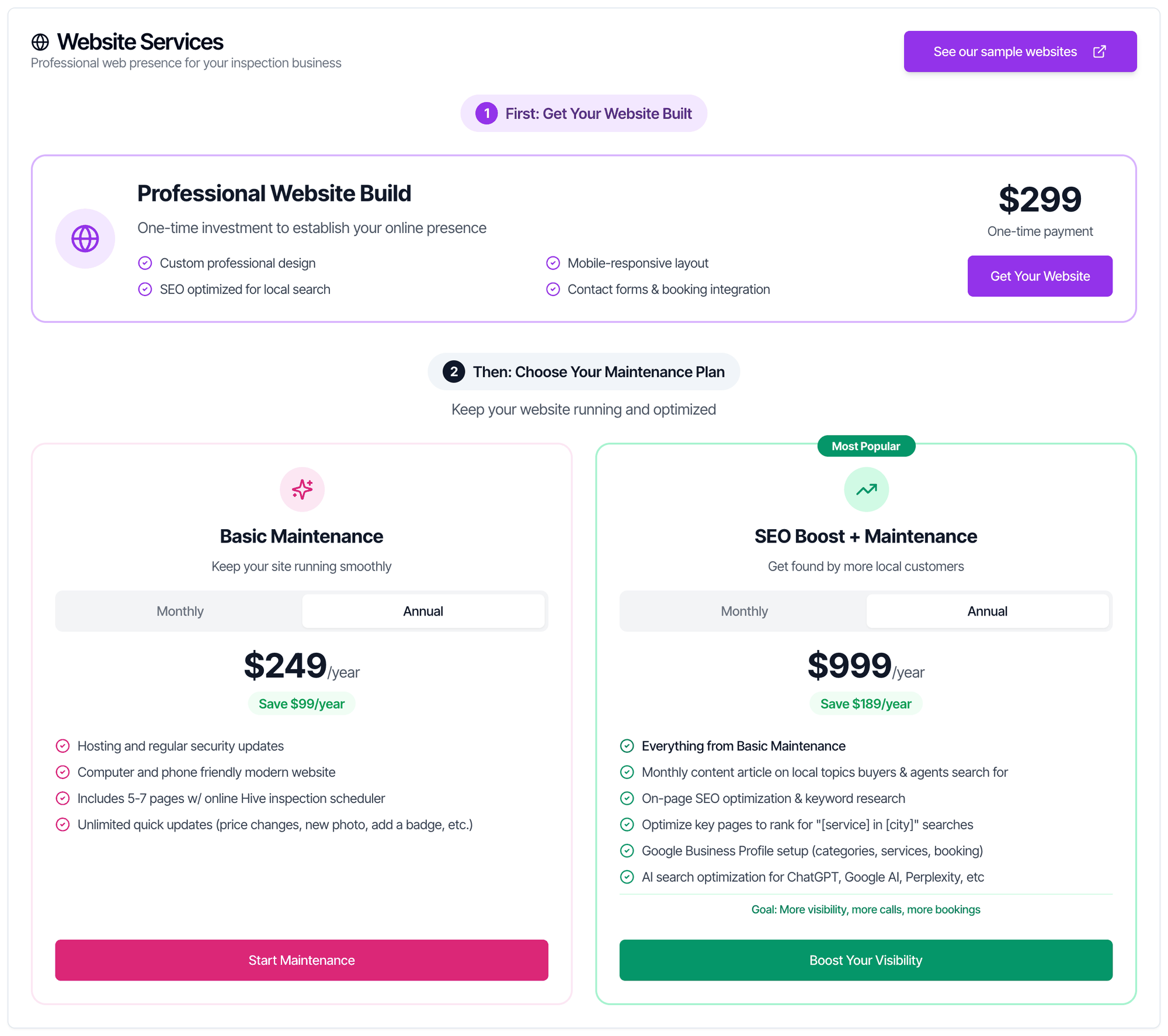
Hive can build a website for your inspection business and keep it running for you. You buy it from the Website Services card on the Subscriptions page, in two steps:- Professional Website Build: a one-time payment for the site itself.
- A maintenance plan: Basic Maintenance, or SEO Boost + Maintenance if you also want help ranking in local search.
What you get
Professional Website Build (one-time)
$299, one-time payment. The card lists:- Custom professional design
- Mobile-responsive layout
- SEO optimized for local search
- Contact forms & booking integration
Maintenance plans
Pick Monthly or Annual on each plan. The card opens on Annual, which shows how much you save against paying monthly for a year.
Basic Maintenance (“Keep your site running smoothly”) includes:
- Hosting and regular security updates
- Computer and phone friendly modern website
- Includes 5-7 pages w/ online Hive inspection scheduler
- Unlimited quick updates (price changes, new photo, add a badge, etc.)
- Everything from Basic Maintenance
- Monthly content article on local topics buyers & agents search for
- On-page SEO optimization & keyword research
- Optimize key pages to rank for “[service] in [city]” searches
- Google Business Profile setup (categories, services, booking)
- AI search optimization for ChatGPT, Google AI, Perplexity, etc
How your website connects to Hive
Basic Maintenance lists “Includes 5-7 pages w/ online Hive inspection scheduler”, and the build lists “Contact forms & booking integration”. To see how the Hive online scheduler works for your clients, see Scheduling Widget. We can also add your quote widget, sample reports and reviews to your site. Email website@hiveinspect.com and we’ll set it up.Before you start
- Who can buy: the account owner, and team members with the Manage Subscriptions permission. Others see Access Denied on the Subscriptions page. See What each permission does.
- Your own domain: buy a domain, such as
yourinspections.com, before you start. We put your site on it when it’s ready. The domain isn’t included in the price. - Billing: the website build and the maintenance plan are separate purchases, billed apart from your Hive software plan. See Billing and Subscriptions.
Buy a website
Open the Website Services card
Open Business Tools → Subscriptions and scroll to Website Services.
Buy the build
Click Get Your Website and pay on the Stripe checkout page. Back in Hive you see Website Build Purchased!: “Your one-time website build has been successfully purchased. We’ll be in touch soon!” The button then reads Already Purchased.
What happens after you pay
Once you have the build and a maintenance plan, we email you within 1 day with a Google Form and the next steps. The form asks how you’d like your site to look and what to put on it. You need your own domain. Buy it separately, before your site is ready, so we can put the site on it. The domain isn’t included in the price.Add SEO later
Already on Basic Maintenance? You don’t buy a second plan. The card shows Upgrade to SEO Boost + Maintenance instead, with the extra features listed and an Upgrade button.- Click Upgrade.
- Stripe shows the exact amount due today for the change. Nothing changes until you confirm there.
- After you confirm, you’re sent back to Subscriptions and see Plan Upgraded!. It can take a minute for the new plan to show.
Common questions
What does the process look like after I pay?
What does the process look like after I pay?
Buy both the build and a maintenance plan. Within 1 day we email you a Google Form and the next steps. Fill in the form with how you’d like your site to look and what to put on it. See What happens after you pay.
Do you use a template like Wix, or is it a custom design?
Do you use a template like Wix, or is it a custom design?
It’s custom. We build every site with custom code, not a template builder like Wix. To see examples of finished sites, click See our sample websites on the card, or open hiveinspect.com/websites.There’s no login to edit the site yourself. Our team makes all changes for you, and most are done within a few hours.
Where is the SEO option?
Where is the SEO option?
It’s the SEO Boost + Maintenance plan, the right-hand card under Then: Choose Your Maintenance Plan. If you’re already on Basic Maintenance, you see Upgrade to SEO Boost + Maintenance instead. If you can’t see the Website Services card at all, you already have a build and a maintenance plan that can’t be upgraded from the card.
How do I request changes to my site?
How do I request changes to my site?
Email website@hiveinspect.com with what you’d like changed. Basic Maintenance and SEO Boost + Maintenance include “Unlimited quick updates (price changes, new photo, add a badge, etc.)”, and most changes are done within a few hours.
Do I need my own domain?
Do I need my own domain?
Yes. Buy your domain separately, before your site is ready, so we can put your site on it. The domain isn’t included in the price.
Can I pay monthly instead of yearly?
Can I pay monthly instead of yearly?
Yes. Each maintenance plan has a Monthly and an Annual switch. Annual costs less over a year: $249 instead of $348 for Basic, and $999 instead of $1,188 for SEO Boost.
How do I cancel my maintenance plan?
How do I cancel my maintenance plan?
Cancel it on your billing page on Stripe. See Cancel a subscription.Our websites are custom-coded, so they can’t be moved to another website builder as they are. If you cancel, we can hand over all your site’s text and photos at no extra cost. Email website@hiveinspect.com to ask for them.
Do I need a website to use Hive?
Do I need a website to use Hive?
No. You can share your Public Page, a page Hive hosts for you with your services, team, sample reports and booking buttons, or add the online scheduler to a site you already have.