

In the mobile app: the report editor → the search button at the top.
Search finds a comment anywhere in the report without paging through sections. It’s also the quickest way to find every flagged comment before you publish.Where you search from decides what’s searched
When you search from a section or subsection, an Entire Report button (a globe) appears next to the filters once you start typing. Tap it to search the whole report instead.
Search
Type in the box. Results show as you type.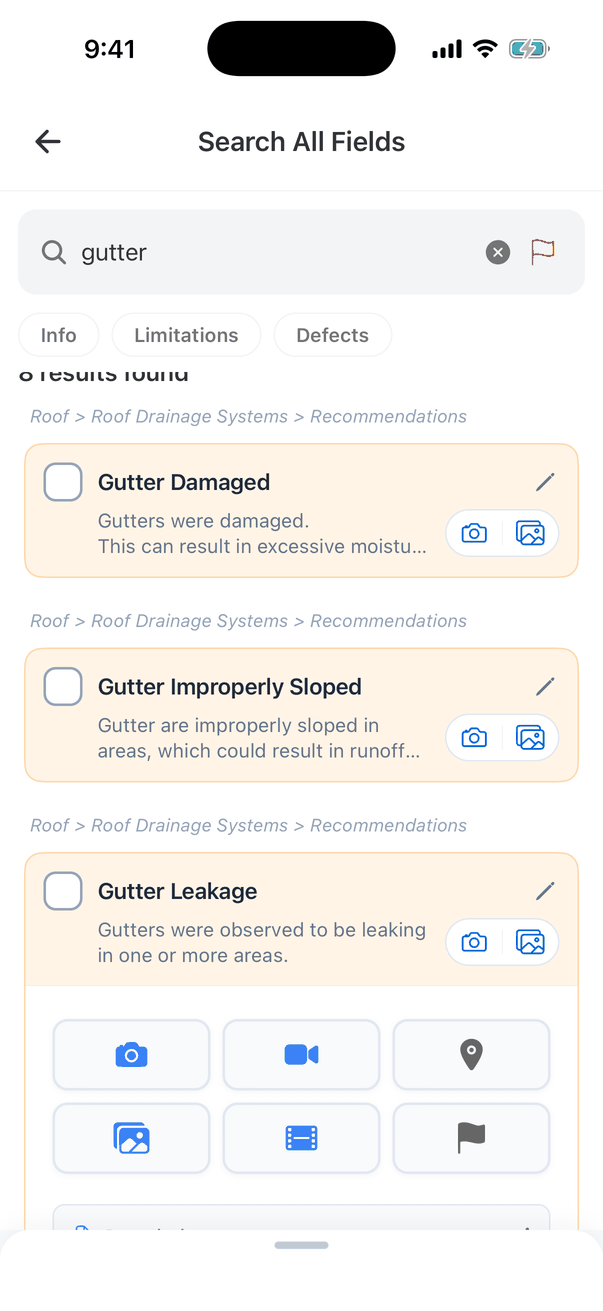
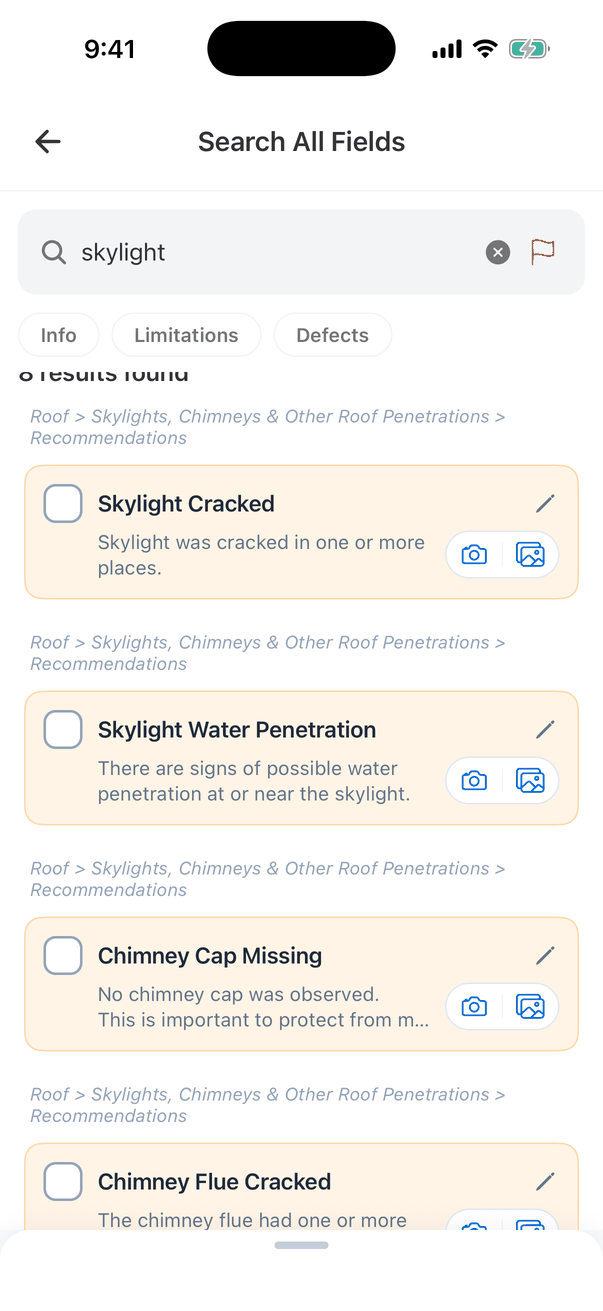
- Search matches comment names, descriptions, and the names of sections and subsections. Searching “skylight” also finds the chimney comments, because they’re in the “Skylights, Chimneys & Other Roof Penetrations” subsection.
- Each result shows where it is (Section > Subsection > card) above the comment.
- The results are real comment cards. Tick, edit and add photos right there.
- Comments in hidden sections are found too, marked Section Hidden or Subsection Hidden.
- Info, Limitations and Defects narrow the results to one kind of comment.
- Up to 50 results show at a time. Add a word to narrow the search.
Find flagged comments
Tap the flag button in the search box. It turns red and lists every flagged comment, with no need to type anything: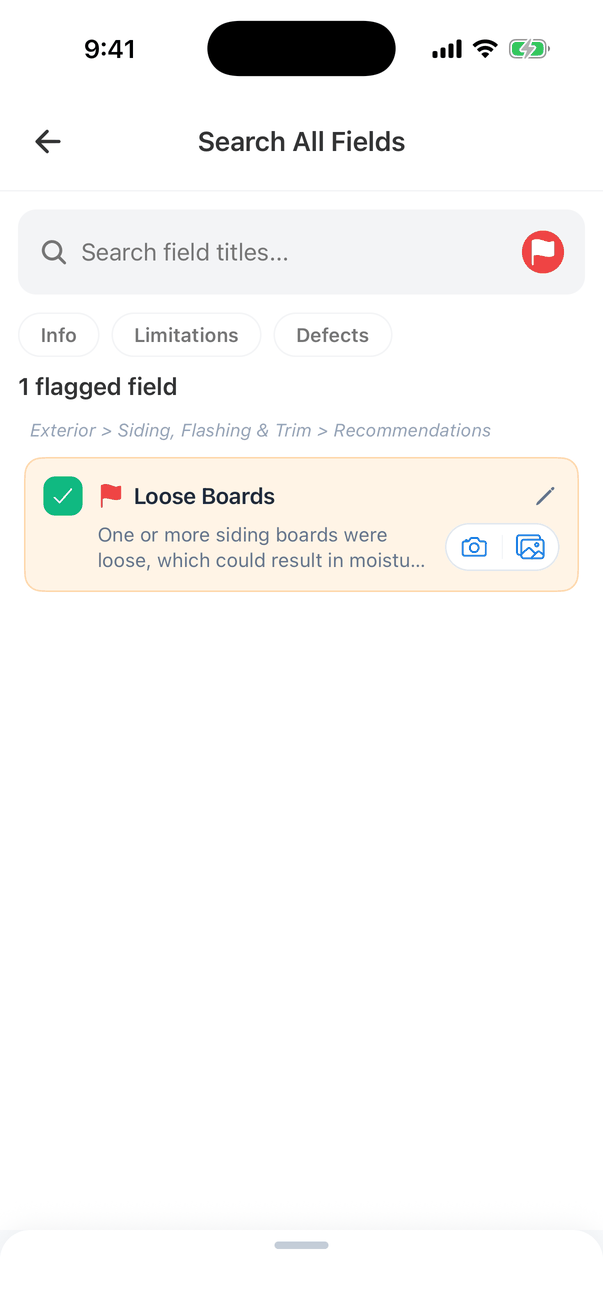
- Type in the box as well to search only flagged comments.
- Tap the comment to work on it, then remove its flag in the comment’s media row.
- When nothing is flagged, it says No Flagged Fields.
Recent searches
Your recent searches show when you open search. Tap one to run it again, tap its x to remove it, or tap Clear All. They’re saved on your phone only.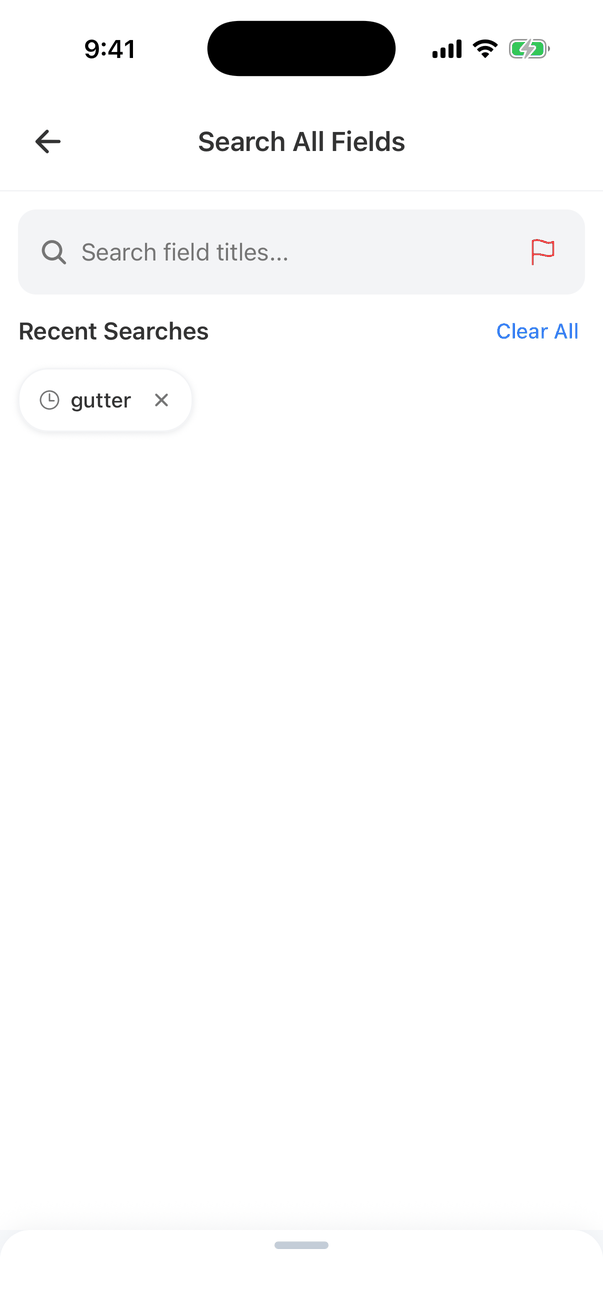
Where to go next
- Comments on mobile: working with a comment.
- Reports, publishing and PDFs: publish once nothing is flagged.