

In the mobile app: the Inspections tab → the car button at the top right.
Route planning lays out your day’s driving: from your company address to each confirmed inspection in time order and back. It works out the driving time and distance between stops with live traffic, so you can see if your schedule works before you leave.Plan a route
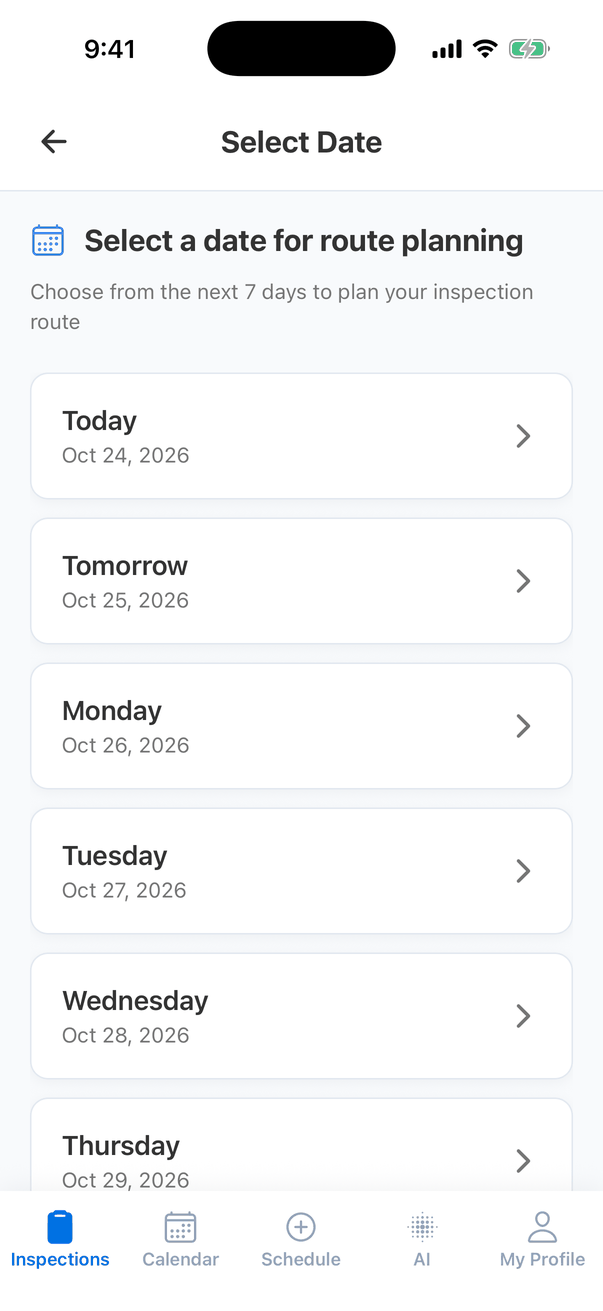
Check your stops
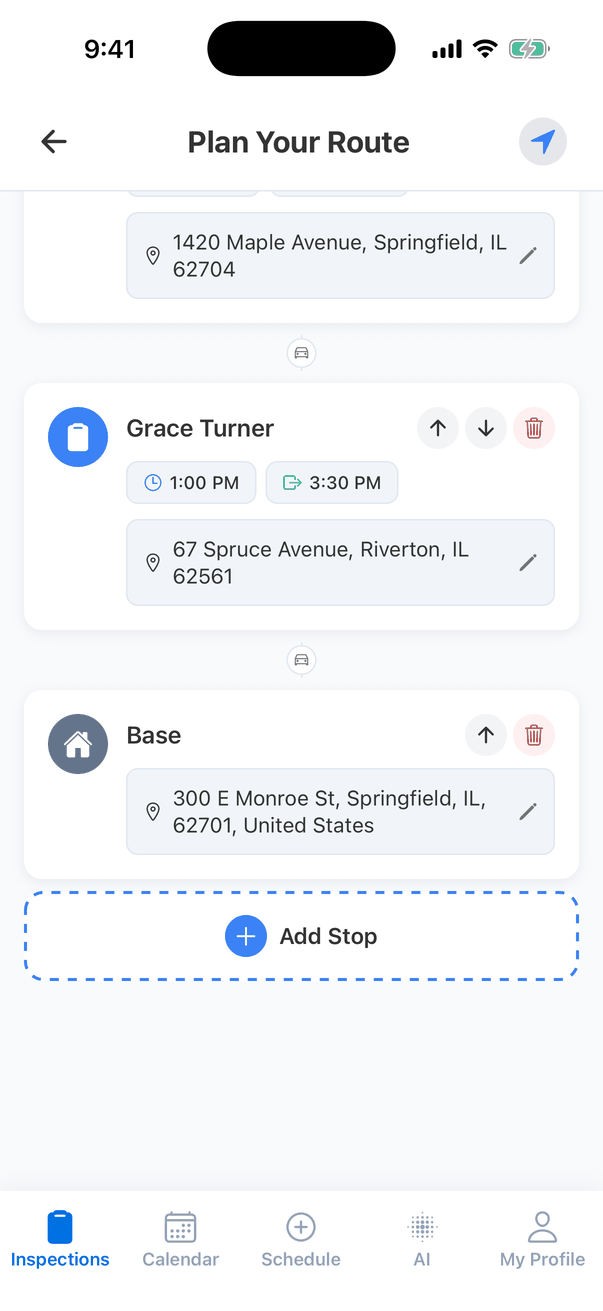
Plan Your Route lists your stops: Base (your company address) first, then each of your confirmed inspections and inspection events that day in time order, then Base again.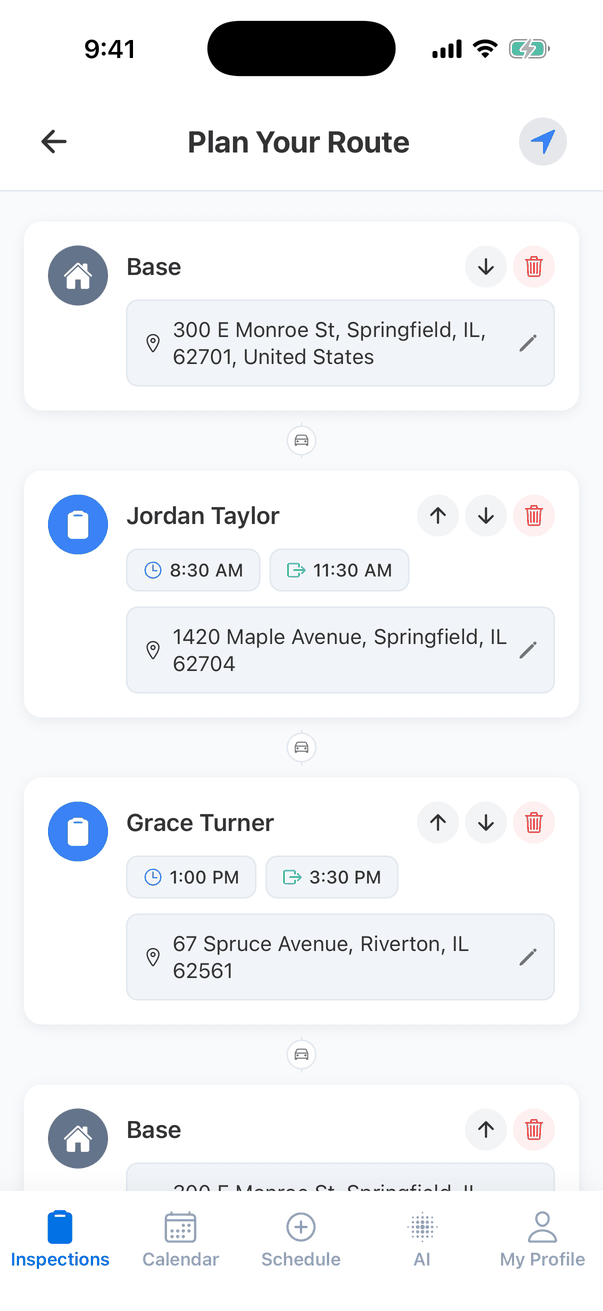
- move it with the up and down arrows;
- remove it with the red trash button (“Remove … from your route?”);
- tap its arrival or departure time to change it;
- tap the pencil to change the address, for example to start from home instead of the office.
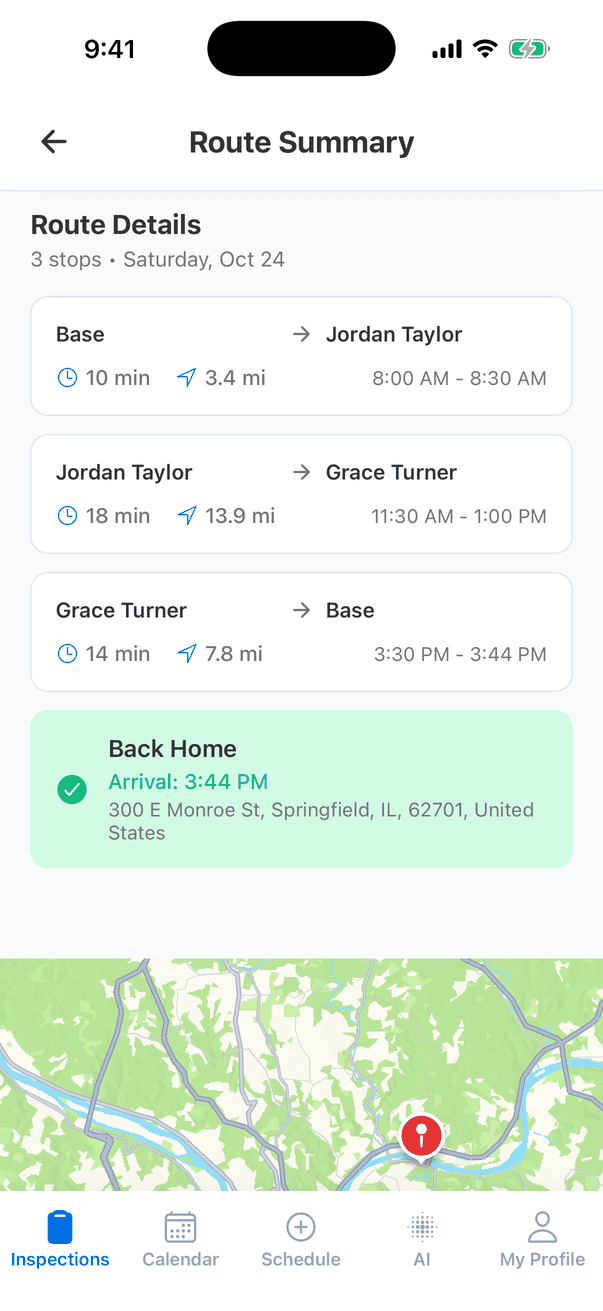
The Route Summary
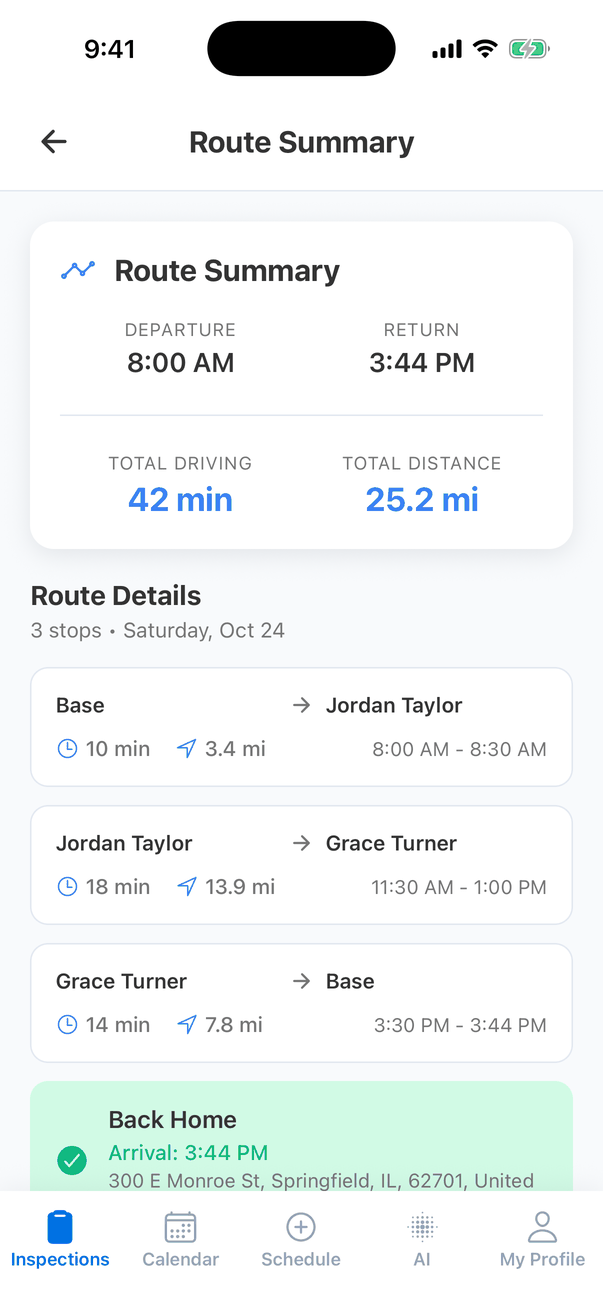
- Departure and Return: when to leave and when you’ll be back.
- Total Driving and Total Distance for the whole day. Distance is in miles, or kilometres if your company uses metric units.
- Route Details: each leg, with its driving time, distance and the time window.
- Back Home: when you get back to your base.
- The map at the bottom shows the route and every stop. Tap Open in Maps to start turn-by-turn directions in your maps app, with all the stops.
Good to know
- Only your inspections. The route uses the confirmed inspections and events you’re assigned to, even if you can see the whole team’s.
- Your base is the company address. Set it on the dashboard in Profile Settings, under the company’s street address. Without one, the app says “Organization Address Required: Please set your organization address in settings to use route planning.”
- Not enough time? If a stop’s times don’t leave room for the whole inspection, the app warns you (“Duration Warning”) and offers to adjust the arrival time.
- Nothing is saved or sent. The route is just for you. It doesn’t change your schedule or tell anyone.
- Needs signal, to calculate driving times.
Common questions
Why isn't an inspection in my route?
Why isn't an inspection in my route?
The route only includes Confirmed inspections assigned to you on that day. Check its status and who’s assigned, or add it with Add Stop.
Can I start from home instead of the office?
Can I start from home instead of the office?
Yes. Tap the pencil on the first Base stop and type your home address. It’s only changed for this route.
Where to go next
- Inspections list: where the car button is.
- Mileage tracker: driving miles for expenses.