

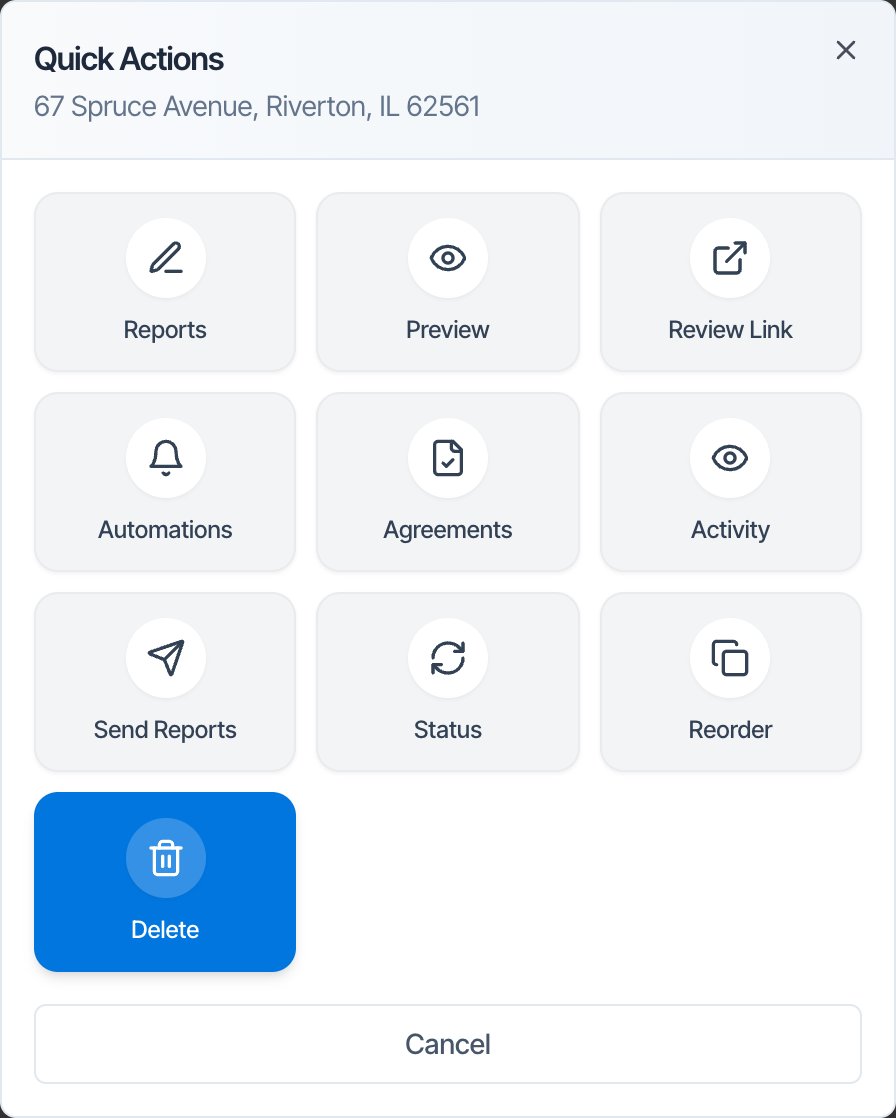
In the dashboard: Inspections → ⋮ → Quick Actions → Delete
Delete an inspection when it should never have existed: a test, a duplicate or one created by mistake. Deleting removes it from Hive and tells no one. If the job was real and just isn’t going ahead, cancel it instead. Canceling keeps the record and can let the client and agent know.Delete an inspection
Open Quick Actions
On the Inspections page, find the inspection and click the round blue ⋮ button at the end of its row. On a phone-sized screen, it’s the ⋮ at the bottom right of the card.
Confirm
The Delete Inspection window asks: “Are you sure you want to delete the inspection for [client]? This action cannot be undone.” It also reminds you that you can change the status to Canceled instead. Click Delete Inspection.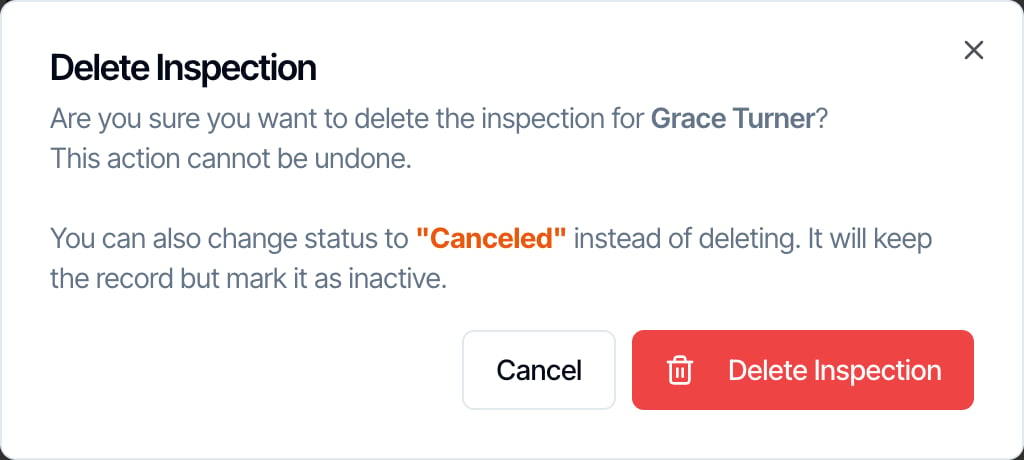
You can’t delete an inspection from its own page or from the mobile app. Use Quick Actions on the Inspections page in the web dashboard.Delete Report in the mobile app removes one report from an inspection, not the inspection itself.
Before you delete
- Refund first. Deleting doesn’t refund the client. The Refund Payment button is on the inspection’s page, under Fees and Payments, and you can’t open that page once the inspection is deleted.
- Tell the client yourself, or cancel instead. Deleting sends nothing. If the client or agent already has a confirmation, cancel the inspection so your Inspection Cancelled automation tells them.
- Download anything you need. Reports, photos, agreements and the invoice can’t be opened from your dashboard after you delete, and your client can’t open them either.
What deleting does
Hive doesn’t erase the data straight away; it hides it. There’s no undo button or trash. If you deleted the wrong inspection, contact support from the chat in your dashboard as soon as possible, with the address and roughly when you deleted it.
Delete or cancel?
To cancel, click the status badge on the Inspections page, or use ⋮ → Quick Actions → Status, pick Canceled and confirm. See Inspection statuses.
Who can delete
- A team member with the Schedule Management permission can delete any inspection.
- Anyone else can only delete inspections they’re assigned to. Otherwise they see “You don’t have permission to delete this inspection. You are not assigned to it.”
Common questions
Can I get a deleted inspection back? Not yourself. Contact support with the address and roughly when it was deleted. I deleted an inspection but it’s still in Google Calendar. Hive removes the event only from the calendars of inspectors who were assigned and have Google connected. Delete any leftover event in Google Calendar by hand. Does deleting tell the client? No. Nothing is sent. Cancel instead if you want your cancellation automation to tell them. The client already paid. What should I do? Refund the payment from Fees and Payments on the inspection’s page first, then cancel or delete it. Can I delete several inspections at once? No. Delete them one at a time. I deleted a report, not the inspection. In the mobile app, Delete Report removes one report. The inspection stays. Contact support if you need a removed report back. Why does my all-time inspection count still include deleted ones? The all-time Total Inspections count records every inspection ever created. Date-range metrics leave deleted inspections out.Where to go next
- Inspection statuses: cancel, reopen and every other status change.
- Filter, search and sort your inspections: find canceled inspections with the Status filter.
- Reschedule an inspection: move the date instead of canceling.