

In the dashboard: Business Tools → Services & Fees
The short answer
- A main service is an inspection you sell on its own, such as Home Inspection, Pre-Listing Inspection or Re-Inspection. It is picked first, and it decides the price, the time, the report templates, the agreements and the automations of the inspection.
- Each inspection has one main service.
- An add-on service is an extra sold with a main service, such as Radon Testing or Sewer Scope. To sell more than one service on the same inspection, add the others as add-ons of the main service.
How it looks on an inspection
When you schedule in the dashboard, Select Service lists your main services. You pick one.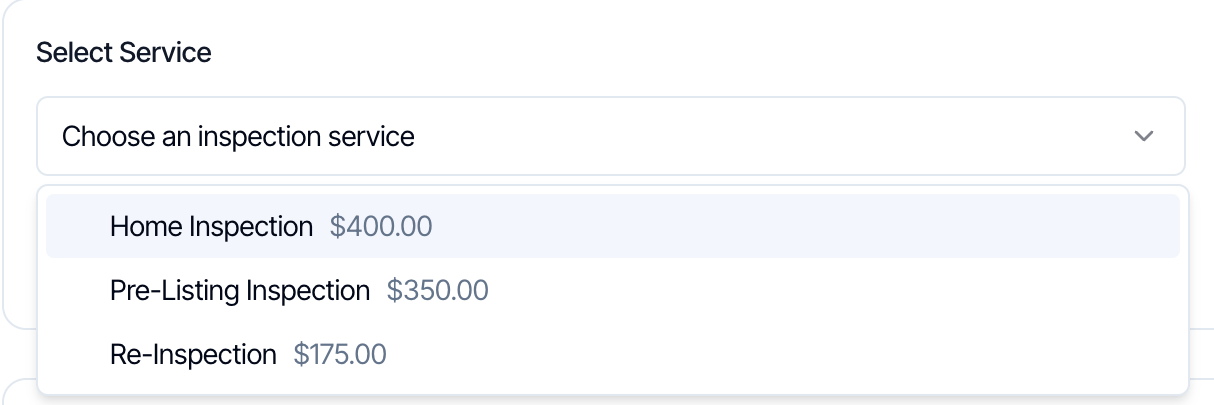
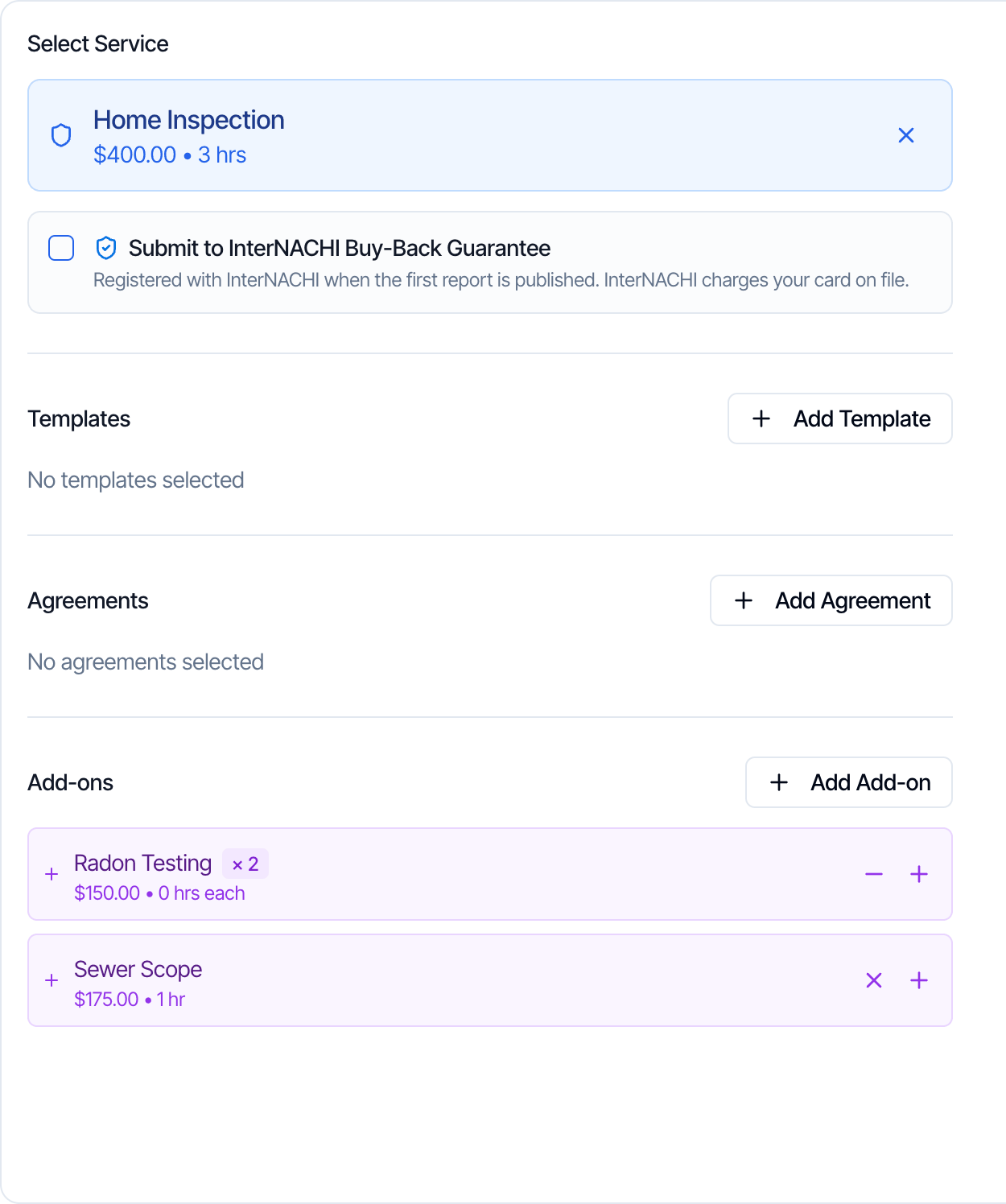
Why one main service
The main service ties the inspection together:- its templates become the reports of the inspection
- its agreements are sent to the client to sign
- your automations can be set to run only for certain main services
- its taxes are charged on the whole order
Main service and add-on compared
Sell a service both on its own and as an add-on
Some services, such as radon testing, are booked on their own by some clients and with a home inspection by others. Set them up both ways:- Create Radon Testing as a main service, for clients who only want radon.
- Add Radon Testing as an add-on on each main service it goes with, such as Home Inspection and Pre-Listing Inspection.
Change the main service of an inspection
On an inspection, click the X on the main service to remove or change it. Hive asks you to confirm first.- On a new inspection, this removes the service with its templates, agreements and add-ons. Pick another service to continue.
- On a saved inspection, changing the service permanently deletes all reports, agreements, automations and custom pricing lines currently on the inspection. You can’t save the inspection until you pick the new service. The new service’s reports, agreements and automations are then created from scratch.
Hidden services and hidden add-ons
- Hidden on scheduler, on a main service, removes it from your online scheduler, quote widget and public company page. Your team can still pick it in the dashboard. Use it for services you book yourself, such as a re-inspection or a tax-exempt copy of a service.
- Hide from Scheduler, on an add-on, removes it from the online scheduler and quote widget. Your team can still add it in the dashboard, and clients can still add it after booking if Allow Upselling is on. See Allow Upselling and Hide from Scheduler.
Frequently asked questions
Can I add two main services to one inspection?
Can I add two main services to one inspection?
No. Each inspection has one main service. Add the other services as add-ons of that main service, under Service Add-Ons when you edit it. See Add-on services.
My client wants a home inspection and a sewer scope. How do I book it?
My client wants a home inspection and a sewer scope. How do I book it?
Book one inspection with Home Inspection as the main service and Sewer Scope as an add-on. If Sewer Scope isn’t an add-on of Home Inspection yet, add it under Service Add-Ons on that service first.
Should a service be a main service or an add-on?
Should a service be a main service or an add-on?
Make it a main service if clients book it on its own. Make it an add-on if it’s sold together with another inspection. If both happen, set it up both ways. See Sell a service both on its own and as an add-on.
Why don't I see my add-on when booking?
Why don't I see my add-on when booking?
Add-ons are offered only for the main service they belong to. Check that the add-on is on the main service you picked. On the online scheduler, also check that Hide from Scheduler is off.
Can an add-on belong to more than one main service?
Can an add-on belong to more than one main service?
Each add-on belongs to one main service. To offer it with others, copy it with Add from Another Service or Duplicate. Each copy has its own price and settings.
Can I sell two separate inspections to the same client?
Can I sell two separate inspections to the same client?
Yes. Create a second inspection for the same property and client with the other main service. Each inspection then has its own reports, agreements, schedule and invoice.
Next step
Related